The items across the top of the site (Home, Walks, Committee, Admin, and so on). They are a list you edit in System Settings. Create the page first, then add it to that list so people can find it.
This is separate from who can see each item. Access is a dropdown on the same list.
Type the address you want in the browser, for example committee, and press Enter. If you are in edit site mode you will see Create content. Click it, add a heading, and save. Full steps: Creating New Content.
The page exists after you save. It does not appear in the navbar until you add it in the next step.
Go to Admin → System Settings → Header. Scroll past Header Buttons to Pages Within Navbar.
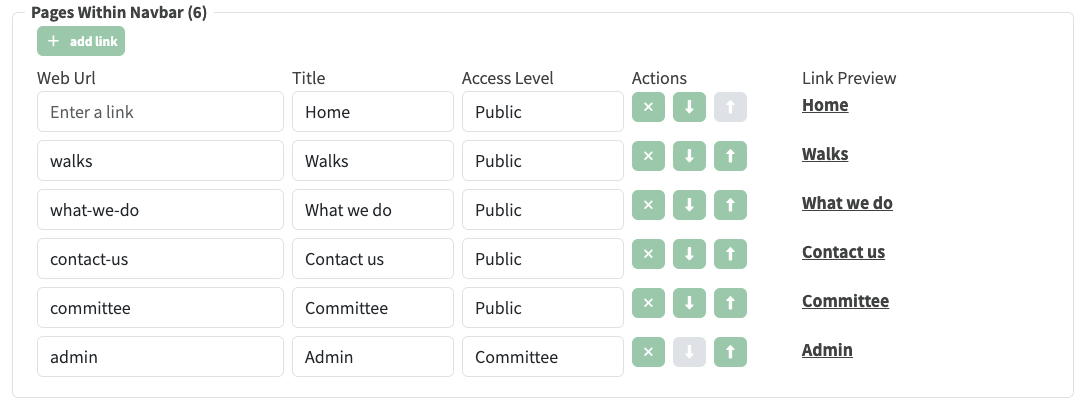
Pages Within Navbar on System Settings → Header. Web Url is the page path (committee), Title is the label people see, Access Level controls who sees the item.
committee. Home uses an empty url.Committee.The new item appears in the bar as soon as the save completes.

Committee on the navbar, sitting between Contact us and Admin.