{"id":"64174621bba30fd5daa4dccd","title":"Adding Pages","path":"how-to/committee/editing-content/adding-pages","contentMarkdown":"## Adding a new page\n- Adding a new page is as simple as entering website url in the browser relative to [the website]() and pressing enter! \n- For example, you could enter [walks/malcs-page/walking-tips](https://ngx-ramblers.org.uk/walks/malcs-page/walking-tips). Go on, click it - it won't break anything!\n- If you are not in **site edit** mode you will see a warning like this that the page content does not exist:\n\n\n\n- However, if you go into **site-edit**, the message link will now magically change to **Create content**:\n\n\n\n- If you click **Create content** the page will be transformed into content creation mode as shown below: \n\n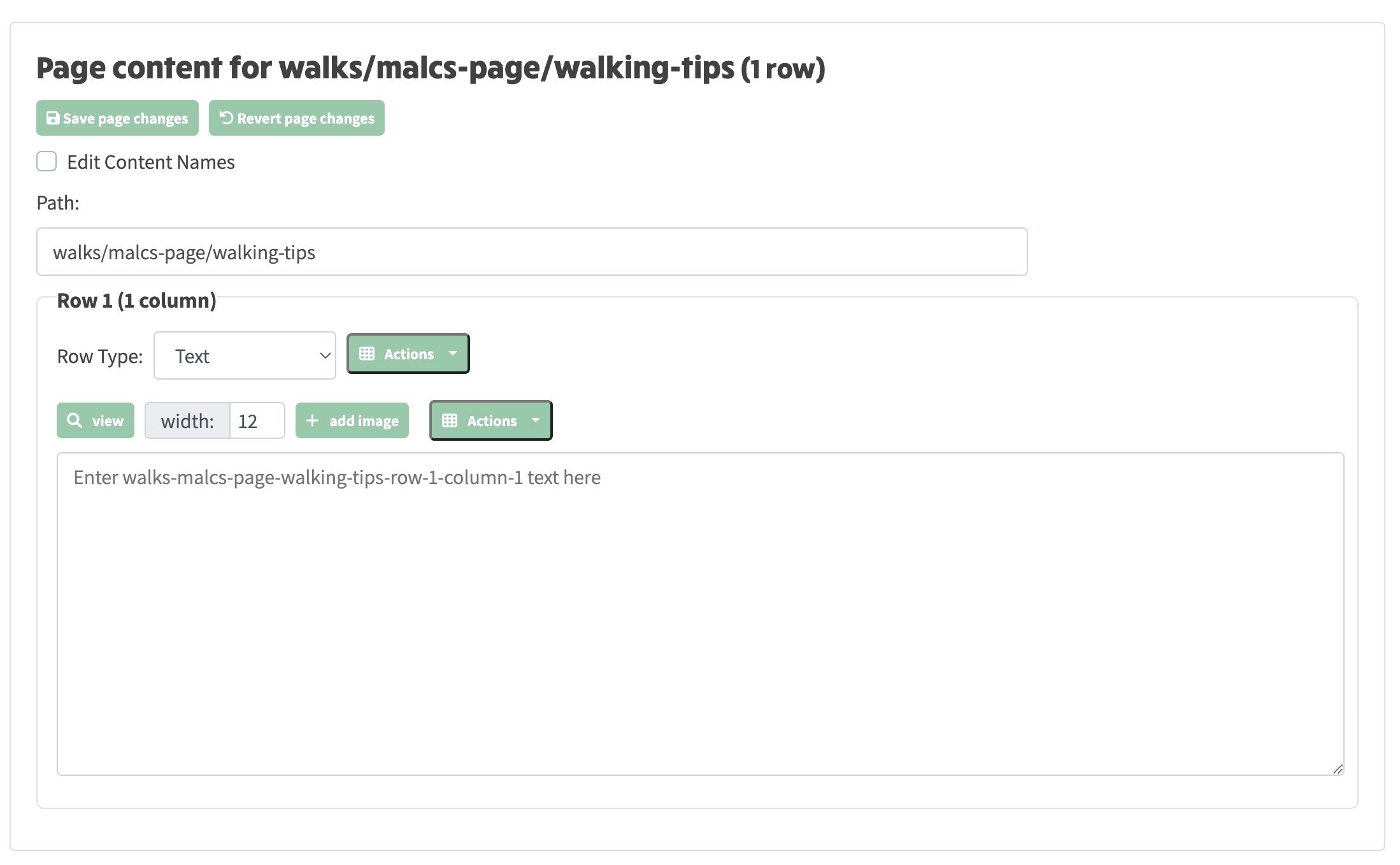\n\n* You can now start entering content into the default **Text** row that's created, and then go on to add more rows and columns as required, or change the row type to another like **Album**. Don't forget to save, as clicking **Create Content** only creates a temporary working page that will be lost unless you save it.","contentHtml":"Adding a new page
\n\n- Adding a new page is as simple as entering website url in the browser relative to the website and pressing enter!
\n- For example, you could enter walks/malcs-page/walking-tips. Go on, click it - it won't break anything!
\n- If you are not in site edit mode you will see a warning like this that the page content does not exist:
\n
\n
\n\n- However, if you go into site-edit, the message link will now magically change to Create content:
\n
\n
\n\n- If you click Create content the page will be transformed into content creation mode as shown below:
\n
\n
\n\n- You can now start entering content into the default Text row that's created, and then go on to add more rows and columns as required, or change the row type to another like Album. Don't forget to save, as clicking Create Content only creates a temporary working page that will be lost unless you save it.
\n
\n"}