
You can read and send committee mail in Apple Mail, Outlook or Thunderbird, using a committee role address. This is optional. If the group is happy using Admin → Inbox on the website, leave it switched off.
This is the same work described in the 30 October 2026 release note.
You still send newsletters and mail to the member list from the website composer. This setup is for day-to-day committee mail: Inbox, Sent, Drafts, Junk, Deleted, and any folders you already created on the website.
Open Admin → Mail Settings → API. Tick Allow External Mail Support, then save. Until that is done, mail apps cannot connect.
If you later need to stop every device at once, untick the same box and save.
Mail Settings → API: Allow External Mail Support. Off by default. Incoming mail uses IMAP port 993, outgoing mail uses SMTP port 465, both with SSL/TLS.
Only people who hold a committee role with an email address see this page. Open Profile → External Email Setup.
On a live site, incoming mail uses port 993 and outgoing mail uses port 465, both with SSL/TLS. Username is the committee role address. Password is the application password. Do not choose STARTTLS.
You can only send From a committee role address listed on that Profile page. Sending from a personal address is refused. Mail you send this way is saved in the shared committee inbox Sent folder so the rest of the committee can see it.
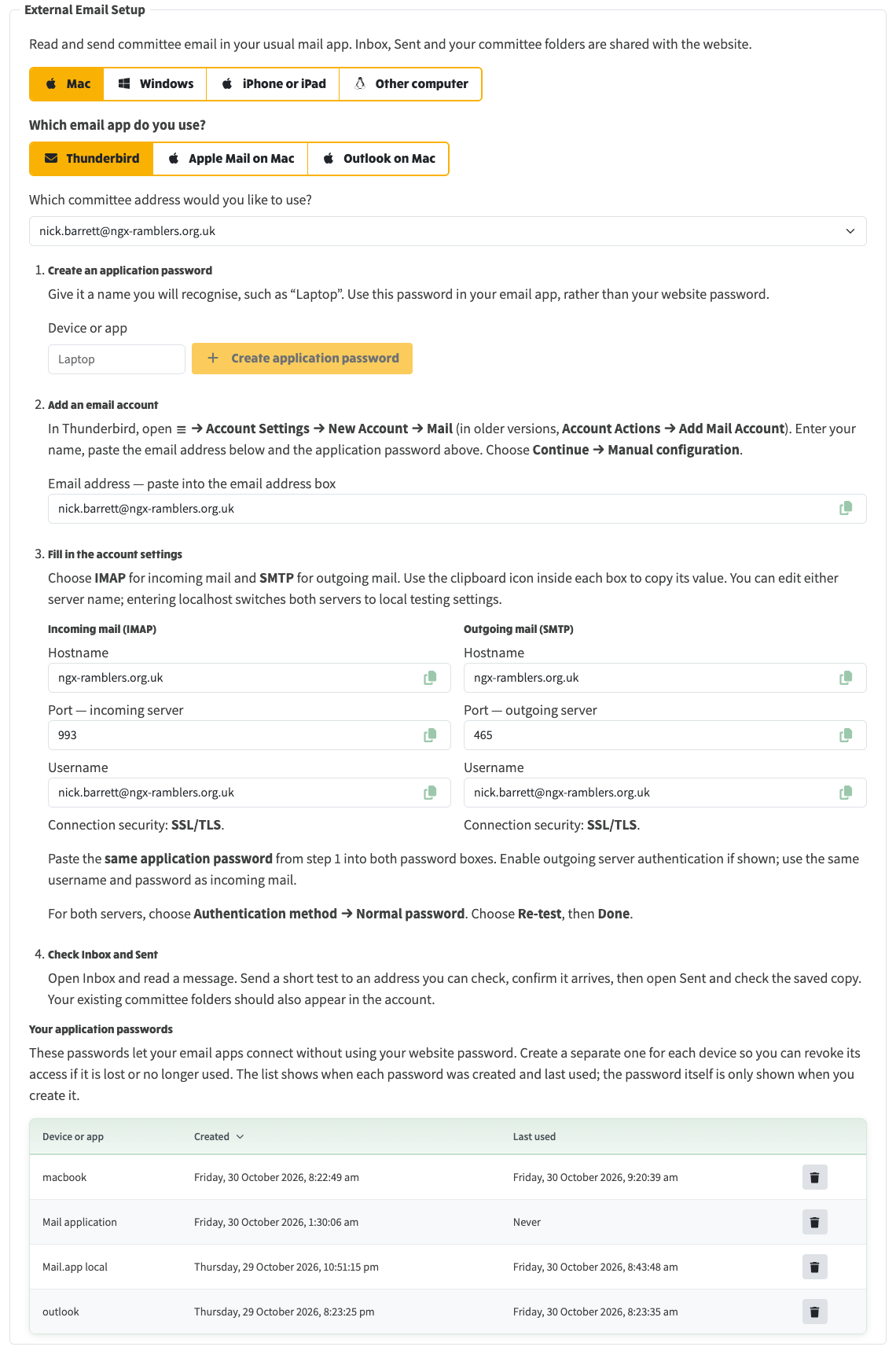
Profile → External Email Setup: choose Mac, Windows, iPhone or iPad, then the mail app, pick the committee address, create an application password, and copy the IMAP and SMTP settings.
On the setup page, choose Mac then Apple Mail on Mac. The steps on the page match Mail → Add Account → Other Mail Account.
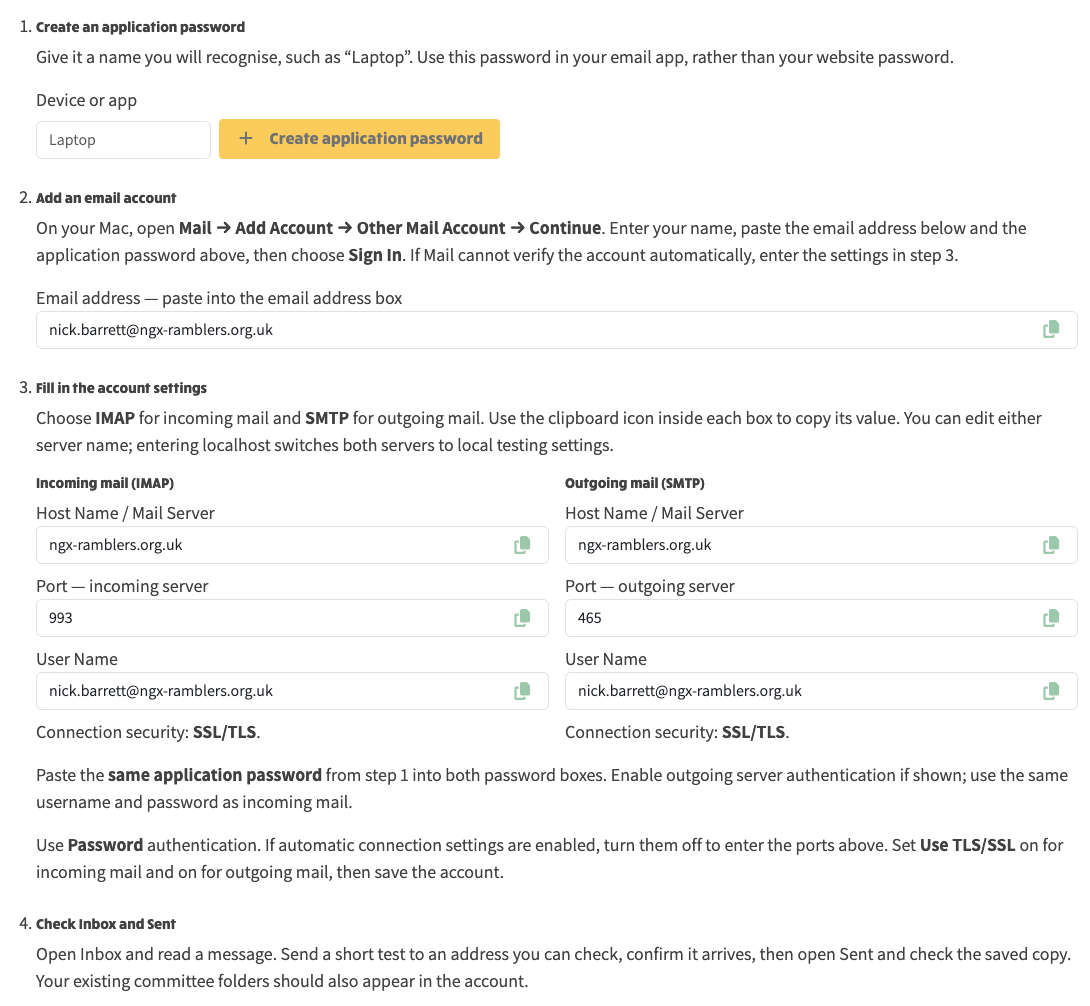
Apple Mail on Mac: create an application password, add the account in Mail, then paste IMAP 993 and SMTP 465 with SSL/TLS.
On the setup page, choose Windows then the Outlook version you use (new Outlook or classic). Choose IMAP if the app asks for the account type. Expand Show more or Advanced settings to enter the ports.
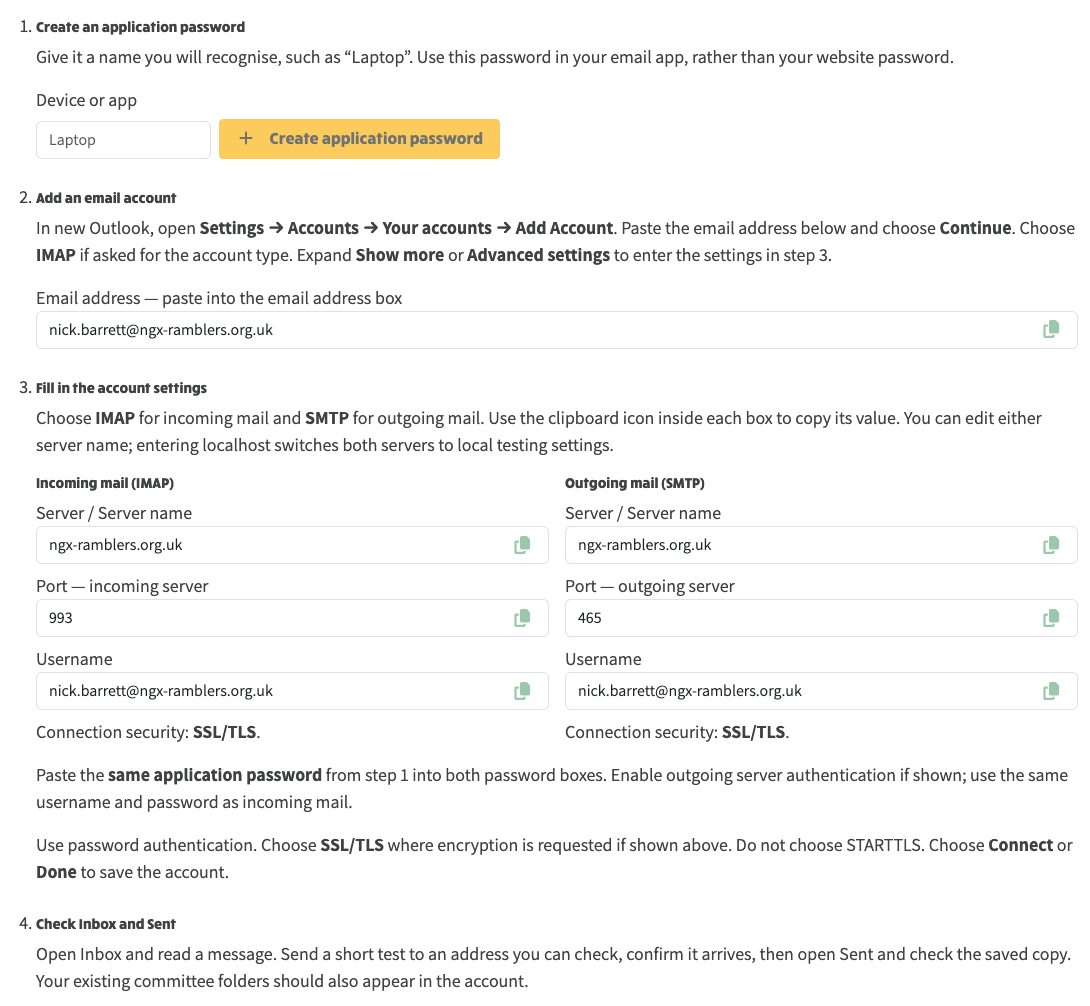
New Outlook on Windows: add the account as IMAP, paste the same hostname, ports 993 and 465, SSL/TLS, and the application password. Do not choose STARTTLS.
Choose Thunderbird or iPhone or iPad on the same page. The numbered steps change to match that app. The hostname, ports, username and application password stay the same.
There is a limit of 20 people on one send, a 10 MB size limit, and 30 sends per hour. Incoming mail appears in Inbox, Sent, Drafts, Junk and Deleted, plus any folders you already created on the website. Marking something read or deleting it behaves the same as on the website.
Go back to Profile → External Email Setup and use the bin icon on that application password. That stops that device immediately. Create a new password when you set the app up again.