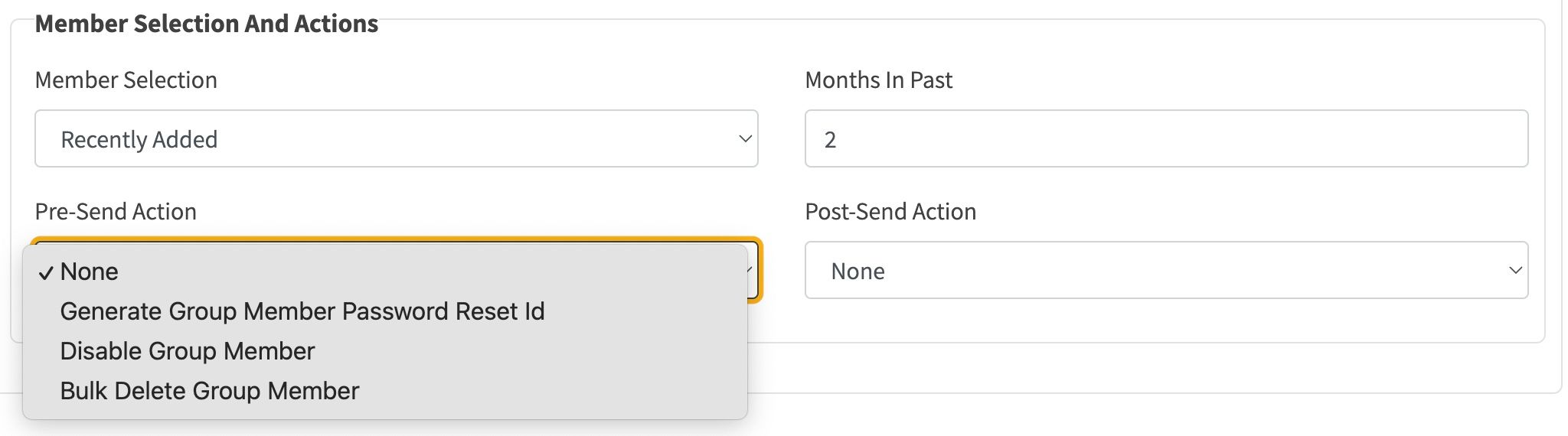
In the above options, the Months in the Past field creates a selection window backwards from the current date in order to select member recipients. For instance for the Welcome email configuration, a value of 1 is a sensible default, on the assumption that the Member Bulk Load is run on a monthly basis, thus picking up all newly loaded members.
The other two fields Pre-Send Action and Post-Send Action are write actions that are performed on member data, before and/or after sending the email. Possible values are:
If the Member Selection field value Mailing List is selected, the email configuration can only be used in Campaign email.
An additional List dropdown is available for this type of Member selection, and this list is automatically preselected at the point the email configuration is selected. A screenshot of this is shown below:
