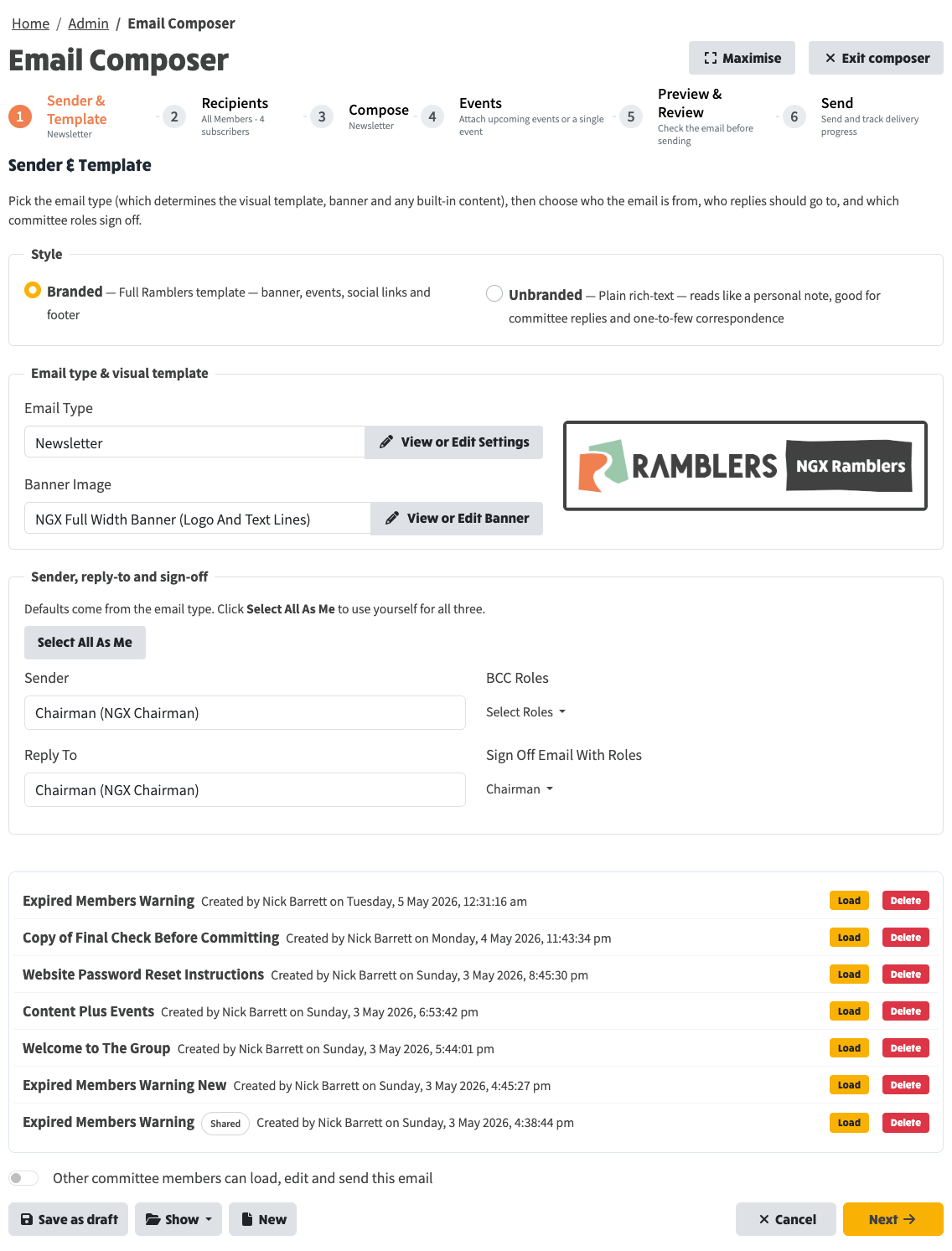
The composer keeps a record of every email you start, whether you've sent it or not. The toolbar at the bottom of every step has the buttons that let you make use of that record:
The number on each menu entry tells you how many drafts or sent emails you have.
Click Save as draft at any point. The composer stores everything you've filled in - subject, body, recipients, sender, events choice, dividers - and adds it to your drafts list with the subject line as its title. There's no need to finish a step before saving.
You can keep working on the email after saving. To save another version, click Save as draft again - it updates the same draft rather than creating a new one (until you start a fresh email with the New button).
Choose Drafts (N) from the Show menu to expand the drafts panel. Every draft shows its subject, who created it, and when it was last saved.
Each row has two buttons on the right:
Choose Hide drafts from the Show menu to close the panel.
Below the toolbar is a switch: Other committee members can load, edit and send this email.
Turn it on and the draft becomes visible to every other authenticated committee member. They'll see it in their own Drafts list with a small Shared badge, and they can load it, finish it, and send it on your behalf. Turn it off to make it private again.
This is useful when one person sets up the framing of an email and another person finalises and sends it - for example, the secretary drafting an AGM notice for the chair to send out.
Sent emails are saved automatically when a send completes, so you don't need to do anything special after pressing Send. Choose Sent (N) from the Show menu to expand the sent panel.
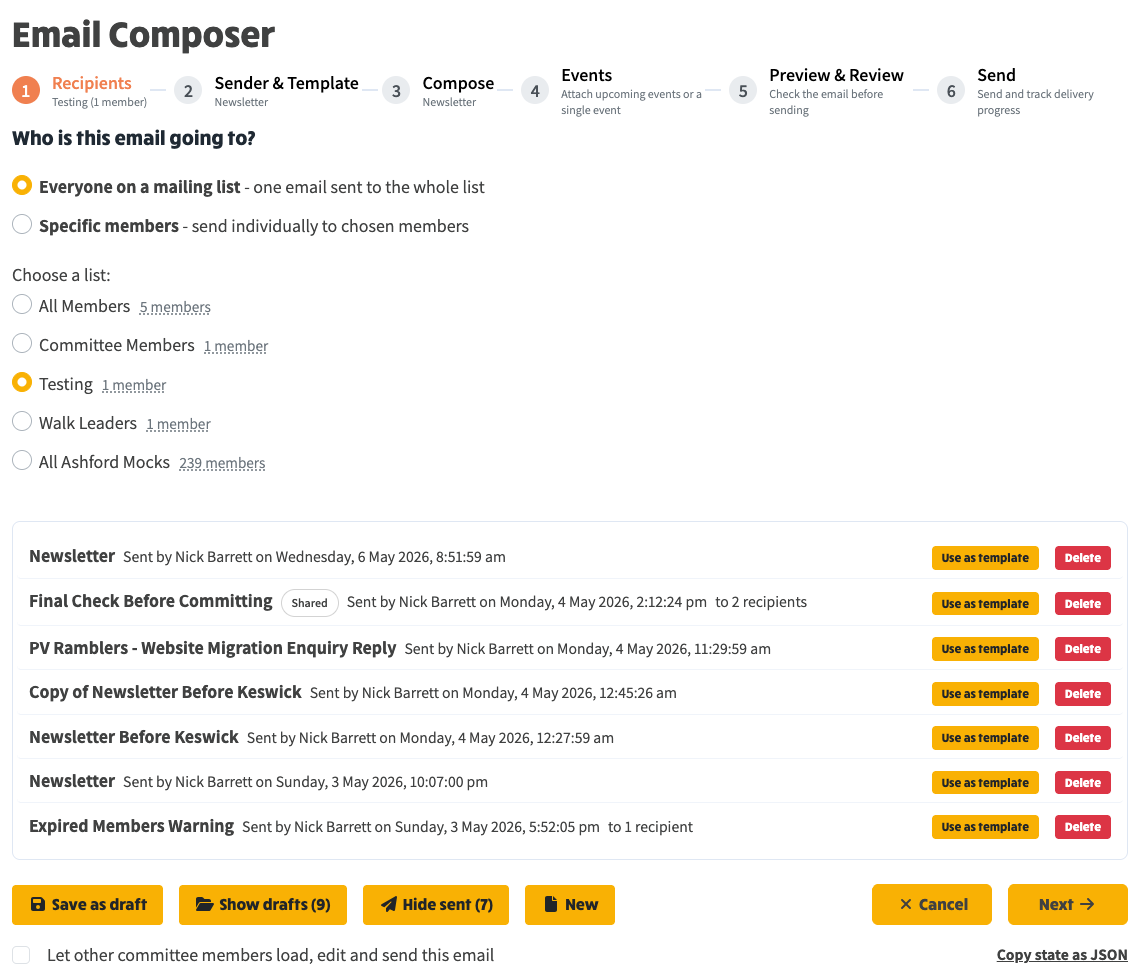
Each row shows the subject, the sender, when the send happened, and either whole list or the recipient count.
The two buttons on the right are:
Use as template is the natural way to send a recurring email - last month's newsletter becomes this month's starting point in one click.
The drafts and sent panels are mutually exclusive - opening one closes the other - so the page never gets cluttered. Both are always available from any step of the composer, so you can save a draft, switch to sent to grab last month's wording, then come back to your draft without losing anything.