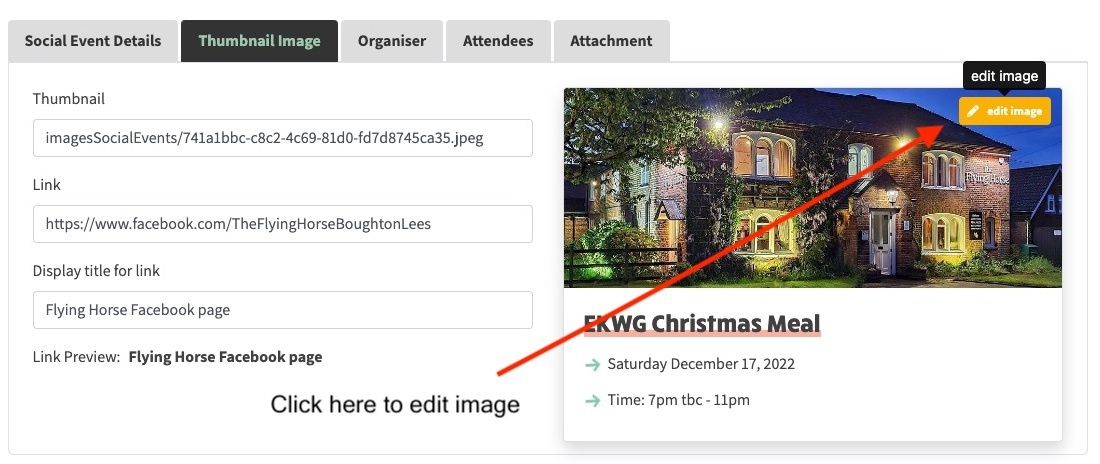
Exiting Edit Mode
Once you've finished editing your image there are two possible options you can take:
- Choose quit to undo your changes and not save them to the website.
- Choose save to upload the cropped/resized image to the website and automatically link the saved image to the content you are working on. If you are editing an existing image, the website will be overwritten with your changes, so be sure this is what you want to do!
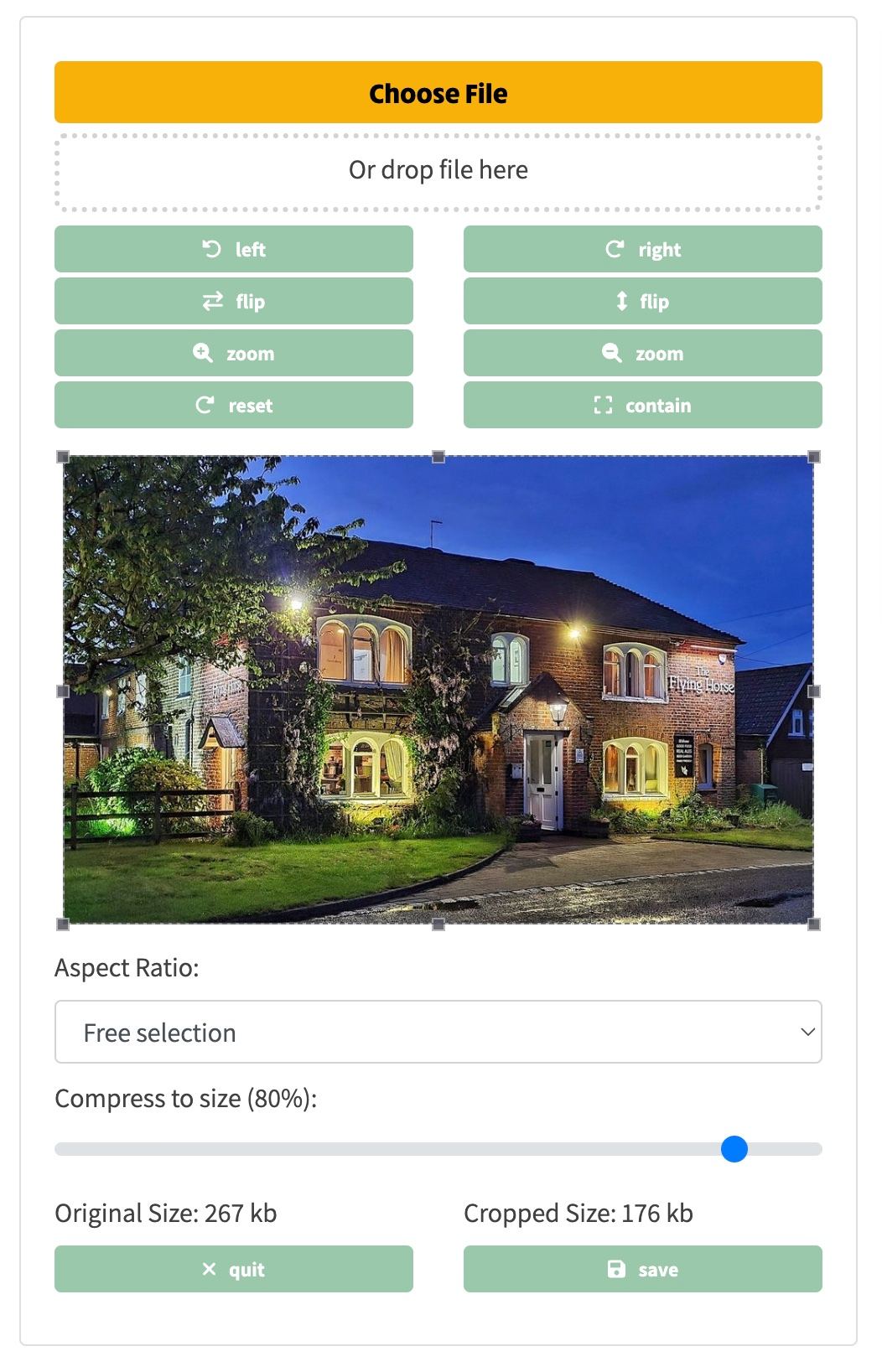
Once you've clicked the edit image button, an image editor will temporarily be inserted into the place you are working as can be seen on the right. Within this editor, you have the ability to:
- Add a new image. You can do this either by:
- Clicking the Choose File button.
- Or dragging a file into Or drop file here zone with the dotted line around it. You can either drag an image directly from your photo program, or from the file system on your computer.
- The current image will be loaded into the image editor.
- You can replace an existing image with a new one by following the steps above.
- Rotate, flip or zoom the image if it's the wrong orientation or zoom setting.
- Crop the image to a different size by either:
- Dragging the resizing handles on the image itself.
- Choosing a preset from the Aspect Ratio dropdown below the image. Aspect ratio fixes the relationship between the width and the height of the image. For instance, the website home page images need to be 900 wide x 300 high to look right. Default will be Free selection but there are a number of common presets available.
- Choose how large the image will be when it's eventually saved. This is important to get right because images exported from modern phones can be several megabytes in size and this could slow down how quickly the website page displays. The file size can be chosen by dragging the horizontal slider left (smaller) or right (larger). A good size to aim for is no more than 250kb.
- Note that when you change the cropping or file compression, you will immediately be able to preview how the image will look in the original image that you are editing. No changes are saved at this point so you can experiment with the "perfect" crop or zoom settings without fear of overwriting anything permanently.
Editing Images
An important feature of ngx-ramblers is the ability for new pages to be added to the site dynamically. Pages can contain both text and images, and the site has the ability to add, crop and resize images at the same time that content is being created. ngx-ramblers has a built-in editor to manage all image data for the site the same way, on the Home page, Social page carousels, Social Event thumbnails, Action buttons on the Walks and Committee pages and all of the images in the How-to articles (e.g. what you are reading now).
Choose the options below to find out more about each area.