When a group moves from an old website to NGX-Ramblers, other organisations and search engines still hold links to pages on the old site. If the old site is switched off with nothing in its place, those links break. The Legacy Redirects tool keeps them working: it discovers the old site's pages, helps you point each one at its new home, and then sends visitors there automatically.
This guide uses the Kent Ramblers site, which moved from www.kentramblers.org.uk to https://kent.ngx-ramblers.org.uk, as its example.
Log in with an administrator account and choose Admin then Legacy Redirects. There are three tabs: Scrape (find the old site's pages), Mappings (point each page at its new home), and Summary (track progress).
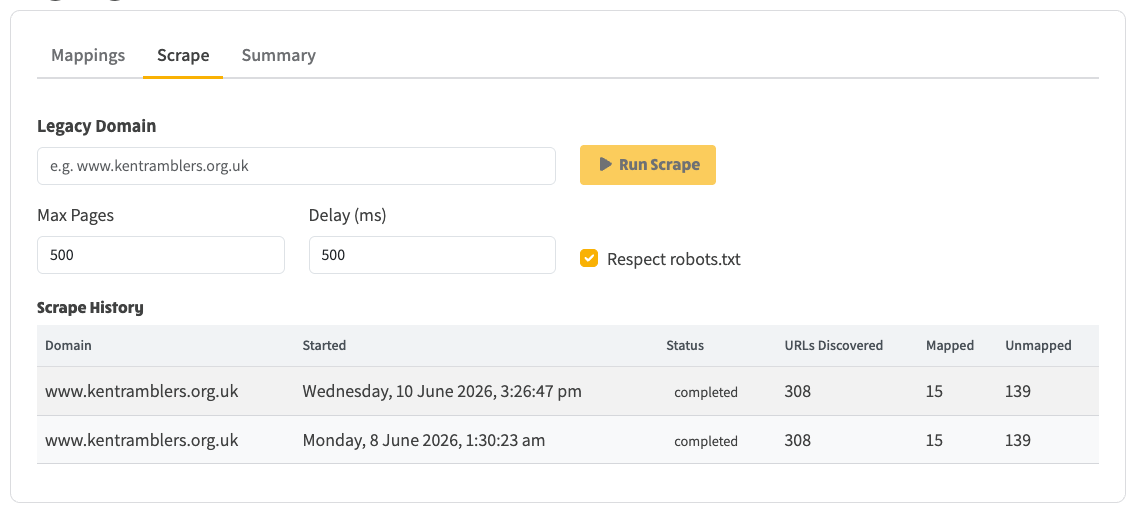
On the Scrape tab, enter the old site's address (for example www.kentramblers.org.uk), then set how many pages to look at, how long to pause between requests, and whether to respect the site's robots.txt rules. Click Run Scrape and the tool crawls the old site, recording every page it finds along with its title and type. Addresses with a #section part are recorded separately, so individually linked sections are kept. You can run the scrape again at any time to pick up new or changed pages; the history underneath shows each run and how many pages it found.
The Scrape tab: enter the old domain, set the options, and Run Scrape. The history shows each run and how many URLs it discovered.
The Mappings tab lists every page found on the old site. For each one it suggests where it should now go, with a confidence level:
For each row you can accept the suggestion, edit the target (searching for any page on your new site), ignore pages that don't need a redirect (such as old admin pages), or delete it. The Actions menu can Auto-Map the whole list and Bulk Accept all the high-confidence suggestions at once. Use the filters and search box to work through the list by status, confidence or keyword.
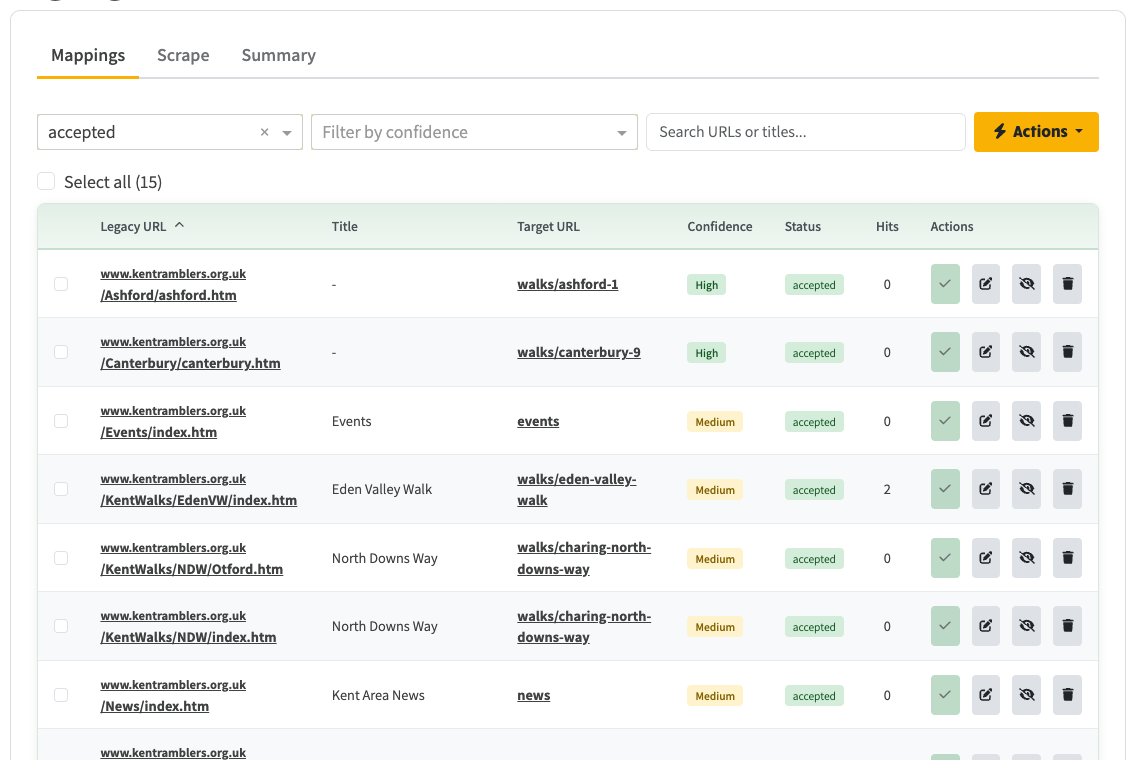
The Mappings tab filtered to accepted redirects: each old page points at its new home, with a confidence level and a status.
The Summary tab shows how far you have got: the total number of pages found, how many are mapped, and how many still need attention, broken down by confidence and by status.
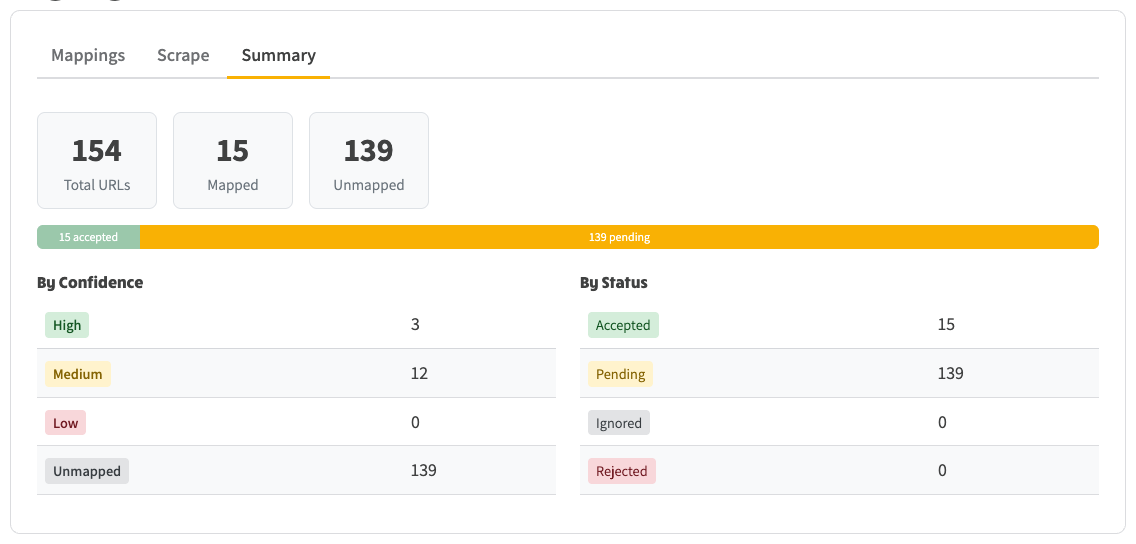
The Summary tab: totals plus a breakdown by confidence and status, so you can see what is left to do.
Once a redirect is accepted, anyone who follows the old link is sent straight to the new page with a permanent (301) redirect, which also tells search engines the page has moved for good. This starts working as soon as the old site's address is pointed at your NGX-Ramblers site. The Hits column on the Mappings tab counts how many times each old link has been followed, so after launch you can see which old links are still being used.