30th Nov 2023 fixes and enhancements
Site Editing
- Fixed incorrect layout of text rows in site edit mode. Previously, images associated with text columns were not rendered and any change of column width did not provide visual feedback of what this would look like in site edit mode.
- A text column can now be temporarily toggled to full width in site edit mode, in order to aid viewing when a column is narrow. Click the arrow to the right of the column width field to toggle expand/collapse. This has no effect on the saved column width value.
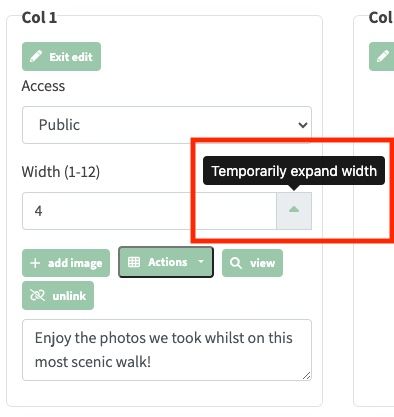
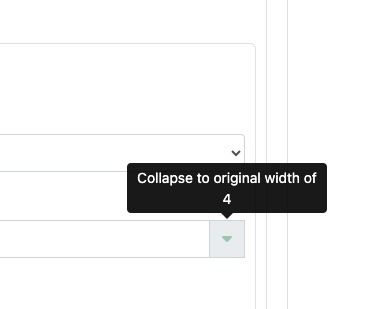
- Column width can now be edited on columns within nested rows. Previously a fixed width was defaulted but was not visible or changeable. See example below of where this new field is:

- Alerts are now correctly displayed when a user navigates to a page that doesn’t exist. This detection mechanism is important, because the option is given to an administrator to create content at this path if site edit is active. Alternatively, if site edit is not active, an alert is displayed saying the page could not be found. The steps for creating new content (or pages) is documented here.
Date Filtering and Event Linking
- Date filtering now works correctly when choosing the link to walk option on individual album images, or when choosing a link to a walk or social at the album level.
- From/To date pickers are also provided as part of the group event selection view in order to home in on a specific range of events to choose from.
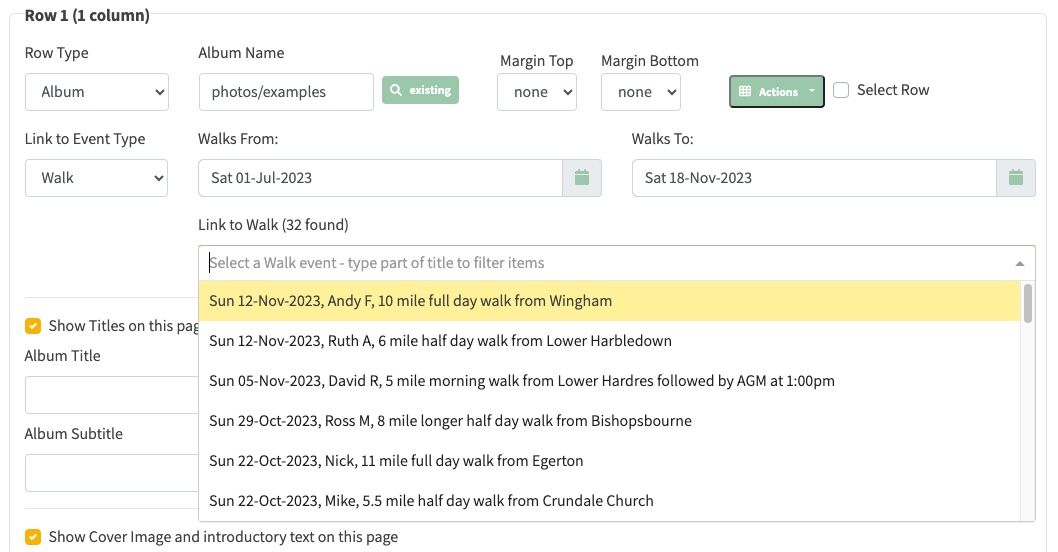
- When an event is selected for linking, the from/to date is automatically chosen to be 2 weeks either side of the linked event.
- Navigating to the single walk view for an event in the past now works correctly. Previously no walk was displayed at all. Example of a walk in the past is shown here.