26th Feb 2025
Album Image List bulk resizing enhancements:
- Server-side bulk resizing has now been implemented using sharp, a High performance Node.js image processing library.
- System Settings /admin/system-settings?tab=images now provides global defaults that control the Default Aspect Ratio and the Default Maximum Image Size of image lists (the data sources for albums).
- When an album is edited, these system level values are offered as defaults but can be overridden on a per-album basis - first highlighted area in the image below:
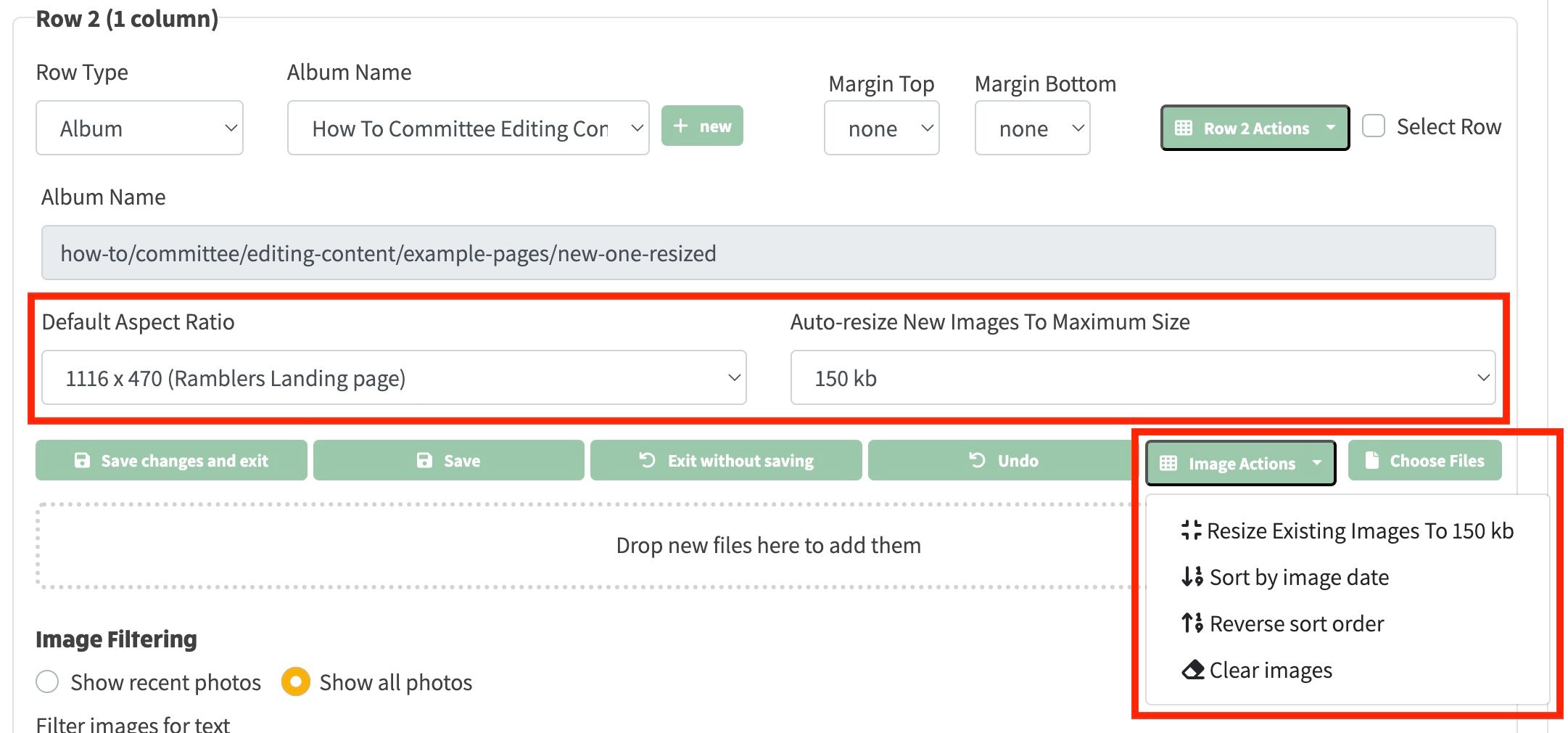
- Resize Existing Images, Sort by image date, Reverse sort order, Clear images & Create First Image actions have now been moved under a dropdown menu in order to fit into the available horizontal space on the album row - displayed in the second highlighted area in the image above.
- If an existing album has saved images that require resizing, this can be applied via Resize Existing Images button within the Image Actions dropdown when the album is being edited.
- If a Default Maximum Image Size has been configured on the album, when new images are added to the album they are immediately resized (in memory) to no more than this size.
- Because album resizing can be time-consuming, the actions are now sent to the server via a websocket connection and a progress event is sent back to the client during the course of each server resize operation, in order to provide visual feedback about what is happening.
Album enhancements:
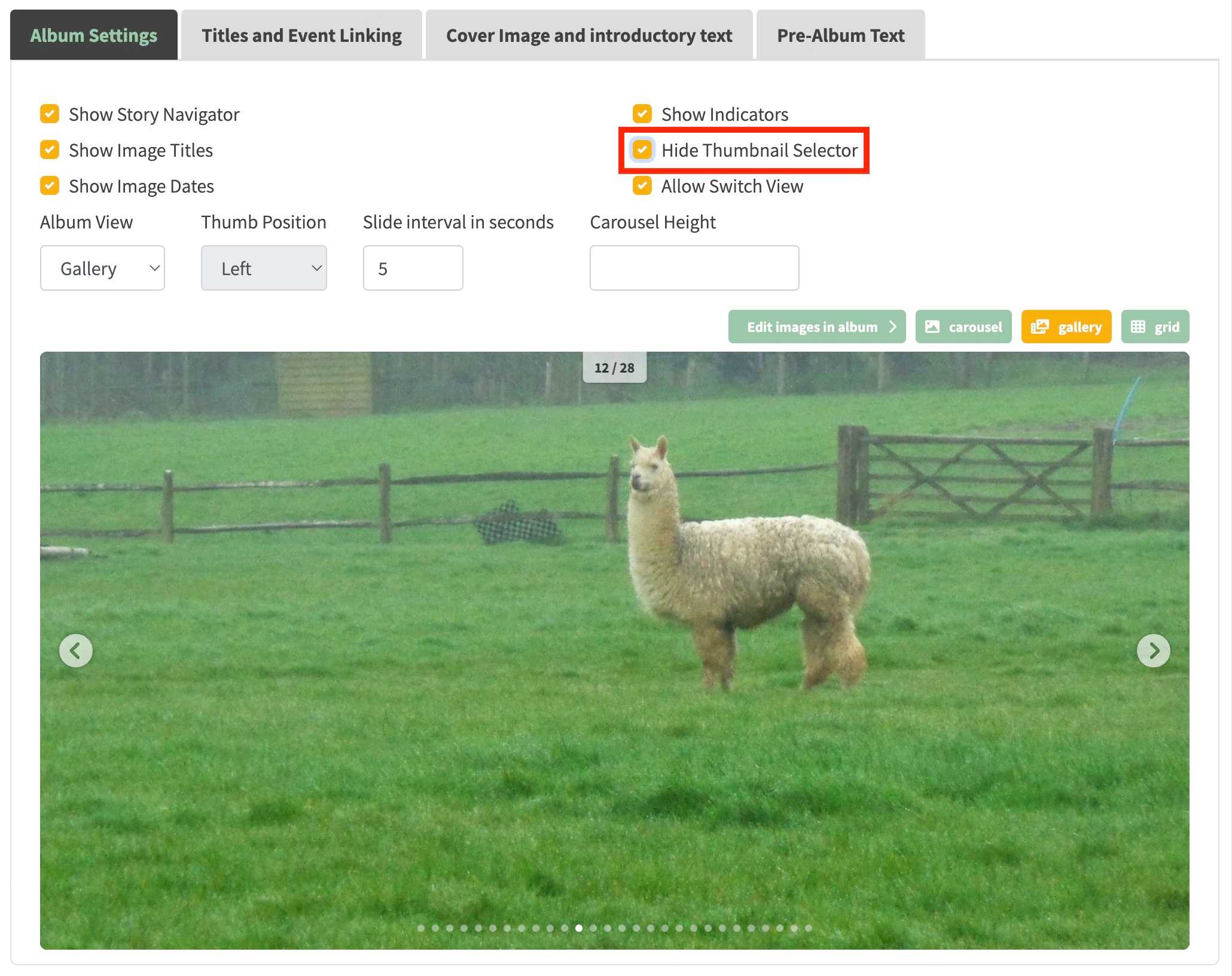
- It's now possible to hide the thumbnail selector on a gallery. See highlighted checkbox below for how to do this.
- When the View mode is Grid, all images are displayed but are rendered lazily when the page is scrolled down. Previously images had to be displayed by clicking the "more images" button which displayed 10 images until all images had been rendered. This was not a good user experience compared to the new behaviour.
- It's now possible to delete an unwanted image list within the /admin/carousel-editor page. This only deletes the image list content metadata from the database and does not delete any S3 images.

Walk Edit Enhancements
Note that this release only applies to groups that have local walk population.
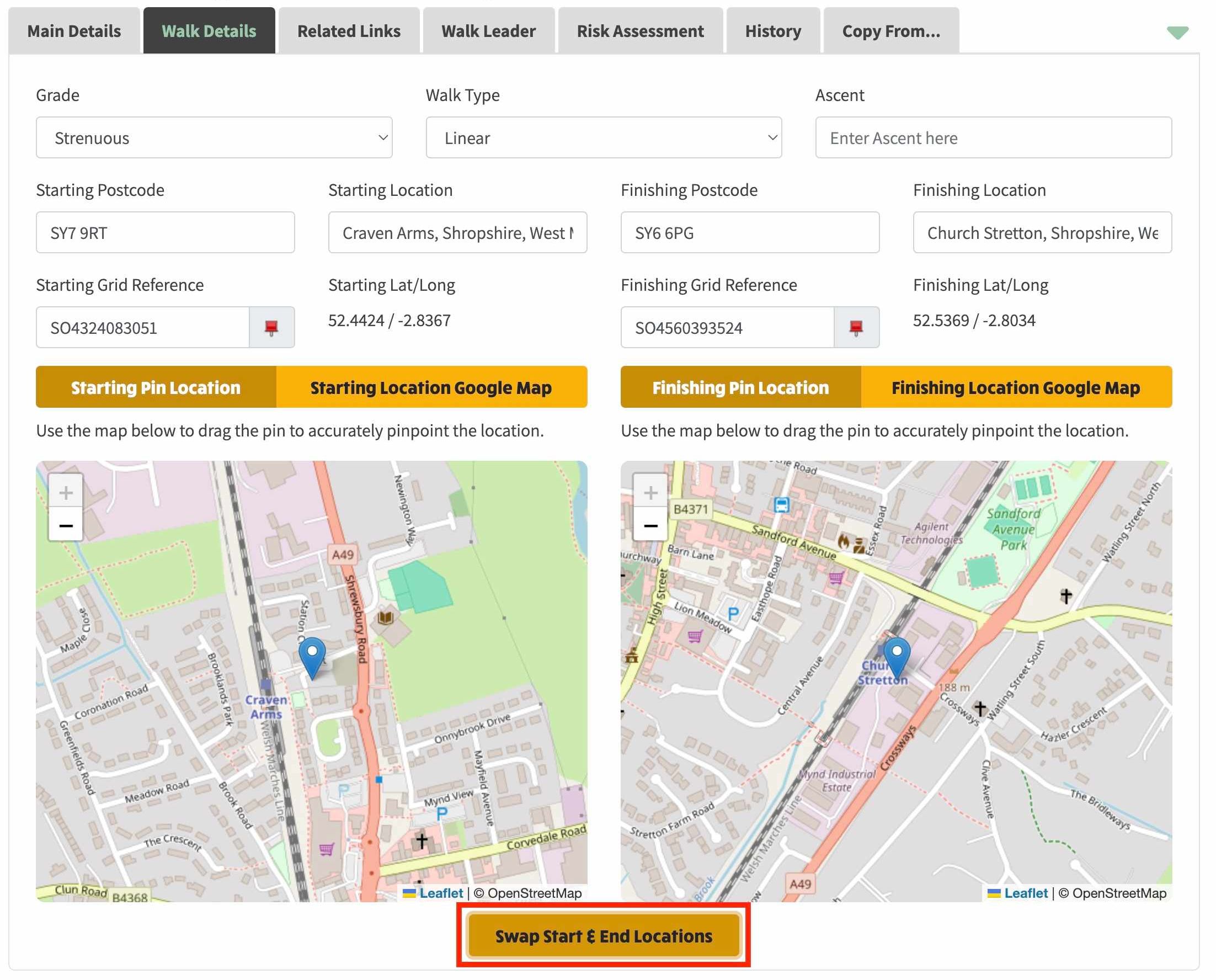
- If a walk is Linear, it's now possible to swap the start and finish locations by clicking a single button below the start/finish maps.