Duplicate Content Text Navigator
- New Duplicate Content Text Navigator page
admin/duplicate-content-text-navigator has been created to display potential content text duplicates across the whole site and allow navigation to the areas that need attention.
- When the page is opened, an analysis of any duplicate content text across the site is performed and if any are found they are listed as follows:
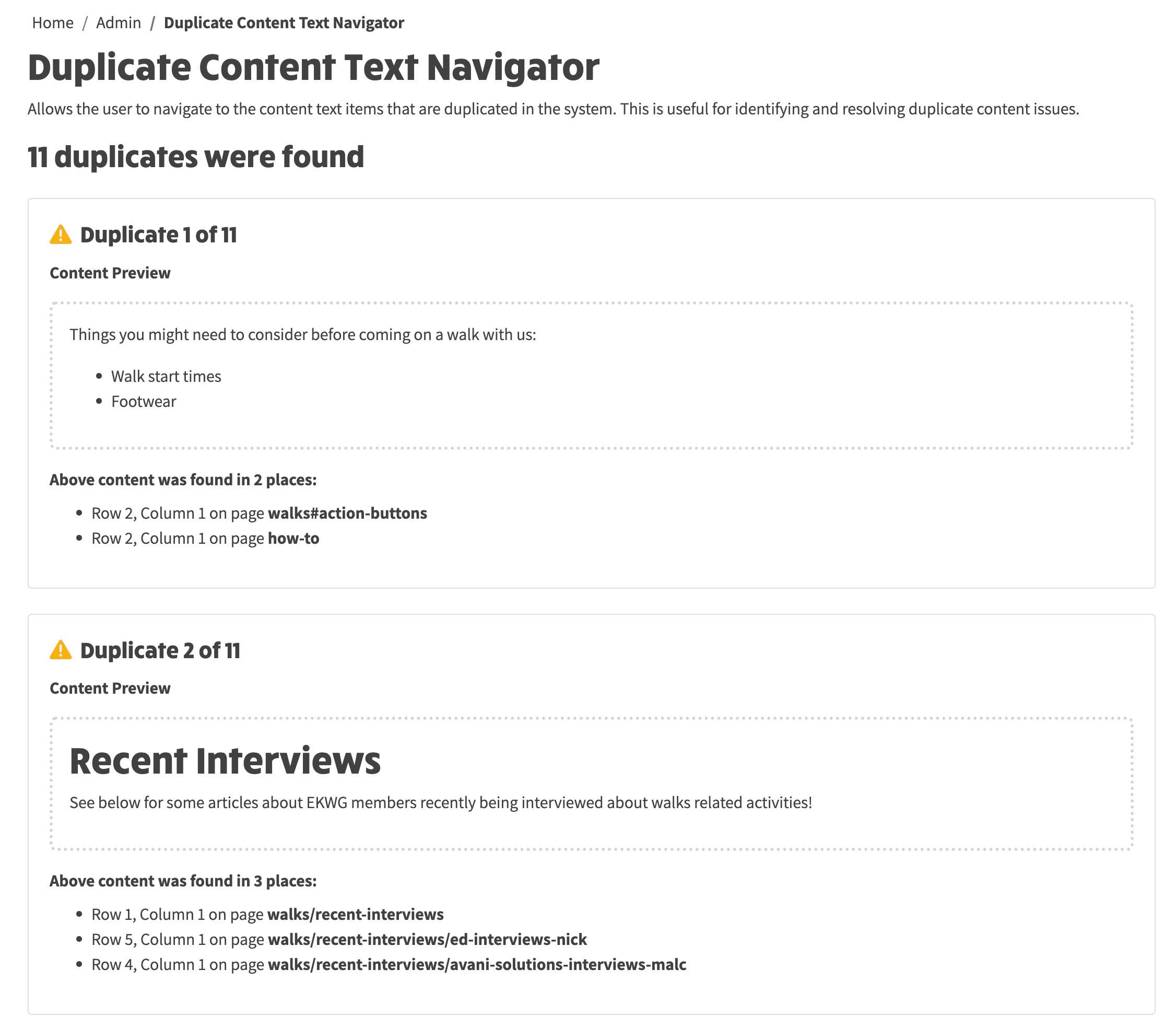
- To resolve, start with the first duplicate and click the first link in the bulleted list below the Content Preview.
- This will then navigate to the page that contains the duplicate content. If you then put the page into site edit mode, you will see a warning alert similar to the previously mentioned content, except that it will say it is on this page:
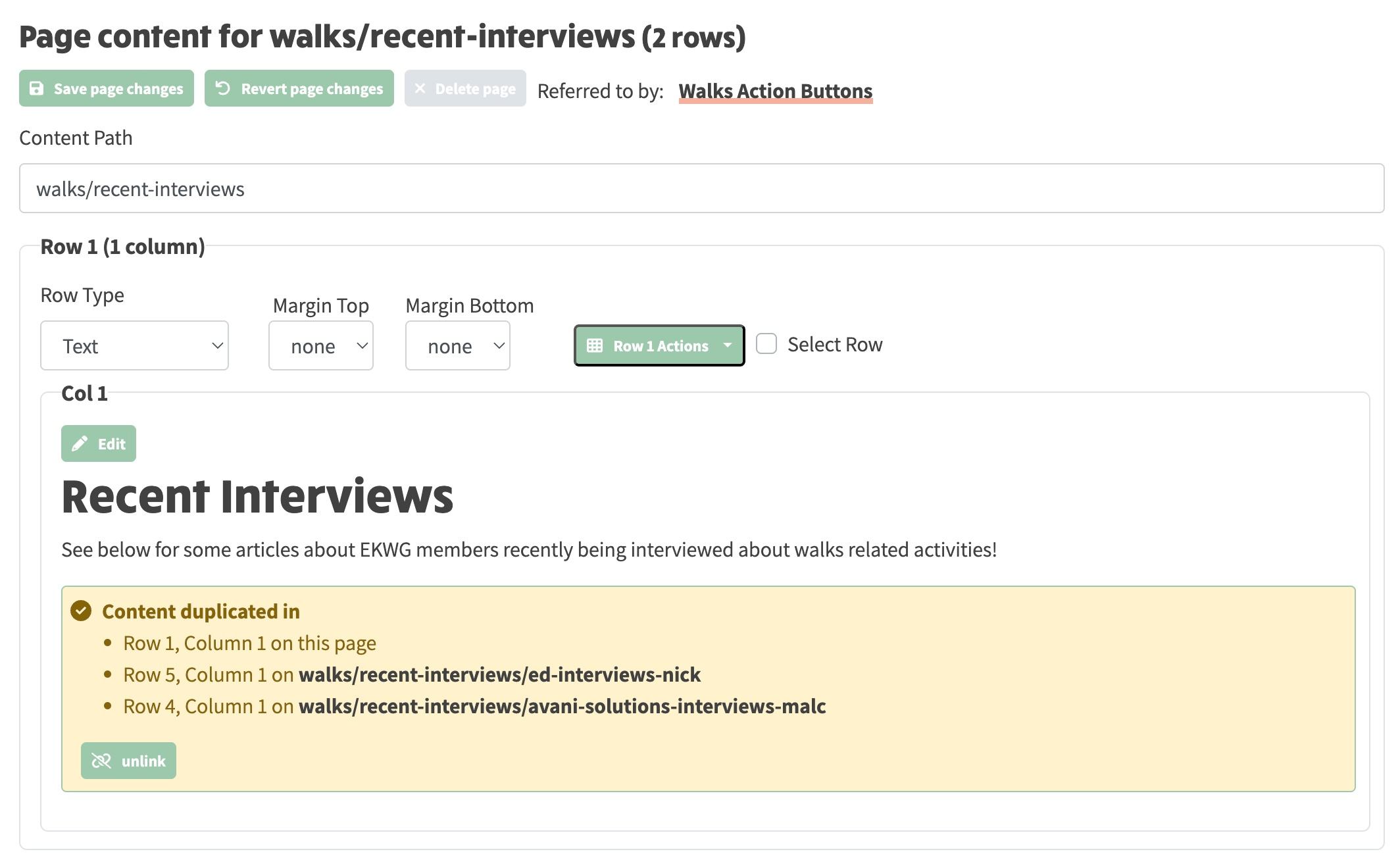
- If you now click the unlink button within the warning alert, the content-level alert will disappear.
- Now click Save page changes at the top of the page and the page-level alert message will disappear if this is the only duplicate on the page, or will show the count of duplicates as having reduced by 1.
- This has now created separate, independent content that is no longer associated with the original content.
- If you now return to the Duplicate Content Text Navigator page
admin/duplicate-content-text-navigator, you should see the content duplication reduce.
- Repeat the above steps until all content duplication has been resolved and you should then see the page change as follows:
