- This release completes Issue 34. When Walks and Social Event data are configured to use Hybrid data population in System Settings (/admin/settings/system-settings?tab=area-group), local and remote event data will be automatically blended together.
- To enable this feature, choose Hybrid in the Walk and/or Social Event Population:
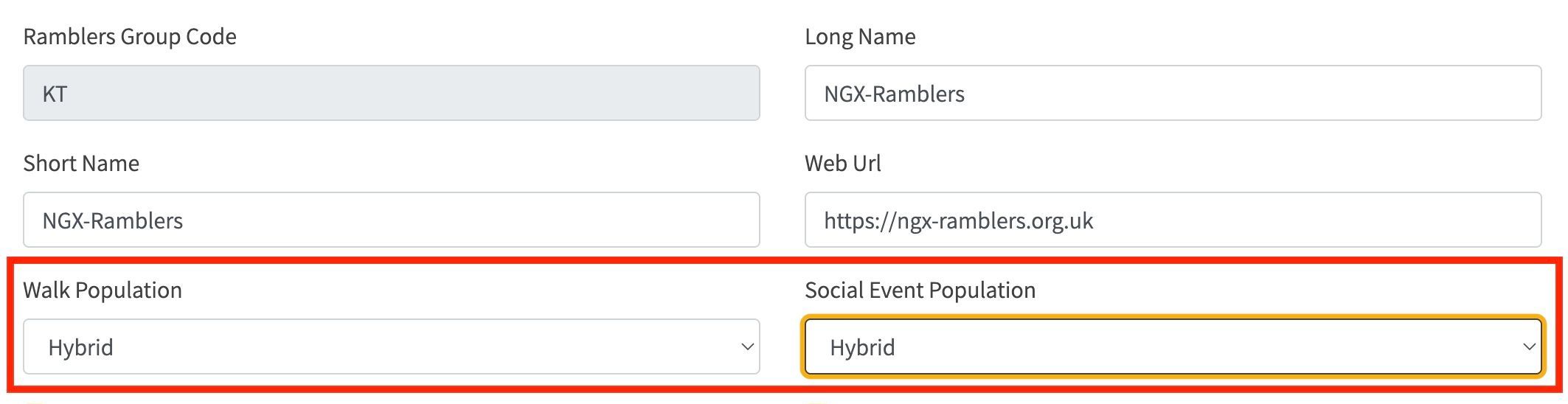
- This enables a group to import any amount of historic data e.g. via CSV file import and for live ramblers API data to be seamlessly blended with this.
- In addition, a performance improvement has been made in this release that enables a direct lookup of a ramblers walk id when a slug is provided in the website url after the
walks/ or social-events/path in order to view a single event. NGX-Ramblers now automatically maintains a url to id linkage in the local database which avoids needing to do a full historic lookup of all events via the Ramblers events API and then match by slug. This fixes a performance issue introduced by #10 SEO-friendly walk links.
- When visiting the /walks/admin/event-data-management page, event statistics can be viewed grouped by Event Type, Group Code and Input Source as shown in the screenshot below:
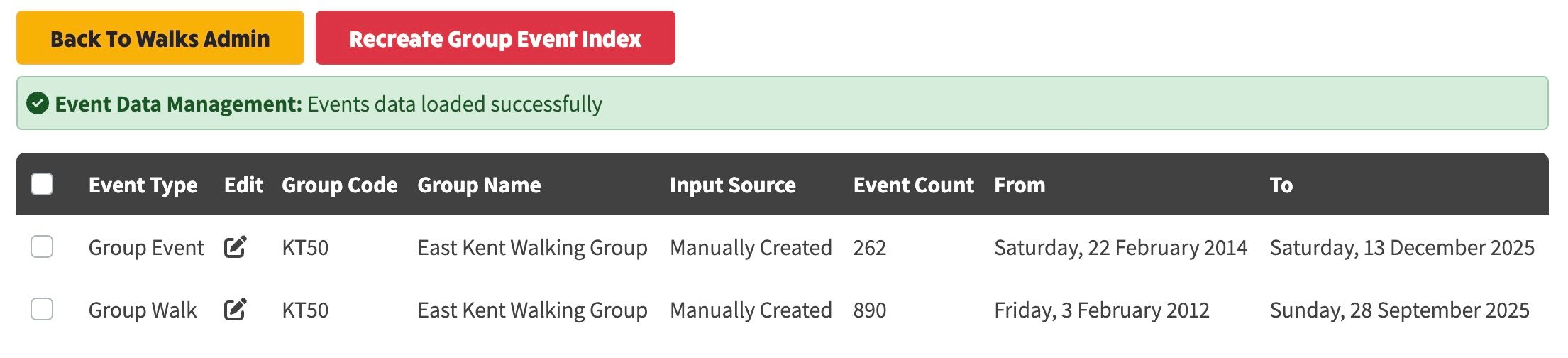
- The Input Source can be any of the following values:
- Url To Id Lookup: A linkage between the event url (e.g. https://www.ramblers.org.uk/go-walking/group-walks/evening-walk-candlestick-loop-essendon-4-miles-7km-leisurely-booking) and the id (e.g. 100365968)
- File Import: The event was imported from a CSV File
- Walks Manager Import: The event was imported from Walks Manager directly via the API (because the group switched from Walks Manager to Local event population)
- Manually Created: The event was created manually within the local event population workflow.
- Unknown: The input Source is not known or set yet (in the case of historic walks that have been manually input prior to this release).