{"id":"68a4332ce62606b31fb6c83d","title":"2025 08 19","path":"how-to/committee/release-notes/2025-08-19","contentMarkdown":"# Ability to Globally configure Link and List Styling defaults:\n- This completes issue [Styling change to distinguish links from bold text #40](https://github.com/nbarrett/ngx-ramblers/issues/40)\n- Default List and Link Styles can now be globally configured within [/admin/settings/system-settings?tab=styles](https://ngx-ramblers.org.uk/admin/settings/system-settings?tab=styles \"{{siteUrl}}\")\n - Options available for **Link Style** are: _Normal, Bold (prior default), Pink, Green_.\n - Options available for **List Style** are: _Arrow (prior default), No Image, Tick Medium and Tick Large_.\n\n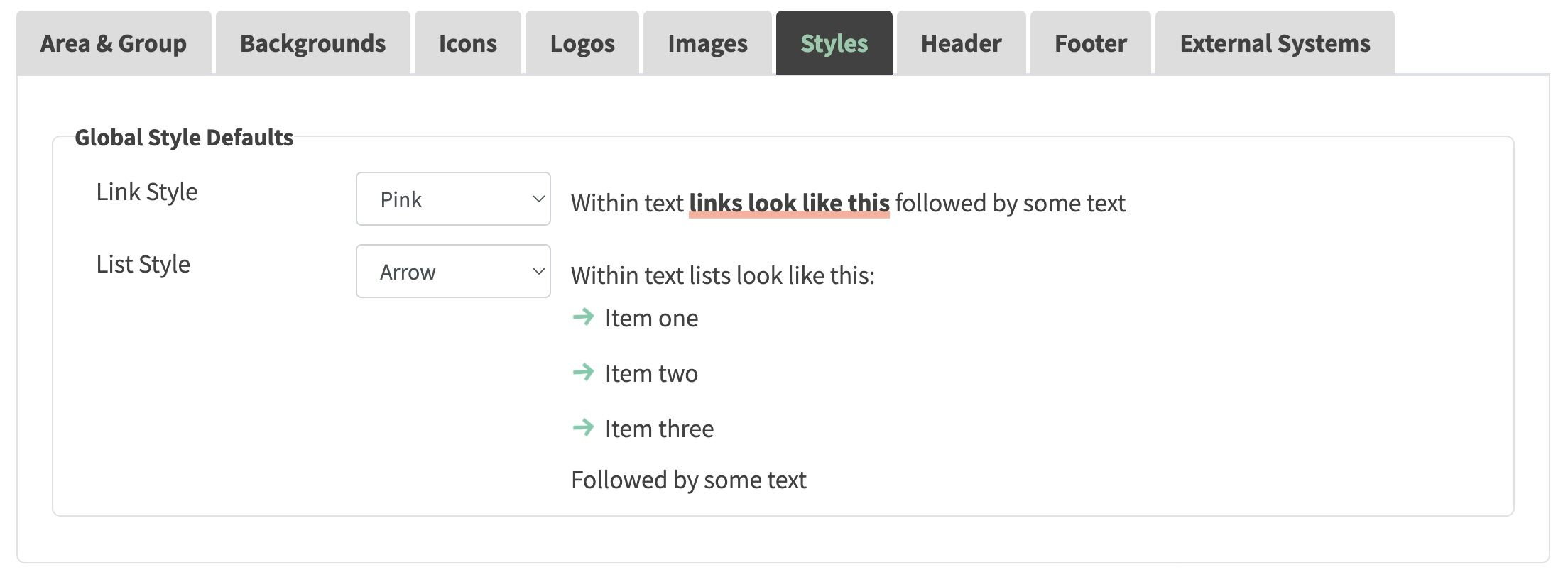\n\n- As part of this release other global styling changes were also made to bring them inline with Ramblers brand defaults:\n - Body text has now been changed from 1rem -> 1.125rem.\n - Text links are now underlined by default but lose underline on hover.","contentHtml":"Ability to Globally configure Link and List Styling defaults:
\n\n
\n\n- As part of this release other global styling changes were also made to bring them inline with Ramblers brand defaults:
\n- Body text has now been changed from 1rem -> 1.125rem.
\n- Text links are now underlined by default but lose underline on hover.
\n
\n \n
\n"}