Backup & Restore CLI (MongoDB) (4a2bc6b)
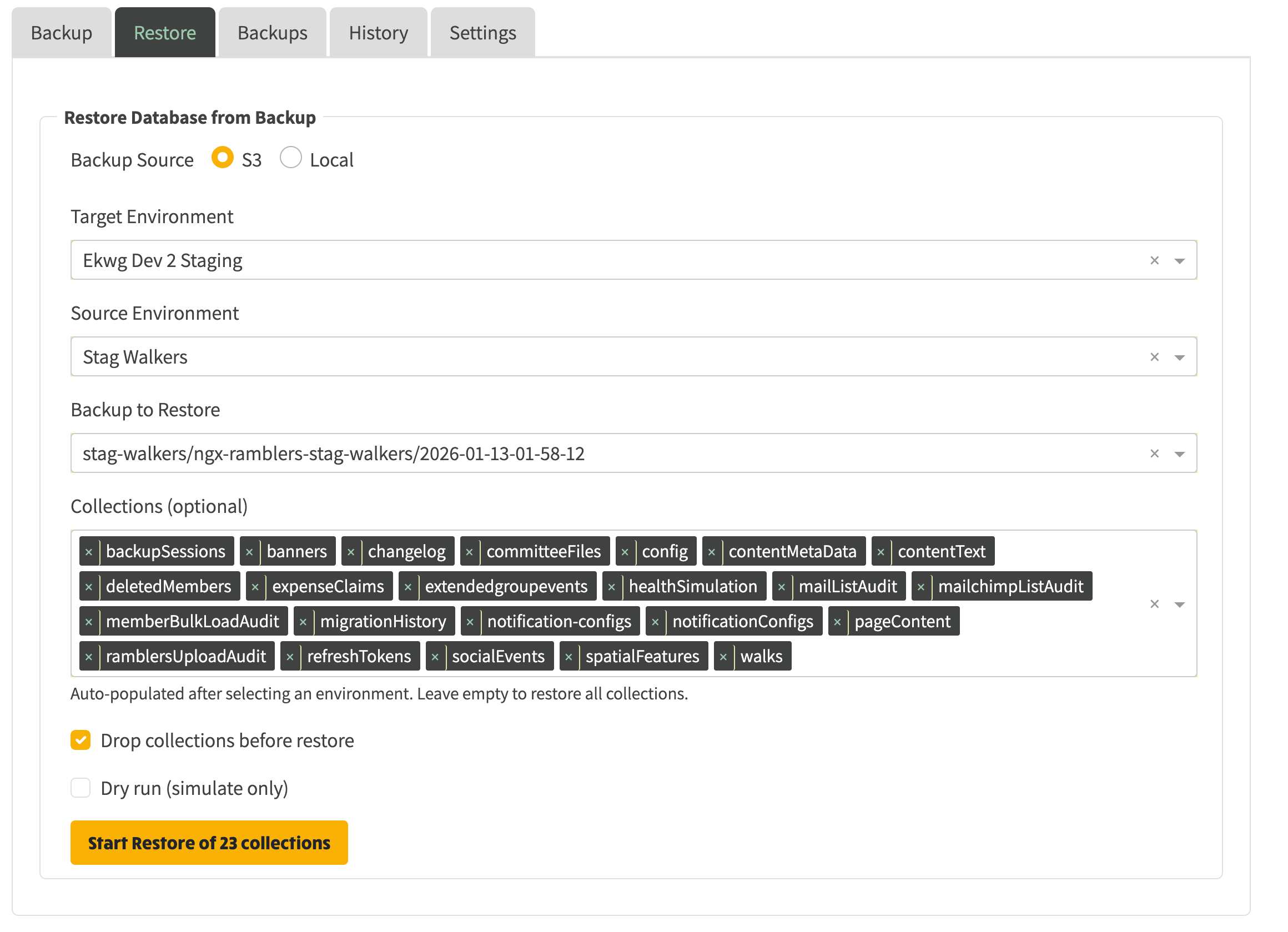
What’s New
- Interactive CLI to back up and restore MongoDB, with optional Fly.io scale‑down and S3 upload.
- List backups, list environments, dry‑run restore, selective collection restore, and optional drop.
Where to Find It
- From
server, run:
- Interactive:
npm run mongo-cli:interactive
- One‑shot:
npm run mongo:backup, npm run mongo:restore
Typical Workflows
- Create a backup
- npm run mongo-cli:interactive → “Create a backup”
- Pick environment (or all), optionally choose collections
- Optionally scale down Fly app and upload to S3
- Result saved under ../non-vcs/dump/backups/-- and optionally to s3:///backups/
- Restore from a backup
- npm run mongo-cli:interactive → “Restore from backup”
- Choose backup, pick target environment
- Optionally select collections, choose Drop Collections or Dry Run
- Confirm to proceed; restore runs with mongorestore
Benefits
- Safe operations: dry‑run and selective restore reduce risk.
- Operational flexibility: scale down for consistency; archive backups to S3.
- Visibility: list available backups and configured environments.
Serenity cookie handling and stability improvements
Benefits
- Function‑based ExecuteScript tasks that perform dismissal of cookie banners in a more resilient way than before.
- Invoked before UI interactions like clicks and uploads so walk export flow is more reliable.
- More reliable automation on Ramblers sites with consistent preconditions.
- Easier debugging with structured logs.
Where to Find It
server/lib/serenity-js/screenplay/tasks/ramblers/common/accept-cookie-prompt.ts