26-Feb-2026 — add Brevo domain authentication UI and stale DNS cleanup ref: #167
build 500 — commit ca57a0d
Brevo Domain Authentication Guide
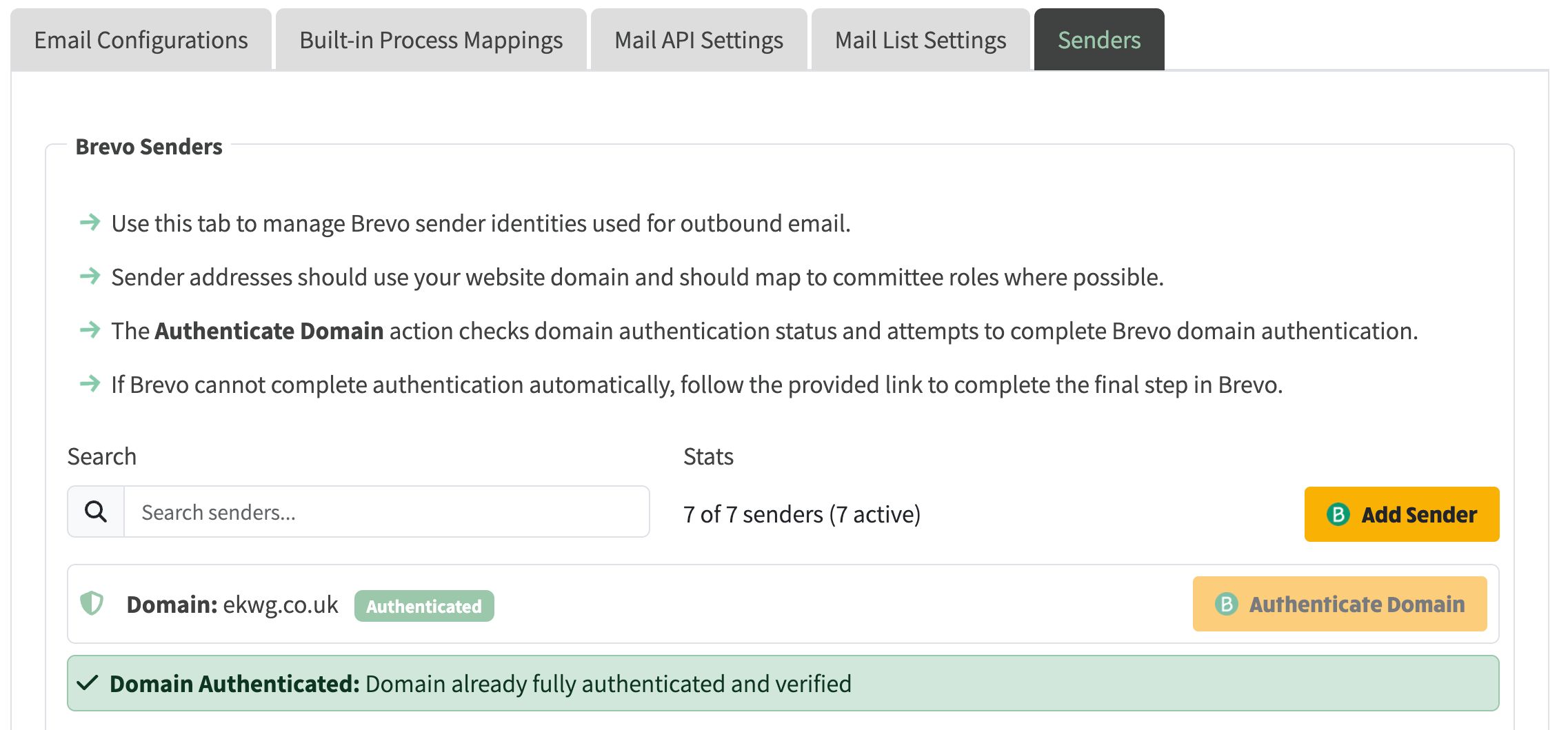
- Add domain authentication status badge and authenticate button to mail senders list.
- Clean up stale TXT records in Cloudflare before creating new ones and skip DNS propagation delay when records are already verified.
- Show actionable fallback message with Brevo Domains link when DKIM is unavailable for subdomains. Add authenticate-brevo-domain environment setup route and option.
- Use this when setting up sender domain authentication from Admin > Mail Settings > Senders.
What this feature now does
- Shows current domain authentication status on the Senders tab
- Adds an Authenticate Domain action for the selected sender domain
- Creates or reuses the required brevo-code TXT record in Cloudflare
- Cleans up previously registered parent-domain records when authenticating a configured subdomain
- Detects when Brevo already reports DNS verification and skips unnecessary wait time
- Gives a clear next-step message with a direct Brevo Domains link when API authentication cannot complete
Expected flow for a normal domain
- Open Admin > Mail Settings > Senders
- Click Authenticate Domain
- Wait for status refresh
- If Brevo returns all required DNS records, the status changes to authenticated
Expected flow for subdomains
For subdomains e.g. xxxx.ngx-ramblers.org.uk, Brevo may not return DKIM via API.
In this case:
- Click Authenticate Domain in NGX-Ramblers
- Use the warning link to open Brevo Domains
- In Brevo, run Authenticate the domain yourself
- Return to NGX-Ramblers and refresh or retry authentication When Brevo completes domain-side authentication, the badge updates to authenticated.
Troubleshooting
- If authentication targets the wrong parent domain, rerun authentication from the Senders tab. Legacy parent-domain registrations are now removed automatically for configured subdomain flows.
- If Brevo returns HTTP 400 mentioning missing DKIM/DMARC, complete the manual Brevo step and retry.
- If sender deletion appears successful but the sender still exists remotely, the API now surfaces this as a failure instead of reporting success.
Technical details:
- Sender domain status and Authenticate Domain action were added to the Senders tab.
- Legacy parent-domain registrations are automatically removed for configured subdomain authentication flows.
- Existing verified DNS records are reused to avoid unnecessary propagation waits.
- Sender deletion now returns failure when Brevo still reports the sender after delete.