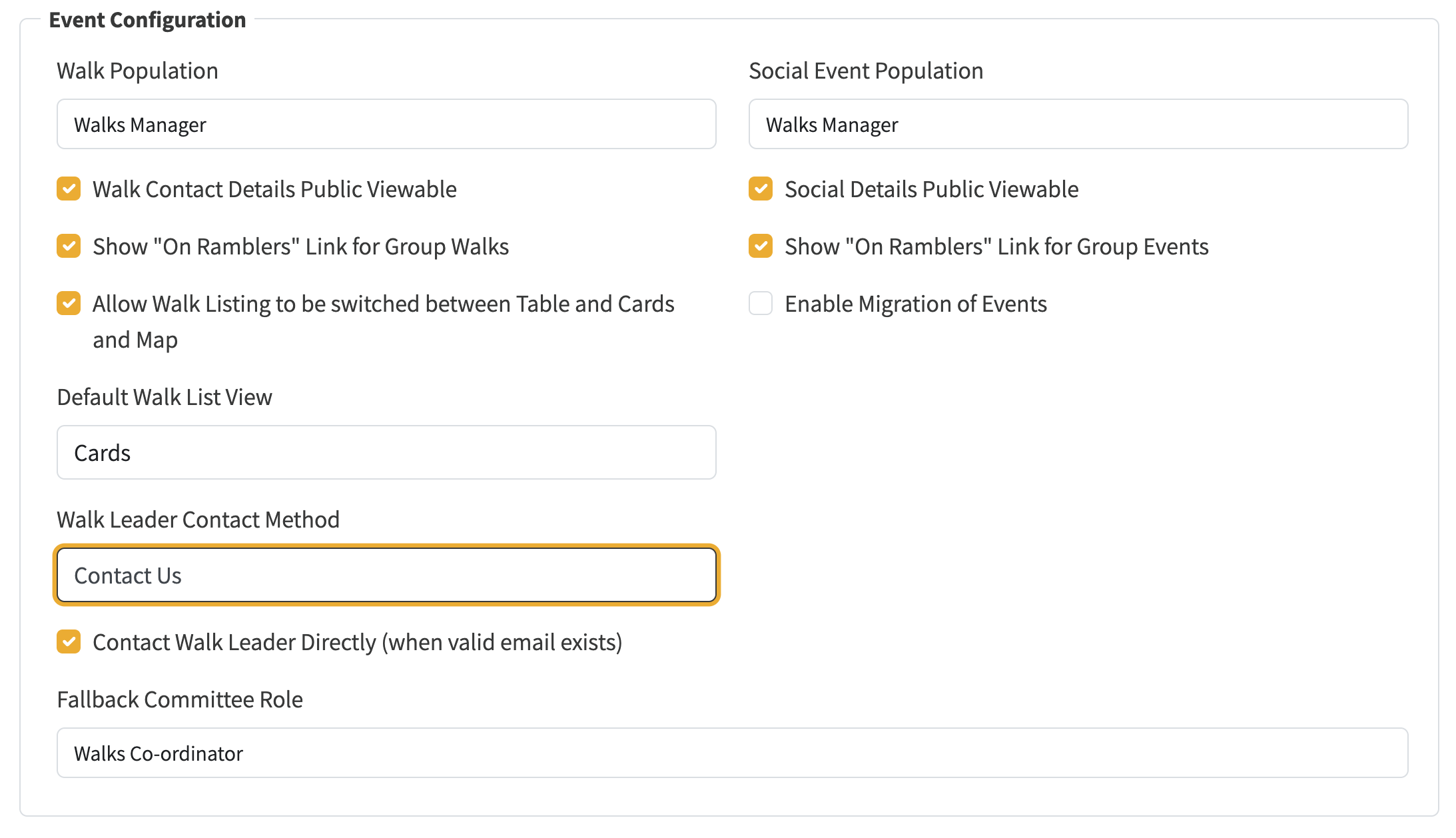
A new Walk Leader Contact Method setting in admin system settings controls how visitors contact walk leaders. Three options are available:
Under System Settings > Event Configuration:
The system settings group tab is now split into two framed sections:
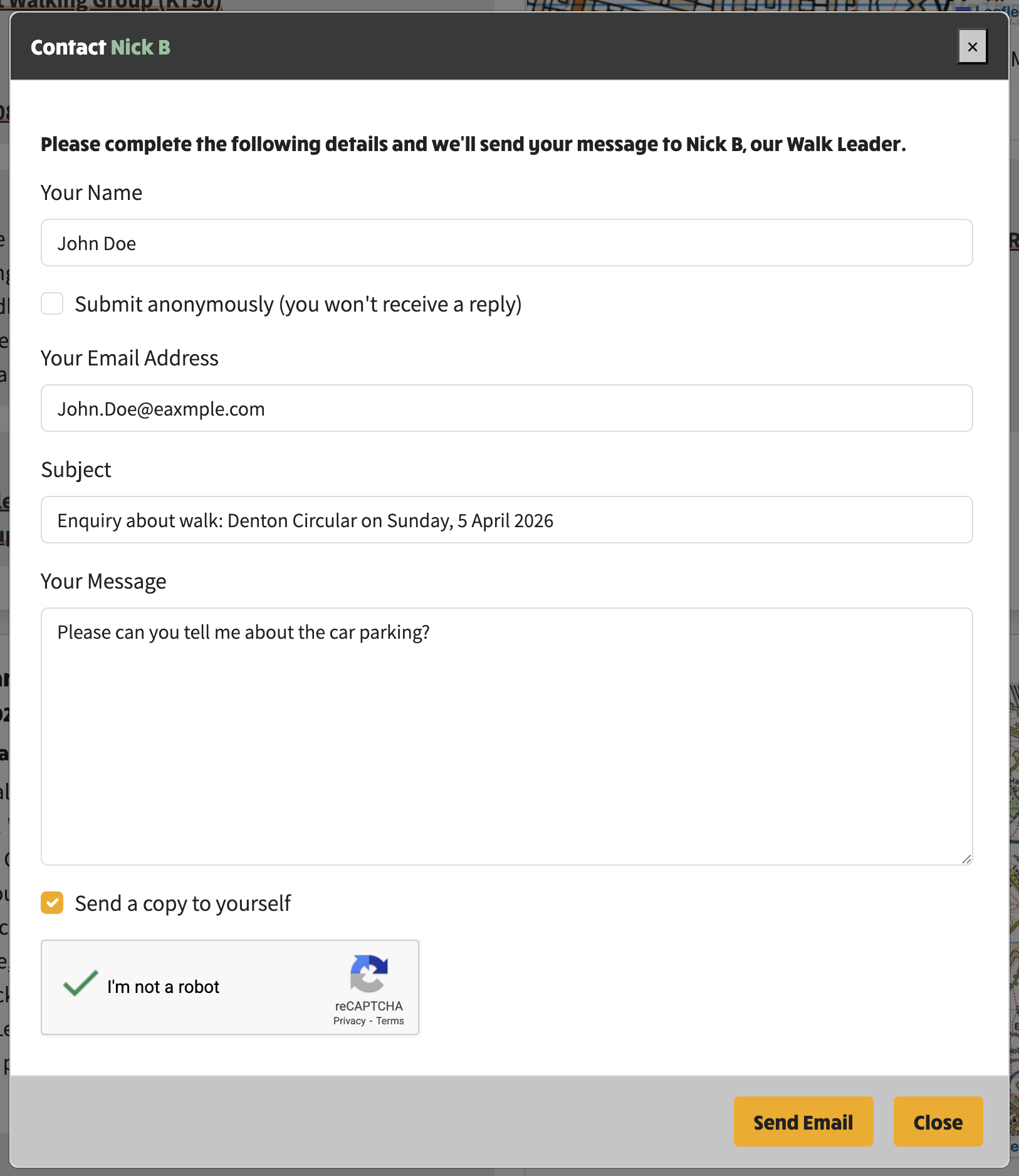
All login prompts have been removed from walk leader contact links across table view, card view, and expanded leader view. Visitors can now contact walk leaders without logging in. A number of contact options are configurable, the first being the existing Ramblers link that takes you to Walks manager. However, a more focussed and immediate mechanism now available is via the secure reCAPTCHA protected "contact-us" form also used on the contact-us page:
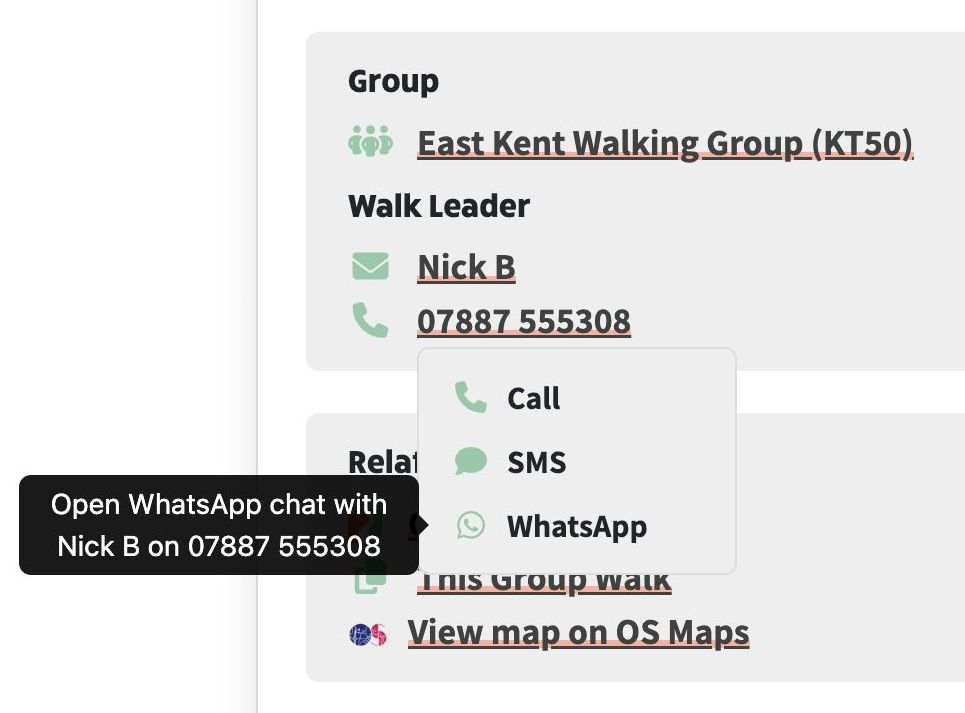
Walk leader phone numbers are now visible to all visitors when the Walk Contact Details Public Viewable setting is enabled and consent has been given by the walk leader in Walks Manager, matching the table view's existing behaviour. Previously these were only shown to logged-in members.
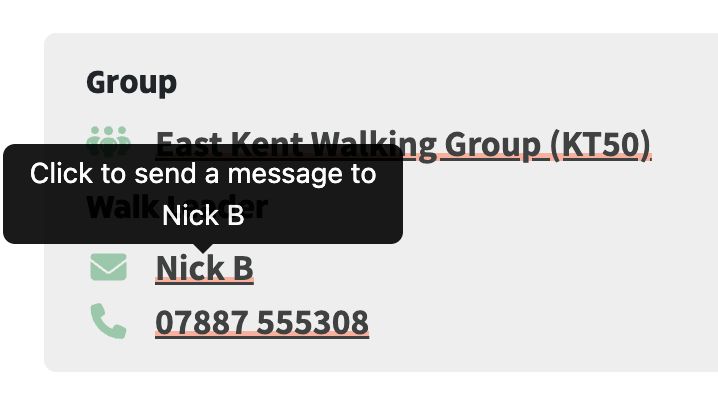
Leader contact links now display tooltips describing the action that will occur, e.g. "Click to send a message to Nick B" for contact-us, "Click to visit the Ramblers website to contact Nick B" for ramblers-website, or "Click to email Nick B" for mailto.
When using the Contact Walk Leader Directly setting (see above), inbound messages can be routed straight to the walk leader — but only if a valid email address exists on the walk. For groups using Walks Manager population, the synced data contains a Ramblers URL rather than an email address, so this needs to be resolved.
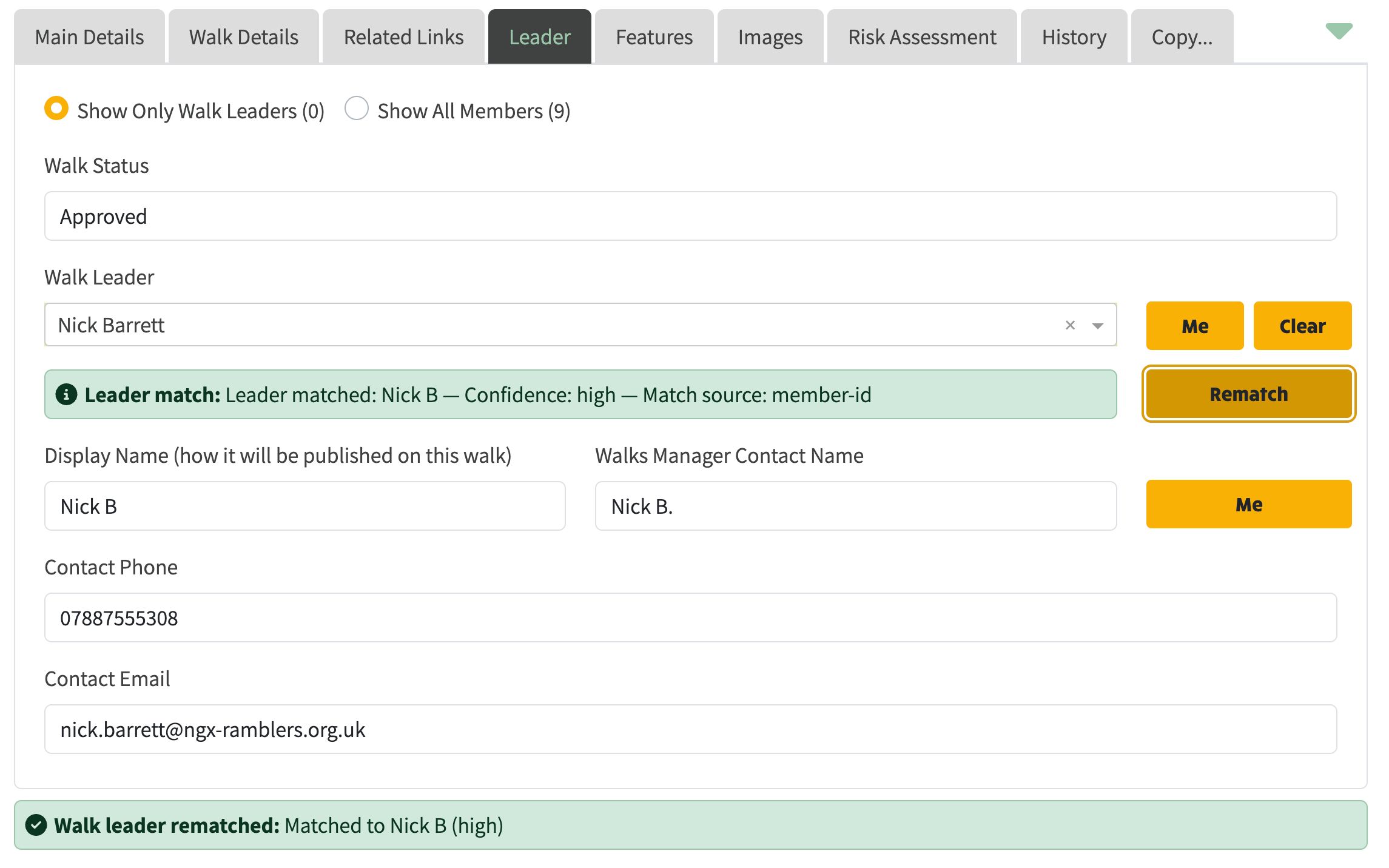
The Rematch button on the Leader tab matches the walk leader against member admin data using member-id matching. When a high-confidence match is found, the Ramblers URL in the Contact Email field is automatically replaced with the leader's actual email address. This enables:
Here's how it looks in practice:
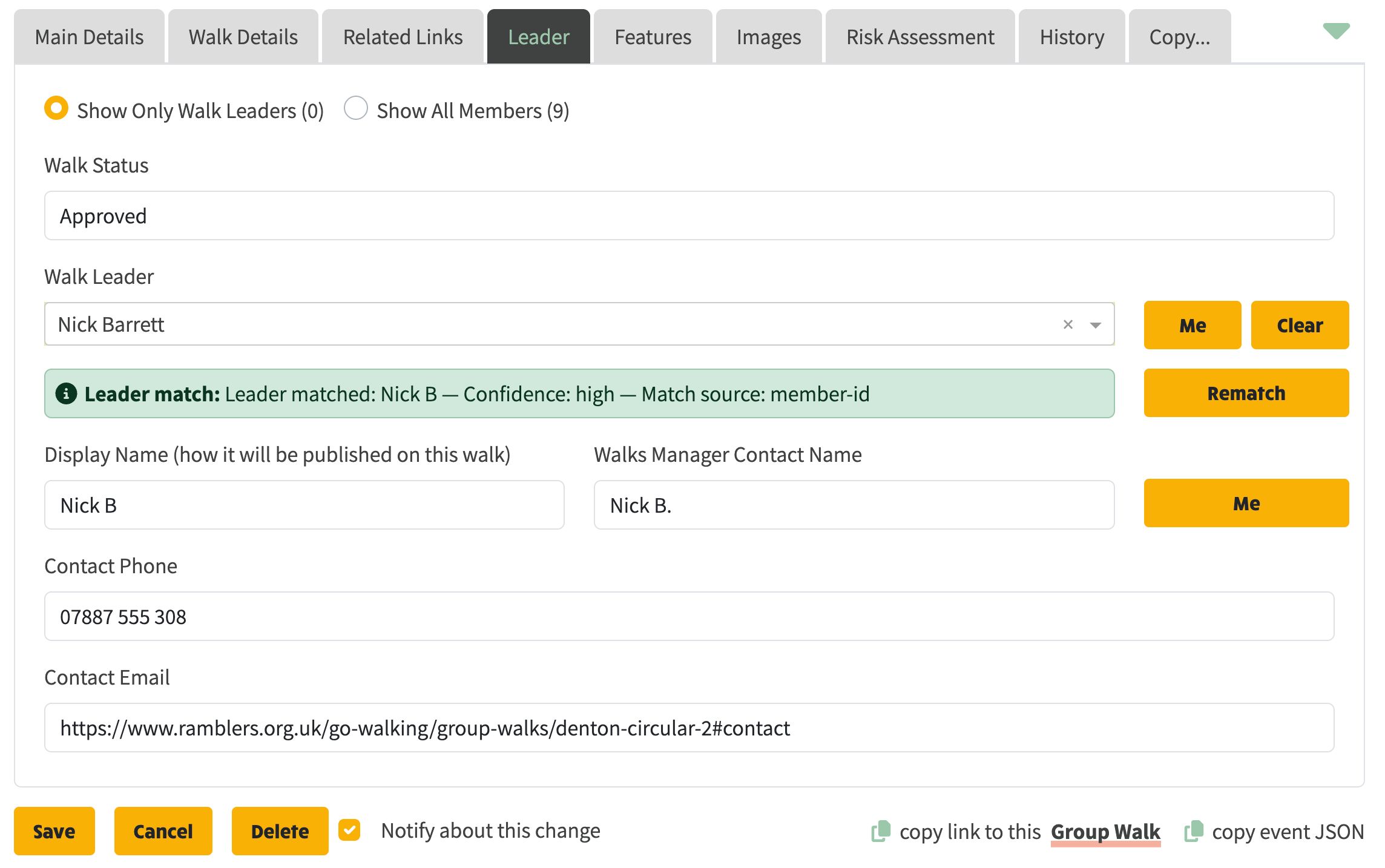
Walk leader data as populated from the Walks Manager sync — the Contact Email field contains a Ramblers URL redirect rather than an actual email address.
After rematching, the Ramblers URL is replaced with the walk leader's actual email address, enabling direct inbound contact to the walk leader. The green confirmation banner shows the match was successful with high confidence.
The previously duplicated rendering paths for Walks Manager and local walk population have been merged into a single template per component.
A new shared EventLeaderContactLinkComponent eliminates the repeated contact link pattern across all three views.
models/system.model.ts — WalkLeaderContactMethod enum + Organisation fieldscontact-us-modal.component.ts — committeeMemberOverride supportcontact-us-modal.service.ts — openContactModalForMember/ForRole methodswalk-display.service.ts — contact method logic, tooltip, lazy modal injectionarea-and-group-settings.ts — admin UI with framed sections and role dropdownevent-leader-contact-link.ts — new shared contact link componentevent-table-view.ts — simplified leader column using shared componentwalk-card-view.ts — unified leader rendering using shared componentwalk-leader.ts — simplified from ~140 to ~84 lines using shared component