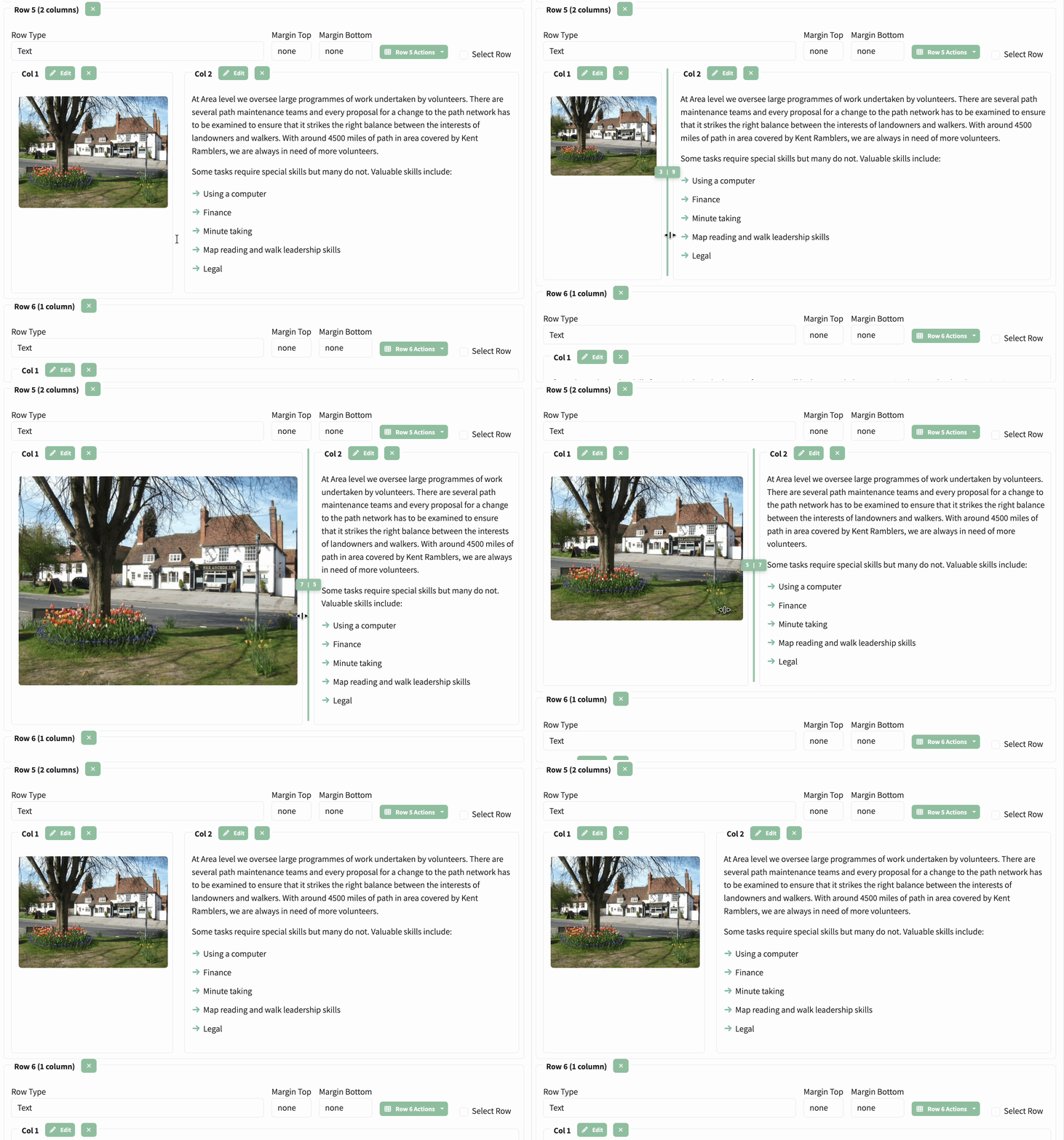
New ColumnResizerComponent adds a draggable splitter bar between adjacent columns in the CMS page editor, allowing visual adjustment of Bootstrap grid column widths (1–12) by dragging rather than typing values manually.
See the how-to article
for a user guide with an animated demo.
dynamic-content-site-edit-text-row.tsHeightResizerComponentfor instance the first line looks like this
the next line can be forced onto the next line as long as the line above has two spaces
This is the first line
This will be on a new line because the line above ended with<br>
Wrapping also works with long text:
New
ColumnResizerComponentadds a draggable splitter bar between adjacent columns in the CMS page editor, allowing visual adjustment of Bootstrap grid column widths (1–12) by dragging rather than typing values manually.
this is what was entered above:
> for instance the first line looks like this
the next line can be forced onto the next line as long as the line above has two spaces

  > This is the first line<br>
  > This will be on a new line because the line above ended with `<br>`

Wrapping also works with long text:

> New `ColumnResizerComponent` adds a draggable splitter bar between adjacent columns in the CMS page editor, allowing visual adjustment of Bootstrap grid column widths (1–12) by dragging rather than typing values manually.