27-Apr-2026 — Unsubscribes and blocked contacts #18
What's new
- Mail Settings → Unsubscribes lists everyone Brevo is not sending to: people who unsubscribed, admin blocks, hard bounces and spam flags.
- That state is copied onto the matching member record, so Member Admin, re-imports and auto-subscribe all honour the latest opt-out.
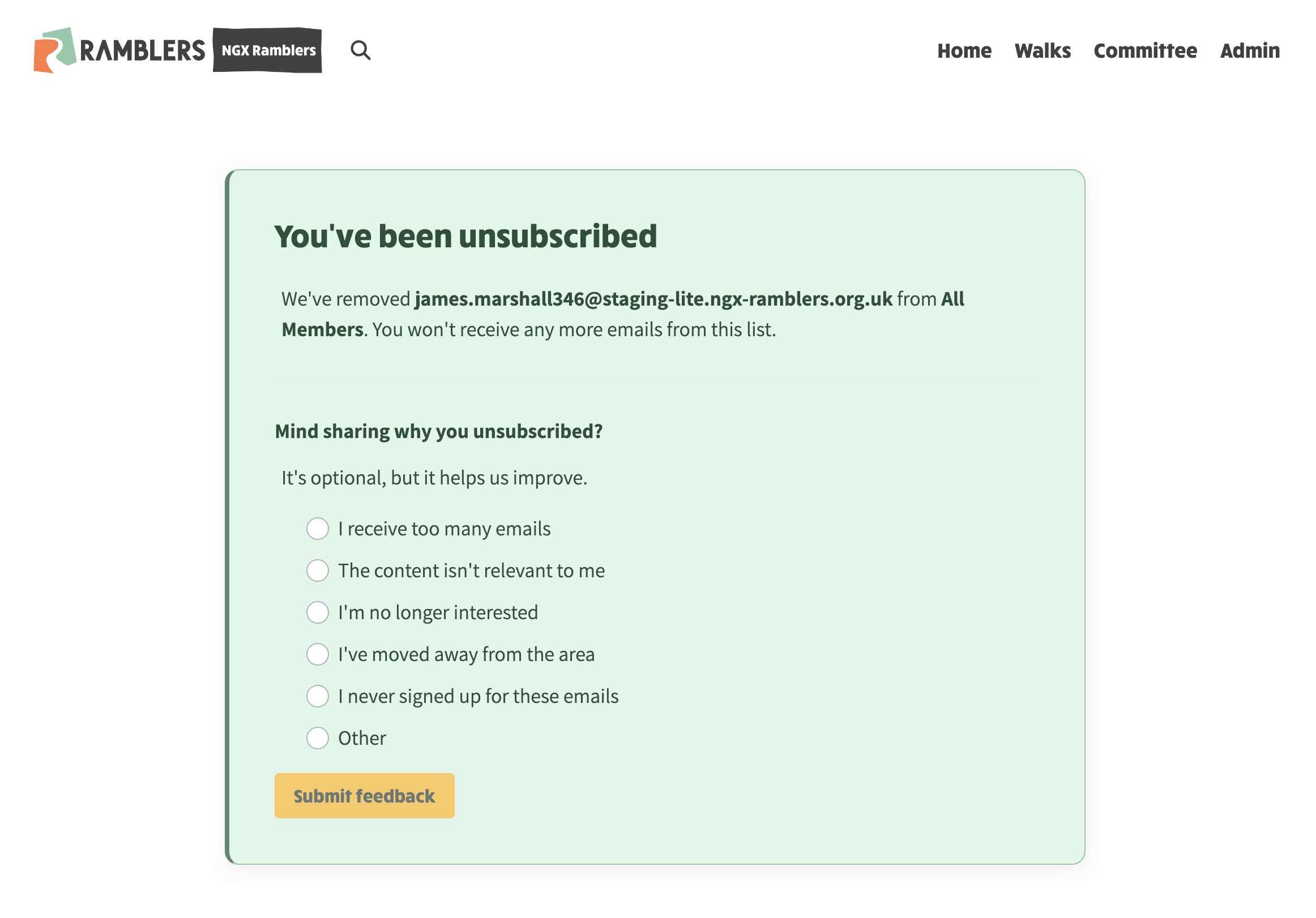
- The unsubscribe link in outgoing mail opens the group's own branded page, not Brevo's form. Recipients can optionally say why.
Two views
Open Mail Settings → Unsubscribes.
The toggle at the top right switches between:
- Unsubscribes: someone left a specific mailing list, with the list name and any reason they gave.
- Blocks: account-wide hard bounces, spam flags, admin blocks, and contacts who used the old global unsubscribe page.
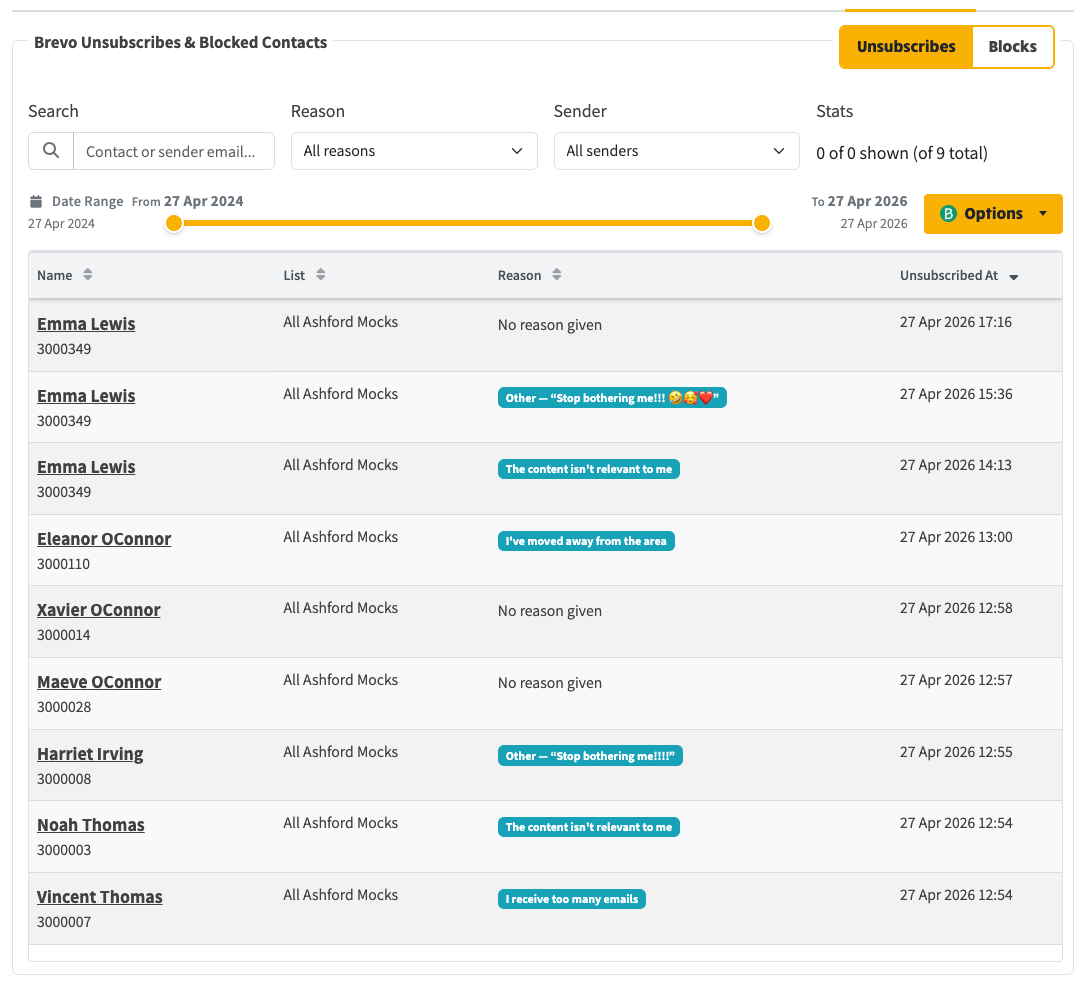
Unsubscribes tab: member-level events, with reason badges and the originating list
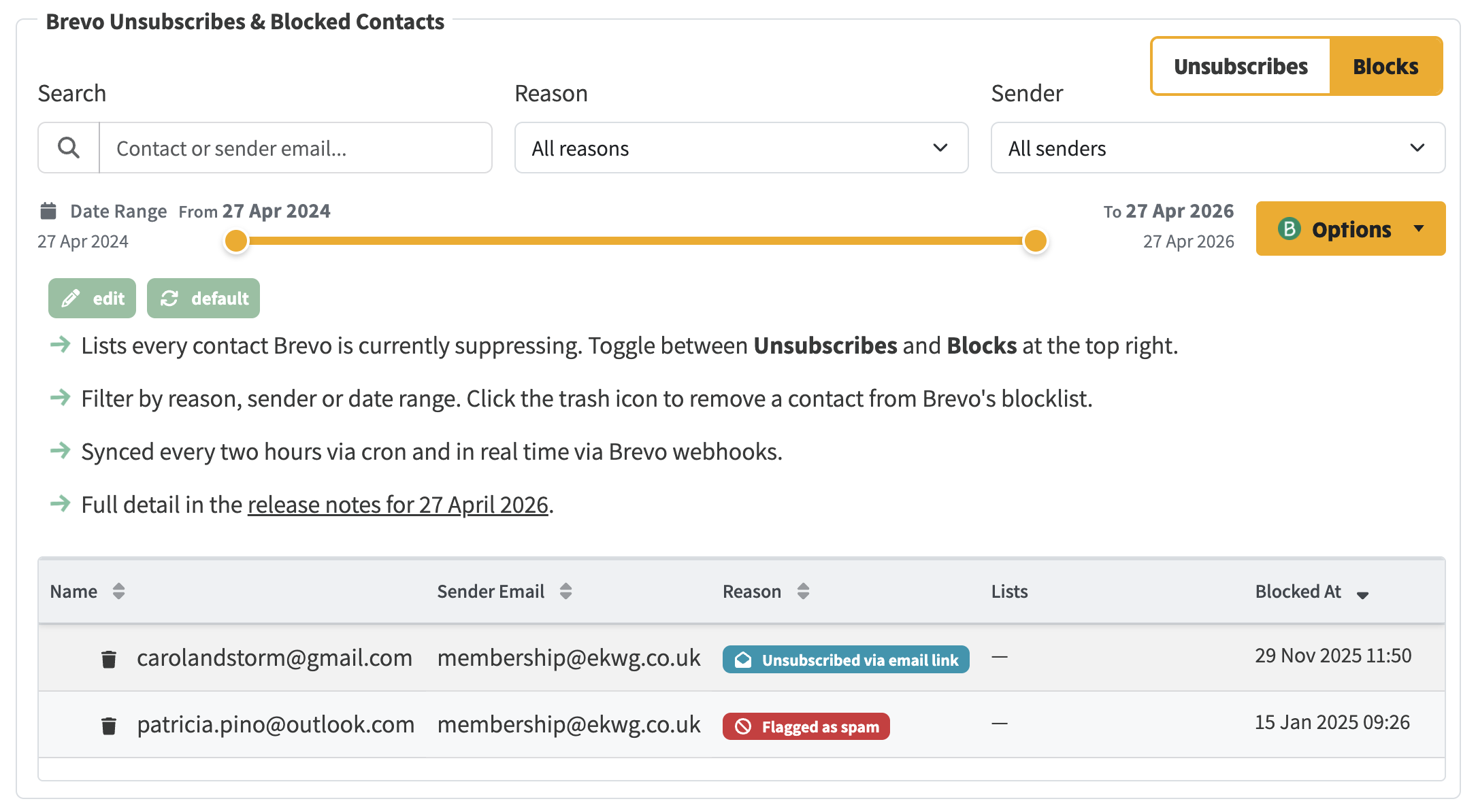
Blocks tab: hard bounces, spam flags and admin blocks
Each row shows the contact email (click to open in Brevo), sender, reason, matched member, lists, and date.
Search, reason, sender and the date-range slider filter the list. Clear filters resets them. The current filters sit in the URL, so you can share a view.
On a Blocks row, the bin icon removes that contact from Brevo's blocks after a confirm. It does not re-subscribe them: use the member's Brevo tab if they should receive mail again. Options → Clear all blocks is for staging and recovery. It does not delete members.
Opening the page, and the two-hourly sync, write the same state onto the member: a warning on their Brevo tab, an audit row, and local subscriptions flipped to unsubscribed for the lists involved. Member Admin has a Blocked from receiving email filter.
What recipients see
Clicking unsubscribe in an email takes them to the group's own /unsubscribe page. The unsubscribe completes on load, for that list only. The reason form is optional. Gmail and Apple Mail one-click unsubscribe hits the same endpoint.
Hard bounces, spam and complaints still block the whole address.
Keeping it in step
- A job runs every two hours.
- A Brevo webhook updates us as events happen.
- If someone is no longer blocked in Brevo, the next full sync clears the local flag.
- Re-importing the Head office CSV still updates the member, but will not auto-subscribe anyone who is blocked locally, even if the consent column says yes.
- A fresh bulk import now creates the Brevo contact and puts them on the configured lists in one step.
Also in this release
- Admin tables use the lighter layout and collapse to cards on a phone.
- Upload History filters sit on one line.
- Member Raw Data JSON is hidden behind an eye toggle.
- After a deploy, the site no longer serves a stale page that fails to load until a hard refresh.
Keeping it in step
- A job runs every two hours.
- A Brevo webhook updates us as events happen.
- If someone is no longer blocked in Brevo, the next full sync clears the local flag.
- Re-importing the Head office CSV still updates the member, but will not auto-subscribe anyone who is blocked locally, even if the consent column says yes.
- A fresh bulk import now creates the Brevo contact and puts them on the configured lists in one step.
Also in this release
- Admin tables use the lighter layout and collapse to cards on a phone.
- Upload History filters sit on one line.
- Member Raw Data JSON is hidden behind an eye toggle.
- After a deploy, the site no longer serves a stale page that fails to load until a hard refresh.
Keeping it in step
- A job runs every two hours.
- A Brevo webhook updates us as events happen.
- If someone is no longer blocked in Brevo, the next full sync clears the local flag.
- Re-importing the Head office CSV still updates the member, but will not auto-subscribe anyone who is blocked locally, even if the consent column says yes.
- A fresh bulk import now creates the Brevo contact and puts them on the configured lists in one step.
Also in this release
- Admin tables use the lighter layout and collapse to cards on a phone.
- Upload History filters sit on one line.
- Member Raw Data JSON is hidden behind an eye toggle.
- After a deploy, the site no longer serves a stale page that fails to load until a hard refresh.
Keeping it in step
- A job runs every two hours.
- A Brevo webhook updates us as events happen.
- If someone is no longer blocked in Brevo, the next full sync clears the local flag.
- Re-importing the Head office CSV still updates the member, but will not auto-subscribe anyone who is blocked locally, even if the consent column says yes.
- A fresh bulk import now creates the Brevo contact and puts them on the configured lists in one step.
Also in this release
- Admin tables use the lighter layout and collapse to cards on a phone.
- Upload History filters sit on one line.
- Member Raw Data JSON is hidden behind an eye toggle.
- After a deploy, the site no longer serves a stale page that fails to load until a hard refresh.