29-Apr-2026 — Committee page title override and original filename downloads #234
Two changes requested by Stag Walkers for the
committee documents feature, plus a few small improvements made while testing.
Custom page heading on committee documents pages
Editors can now set a "Page Title Override" on any committee
documents row. When set, the page heading uses that text directly;
when blank, the existing "Committee events for {url-derived-name}"
default is preserved. Useful for replacing auto-generated headings
like "Committee events for Agm Meetings" with something more
appropriate to the audience.
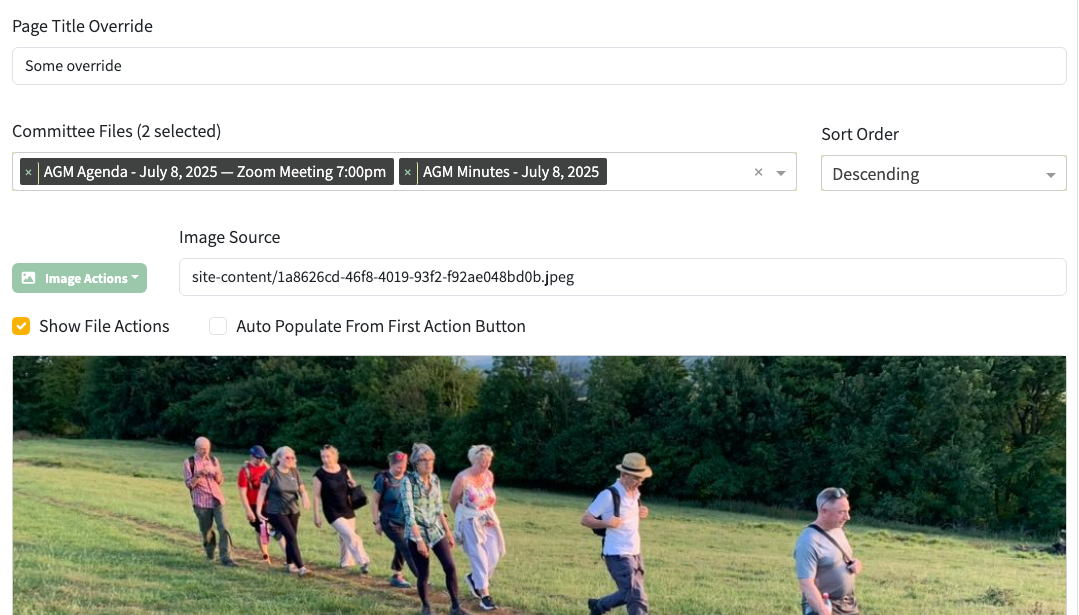
The new Page Title Override input at the top of the committee documents row editor. Leave it blank to keep the existing URL-derived heading; type any text to replace it on the public page.
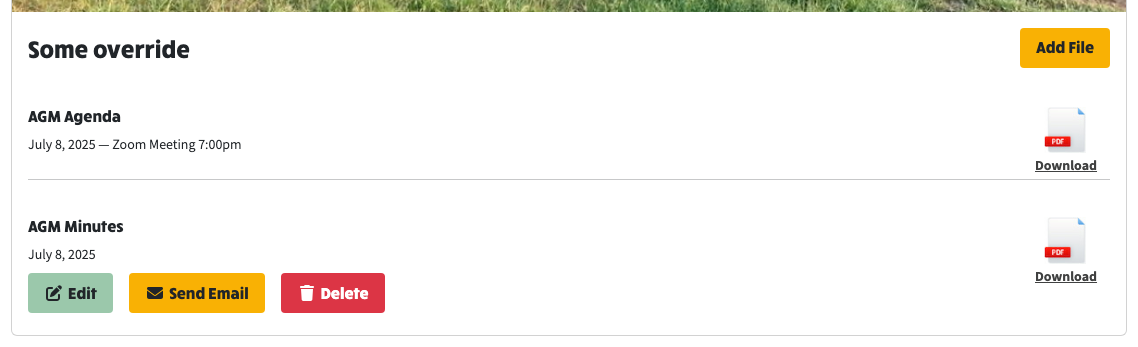
The same row rendered on the live page. The override text "Some override" replaces the auto-generated "Committee events for 2025" heading. The file links beneath now use the original uploaded filenames ("AGM Agenda", "AGM Minutes").
Downloads use the original uploaded filename
Committee file downloads now suggest the original uploaded name in
the browser's save dialog instead of the hashed S3 object key.
Existing files work without re-upload because the original filename
was already captured at upload time.
File editor tweaks
- The link preview in the file editor no longer shows
"{date} - (none)" when a file has no display title; it shows just
the date.
- When a display title is set, it is joined to the date with an em
dash with spaces (matching the convention used elsewhere in the
app for event time ranges).
- The "File or Event Date" and "File Type" fields in the file
editor are now aligned on the same horizontal line.
Other changes in this release
env-setup: clone-mode wizard fixes, memory dropdown, streamed deploy
Cluster of fixes to the environment-setup wizard surfaced while
creating a new environment via "Create from Existing":
Ramblers API key entry in clone mode
- The clone branch of step 1 had no API key UI, so when the source
environment's secrets did not include RAMBLERS_API_KEY (older
envs predate it being persisted), step 4 validation failed with
"Ramblers API Key: API key is required" with no way to recover.
- Add a Ramblers API Key secret-input plus Validate API Key button
to the clone branch, scoped to a selected source environment.
Editing the key resets apiKeyValid so the user can re-validate.
- Fall back to the current admin's
systemConfig.national.walksManager.apiKey when the cloned source's
apiKey is empty, so the request is seeded with something usable
rather than the empty string that createEmptySetupRequest left
behind after the clone reset.
- Drive the post-clone apiKeyValid flag from the resulting request
value rather than the raw details payload, so the systemConfig
fallback is reflected in the indicator.
Auto-load group/area info on clone
- environment-details/:environmentName: when any of
RAMBLERS_GROUP_CODE / RAMBLERS_GROUP_NAME / RAMBLERS_AREA_CODE /
RAMBLERS_AREA_NAME are missing from the source's secrets, connect
to its MongoDB and fall back to systemConfig.group.{groupCode,
longName} and systemConfig.area.{shortName, longName}. Existing
secret-derived values still take precedence.
- validateSetupRequest: add a Ramblers Group entry that fails when
groupCode is empty so the wizard stops at validation rather than
exploding with "Failed to fetch group details for" during deploy.
Memory configuration UX
- Replace the free-text "Memory (MB)" input with a select bound to a
new FlyioMemory enum (MB_256/MB_512/MB_1024/MB_2048/MB_4096/
MB_8192), iterated via the existing enumKeyValues helper to match
other dropdowns in the app. FLYIO_DEFAULTS.MEMORY now points at
FlyioMemory.MB_512.
- Drop the trailing "MB" in the review summary so the display reads
"512mb" instead of "512mbMB".
Streamed flyctl deploy output
- The streaming infrastructure already existed (runCommandStreaming +
DeployOutputCallback, used by the resume-environment WS path), but
the create-environment path was wiring only a progress callback,
so the wizard saw "[running] deploy-app: Deploying to Fly.io"
followed by silence until "[completed] deploy-app". The actual
flyctl output (Verifying app config, Building image, Provisioning
ips, Launching new machine, etc.) only went to the server stdout.
- createEnvironment: accept an optional onDeployOutput callback and
forward it to deployToFlyioCommand using the options-object form
alongside the existing onProgress handler.
- handleEnvironmentCreate (WebSocket handler): pass an onDeployOutput
that emits each streamed line as a PROGRESS message prefixed with
"[deploy] ", matching the prefix the resume-environment handler
already uses. The HTTP /create route is unchanged because it
returns a single response and cannot stream.