Two changes in commit 357c843.
What was wrong
When someone used "Forgot password", the Reset Your Password button in the email did not always work. In Outlook, clicking it did nothing. If you opened the email through Brevo's "View this email in your browser" link, the button just reopened the same email in a new tab.
Two separate things could break the link:
What changed
The forgot-password email no longer depends on the design stored in Brevo. It now uses a fixed, built-in copy of the email, so editing the template in Brevo can no longer break password resets. The reset link also always uses the full site address now, even on sites where the group web address has not been filled in.
The result: the Reset Your Password link works reliably in every email client, including Outlook and the browser-mirror view.
Who is affected
Anyone who uses "Forgot password" to reset their sign-in. Committee members should stop getting reports of reset links that "do nothing".
What changed
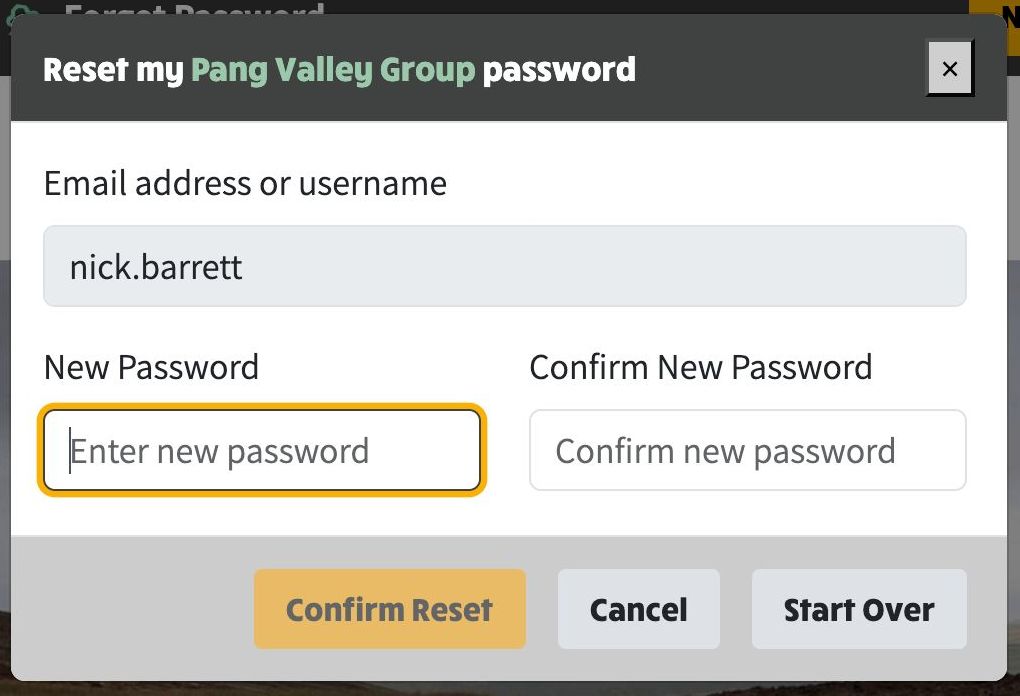
When the reset link opens the "set a new password" pop-up, you can now complete it from the keyboard alone:
The mouse still works exactly as before - this just adds a faster keyboard route.
Who is affected
Anyone resetting their password, particularly people who prefer or rely on keyboard navigation.
Fixed reset password dialog with auto-focussed input fields