One change in commit affd148.
What's new
NGX sites can now pull member records straight from Ramblers' Salesforce member system, as an alternative to uploading the membership spreadsheet (the Insight Hub export). Both methods still work side by side, so you can use whichever suits you.
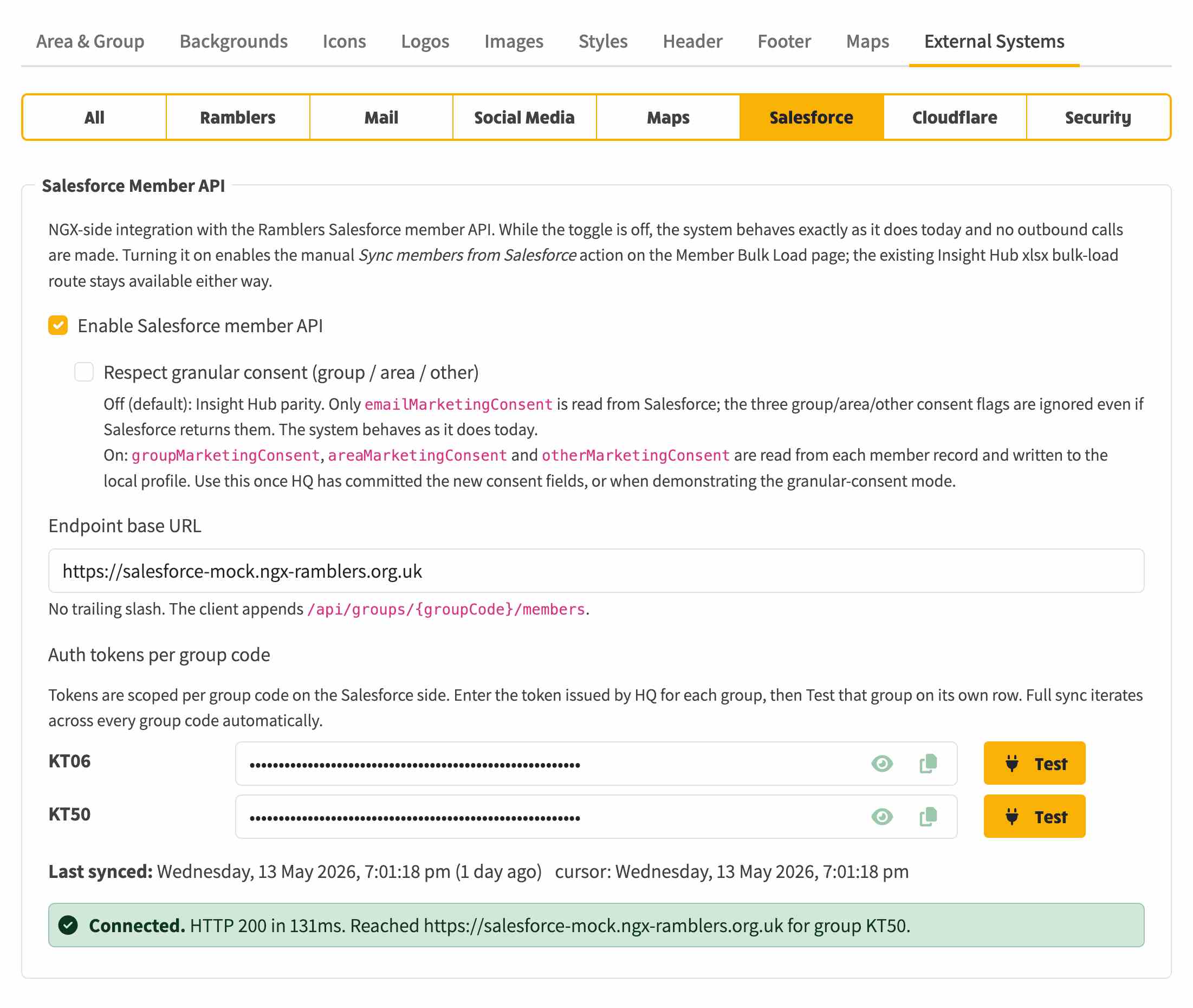
A new admin area - System Settings -> External Systems -> Salesforce - is where you connect to it. You enter one shared web address, tick Enabled, and provide an API key for each of your group codes. Until an admin fills this in and turns it on, nothing changes.
When it is switched on, a Sync from Salesforce option appears on the member bulk-load page. A sync there does exactly what the old Insight Hub spreadsheet upload did - it updates member records and feeds the same follow-on updates through to your mailing lists.
Areas with several groups
If your site covers more than one group, the Salesforce connection handles them all. The settings page reads your group codes from the Area & Group settings and gives each one its own API key field and its own Test connection button, so you can confirm every group is reachable individually. A sync then pulls members for every configured group code in turn, and the sync log reports each group separately - member count, timing and any errors - so you can see exactly how each group fared.
Marketing consent
A second tick-box, granular consent, controls how much marketing-permission detail is pulled in:
Note: This is a demo toggle while the wider consent design is being finalised - tracked in #209.
Keeping Salesforce up to date when someone unsubscribes
When a member fully opts out of emails - either by dropping their last subscription, or by being blocked at the account level - that opt-out is now sent back to Salesforce, so the central member record stays accurate. Partial opt-outs, where the member is still subscribed to something, stay local and are not sent.
If a Salesforce update ever fails, the member's local unsubscribe still goes through as normal, and the failure is recorded in the audit log alongside the unsubscribe. No silent failures.
Who is affected
No member or committee member sees any change unless an admin sets up and enables the Salesforce connection - it is off by default. This is groundwork for when Ramblers' Salesforce member API is available; see #209 for the agreed API.