
A large batch of email composer improvements, delivered across commit bd611b0 and commit 21e6da5. The highlights:
The step-by-step bar across the top of the composer has been tidied up: the steps are evenly spaced, the connecting line runs continuously between them, and each step's hint reflects the real recipient count rather than a stale label.
Error messages have been pulled together too. Instead of the same warning appearing in two places, each step now shows a single Before you can continue list covering everything outstanding, with "go and fix it" buttons where useful.
The full step bar for a branded send:
The email composer step bar, from Sender & Template through to Send.
The first step of the composer, Sender & Template, now offers two formats:
Choosing Unbranded keeps the composer simple: the banner picker, Brevo template selector, the Events step and the article-block buttons are all hidden, because none of them apply to a plain email.
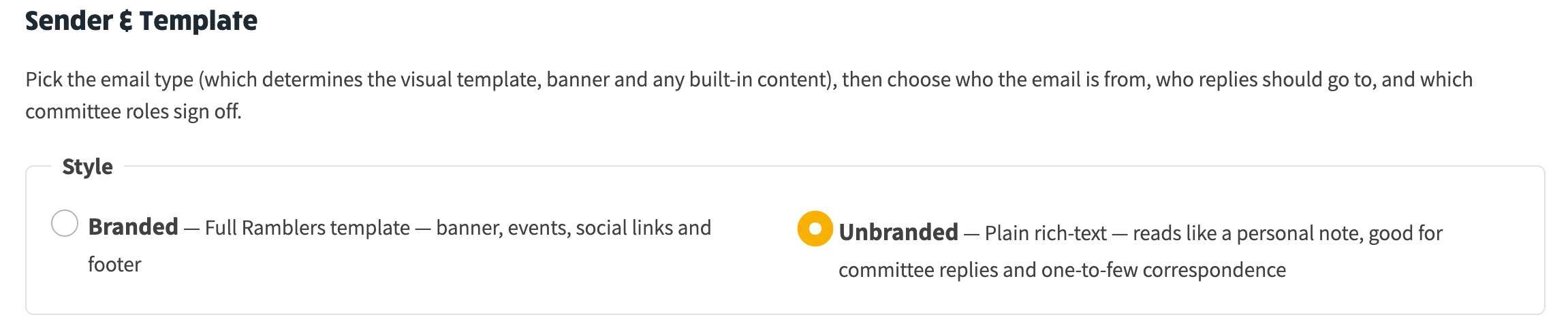
The Branded / Unbranded choice on the Sender & Template step.
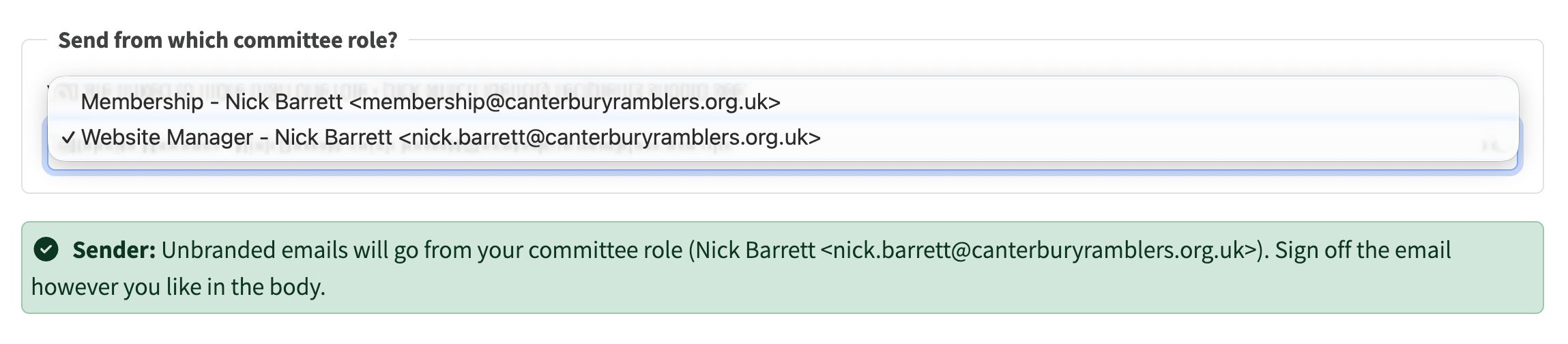
In Unbranded mode, the composer looks up the committee role linked to your member record and uses that role's email as the From address. Committee role addresses are on the group's own verified domain, so they are accepted. The Sender & Template step shows you exactly which address will be used.
If the role's email is missing or invalid, the step shows a clear message and blocks the send before you can submit it.

In Unbranded mode the composer confirms which committee role address the email will be sent from.
If you are recorded against more than one committee role - for example, an admin who also covers a colleague's role - the composer shows a picker listing every role attached to your member record, each with its email alongside. Whichever you pick is the role the email goes out as, and the sign-off on the later step follows the same choice so sender, reply-to and sign-off stay consistent.
Being recorded against two roles is sometimes a mistake rather than intentional. Admin > System Settings > Committee now flags this directly: any row whose member is shared with another role shows a Multiple role mappings badge, and hovering it lists the shared member and the other role(s). That lets you tidy up accidental double-assignments at the source.
In Unbranded mode the Recipients step leads with a Send to an email address form. Type any address you want the message to go to - the name fills in automatically from the address and you can edit it - then press Enter or click Add.
Addresses are saved for re-use by default, stamped with your name and the date, so the list of saved addresses builds up over time and other committee members can pick from it later. Previously-saved addresses and the option to also include group members are tucked away below, so the simple case stays simple.
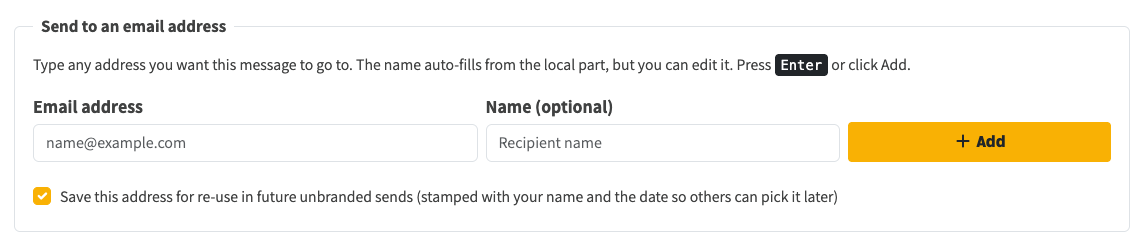
The Send to an email address form, shown first on the Recipients step in Unbranded mode.
If you paste a forwarded email into the editor - one with From: / Date: / To: / Subject: header lines at the top - the composer recognises it and:
# Heading line as the email subject if you have not set one yet.It copes with the usual clutter too - "Sent from Outlook" lines, forwarded-message banners and blank lines between headers. In Unbranded mode you can go straight to the Compose step and paste a forwarded email there to fill everything in at once.
An unbranded email has no unsubscribe link and no formal sender identity, so it is not suitable for marketing-style sends to a list. The composer now watches for that:
What was wrong
For templates that include a password-reset link (welcome-to-the-group, website-and-login-details and similar), the link came out empty, so anyone who clicked it landed on a broken page.
What changed
Branded sends now generate a fresh, recipient-specific reset link whenever the chosen template needs one. The standalone "Forgot password" page was never affected - this was only the bulk composer.
Committee members who send emails. Branded sends behave as before; the new Unbranded option is there when you want to send a plain reply or a quick note to a handful of people, including non-members.