14-May-2026 — lead button, auto-expand & risk-assessment control / config, sub-tab order closes #266
- Card lead button: any logged-in user (including admin) now sees lead
on awaiting-leader cards instead of the legacy hardcoded view anchor
or admin-only edit button. For admins the button becomes a split
dropdown with lead as the default action and edit as a secondary
option so an admin can step into an unclaimed walk slot to tweak
details without auto-assigning themselves as walk leader.
toWalkAccessMode refactored to a const-based helper that prioritises
AWAITING_LEADER over admin precedence; walk-display.service.edit()
accepts a bypassLeaderInit flag that drives an ?as=edit query param;
walk-edit full-page honours the param to override walkAccessMode to
"edit" mode on load (no auto-leader-init).
Same card seen as an admin - the button becomes a split, with lead as the default click and a caret toggle alongside it.

Admin opens the caret and gets an edit option, which navigates to the walk editor with ?as=edit so no auto-leader-init runs.
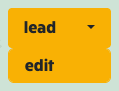
Walk card action button as a regular member sees it - a plain yellow lead button, no admin options.

- "Our next walk" + page-nav auto-expand: introduce
walkDetailsComplete() and require it from isNextWalk() and from the
walks card-list first-walk auto-expand. Empty Sunday slots no longer
win the next-walk slot.
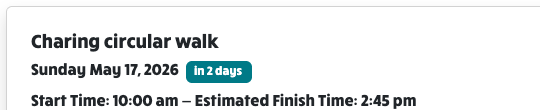
Walks listing - the first walk auto-expands only when walkDetailsComplete() is true, so empty Sunday slots no longer win the next-walk slot.
- Risk Assessment tab: gate on walksConfig.requireRiskAssessment in
addition to display.allowEdits(walk). Promote walksConfig from
private to public so the template can read it. Validation path
already gated.

Walks Configuration > General - the requireRiskAssessment checkbox is the source of the new guard.

Walk editor tab strip with the Risk Assessment chip on the right, shown only when the requireRiskAssessment toggle is on and the user can edit the walk.
- Walk Details sub-tabs: reorder DetailsTab enum to Venue, Route,
Route & Venue and set the component's tabs array explicitly so the
rendered order is deterministic.

Walk Details sub-tabs now render Venue, Route, Route & Venue in that fixed order.