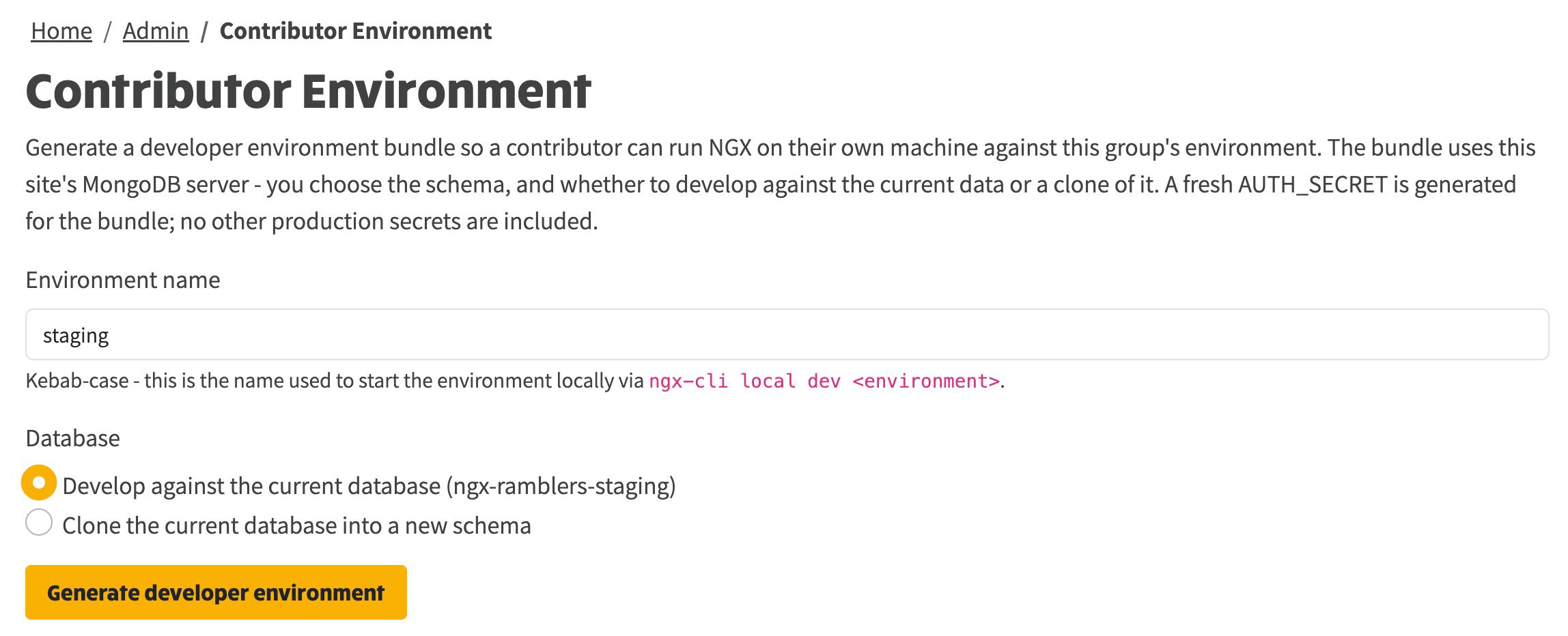
A site admin can now hand a developer everything they need to run the full NGX-Ramblers stack on their own machine, working against this group and no other. You generate a downloadable bundle from the admin area, send it to the contributor, and they are running locally with a single command.
The bundle is deliberately narrow. It points at this site's MongoDB server and carries a freshly generated AUTH_SECRET. It includes nothing else: no staging configuration database, no shared platform keys, and no other group's data.
NGX-Ramblers normally runs from a central configuration database that holds the settings for every group. A developer helping with one group should never need that database, and should never hold credentials that reach beyond the single group they are working on.
A contributor environment solves this. The bundle you generate contains three things, all scoped to your group alone:
AUTH_SECRET generated just for this bundle.What the bundle leaves out matters just as much: no staging configuration database, no Fly.io or Cloudflare account keys, and no other group's secrets, bucket or data. If a value would let the holder touch a second group or the live platform, it is not included.
Open the admin menu and choose Contributor Environment, or go straight to /admin/contributor-environment. You will see the form shown above.
The Environment name is how the contributor starts the stack locally, with ngx-cli local dev <name>. Enter it in kebab-case: lower case, with words joined by hyphens. The field tidies whatever you type into that shape when you click away, so Pang Valley becomes pang-valley.
The bundle always uses this site's MongoDB server. You decide which data the contributor works against:
Choosing the clone option reveals a Schema field, pre-filled with a suggested name. This is the new schema that will be created alongside the original.
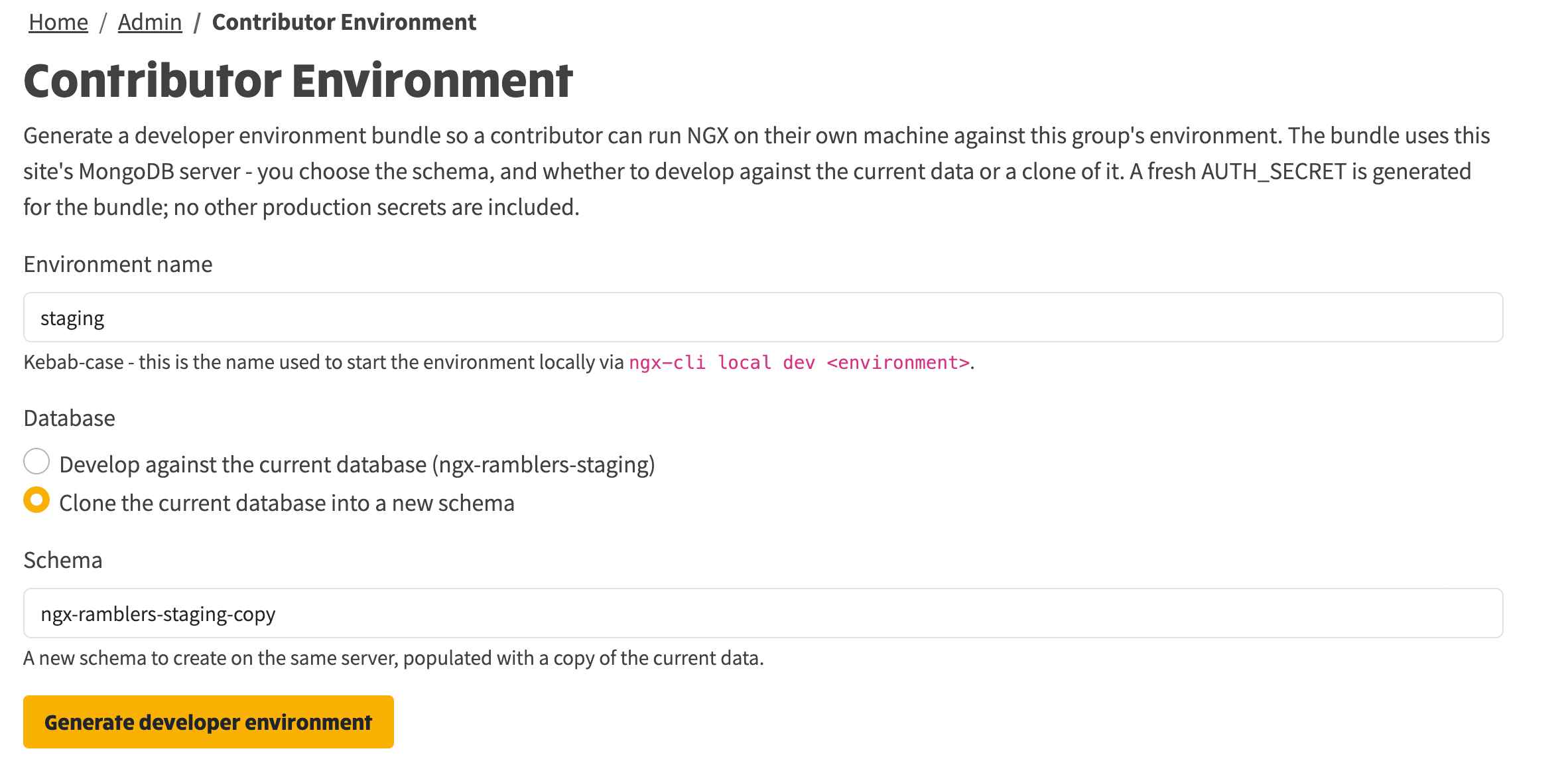
Click Generate developer environment. The bundle is built and downloaded to your machine as a zip file named contributor-environment-<name>.zip.
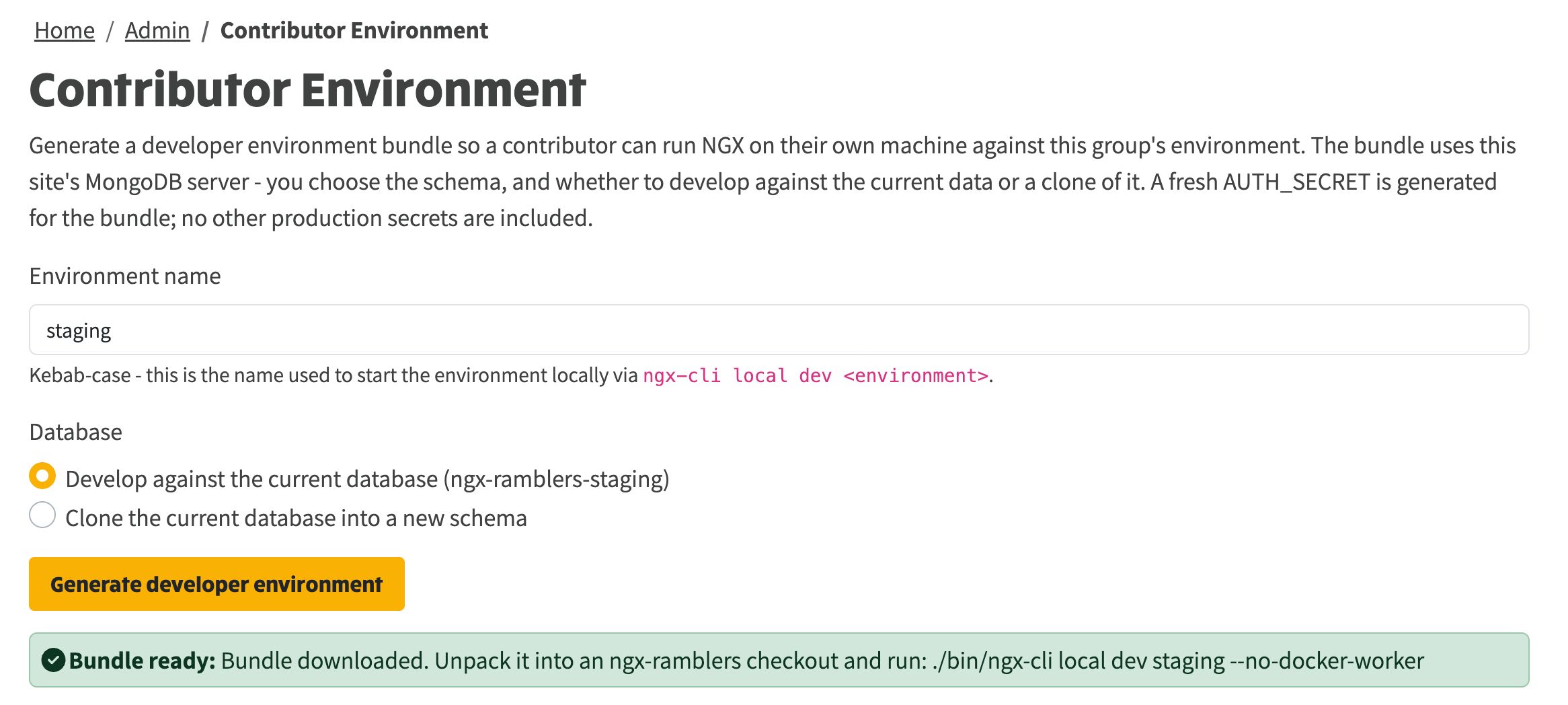
A green confirmation appears once it is ready, repeating the command the contributor needs to run. Send them that zip file - that is the whole handover.
The bundle is unpacked into a checkout of NGX-Ramblers on the contributor's machine, so the contributor needs that checkout first. How they get it depends on whether they only want to run the code or also want to send changes back, and the second case is the one to set up for from the start.
The way to contribute to NGX-Ramblers is to fork the repository and submit changes as a pull request from that fork. A contributor has no write access to the project repository, and nobody outside the maintainers does, so they cannot clone it and push to it directly. They work on their own fork instead.
github.com/<their-username>/ngx-ramblers, which they have full write access to.git clone https://github.com/<their-username>/ngx-ramblers.git
cd ngx-ramblers
git remote add upstream https://github.com/nbarrett/ngx-ramblers.git
There are now two remotes: origin is the contributor's fork, where they push, and upstream is the project repository, where they fetch updates from. To bring the fork up to date later: git fetch upstream, then rebase the work onto upstream/main.
This clone is the checkout referred to below. The non-vcs folder from the bundle is unpacked into its root.
The zip already carries the folder structure the files need:
non-vcs/secrets/secrets.<name>.env
non-vcs/secrets/environments.local.json
README-contributor-environment.txt
Unpack it so the non-vcs folder from the zip sits at the root of the NGX-Ramblers checkout. Done correctly, the two secrets files end up exactly here:
<checkout>/non-vcs/secrets/secrets.<name>.env
<checkout>/non-vcs/secrets/environments.local.json
Watch out for one trap. Double-clicking the zip extracts it into a folder named after the zip, with the non-vcs folder inside that. Do not copy that whole folder into the project. If the files end up one level too deep, at <checkout>/contributor-environment-<name>/non-vcs/secrets/... rather than <checkout>/non-vcs/secrets/..., the stack will not find them and will not start. Lift the non-vcs folder out of the extracted folder and place it at the checkout root, keeping its contents in place.
Then start the stack with:
./bin/ngx-cli local dev <name> --no-docker-worker
--no-docker-worker skips the background scraping worker, which most contributors do not need. The environment resolves entirely from the bundle, with no staging access, so it runs even when the central configuration database is unreachable.
With the stack running, the contributor does not need to do anything to pick up the edits they make. Both halves reload themselves: editing an Angular component, template or service recompiles the frontend and the browser refreshes through hot module replacement, and editing a server file restarts the Node backend. Save the file and the result is there in a second or two, with no stopping, rebuilding or restarting the stack by hand.
Once a change is working locally, the route to getting it into the project is the same fork and a pull request:
npm run setup:hooks once beforehand - the git hooks enforce the commit-message format and lint rules on the contributor's own machine.git push origin <branch-name>.nbarrett/ngx-ramblers. A maintainer reviews it and integrates it onto main.For anything beyond a small fix, raise a GitHub issue first so the approach can be agreed before the work starts. NGX-Ramblers is developed trunk-based - the maintainers commit straight to main, with no internal pull requests - so an external contributor's pull request is the one reviewed way in, and that is deliberate.