Until now the walks programme assumed Sunday walks, and only Walks Admins could add walks. This update lets your group set its own regular walk day, and - if your committee chooses to allow it - lets ordinary members add their own walk without needing Walks Admin access.
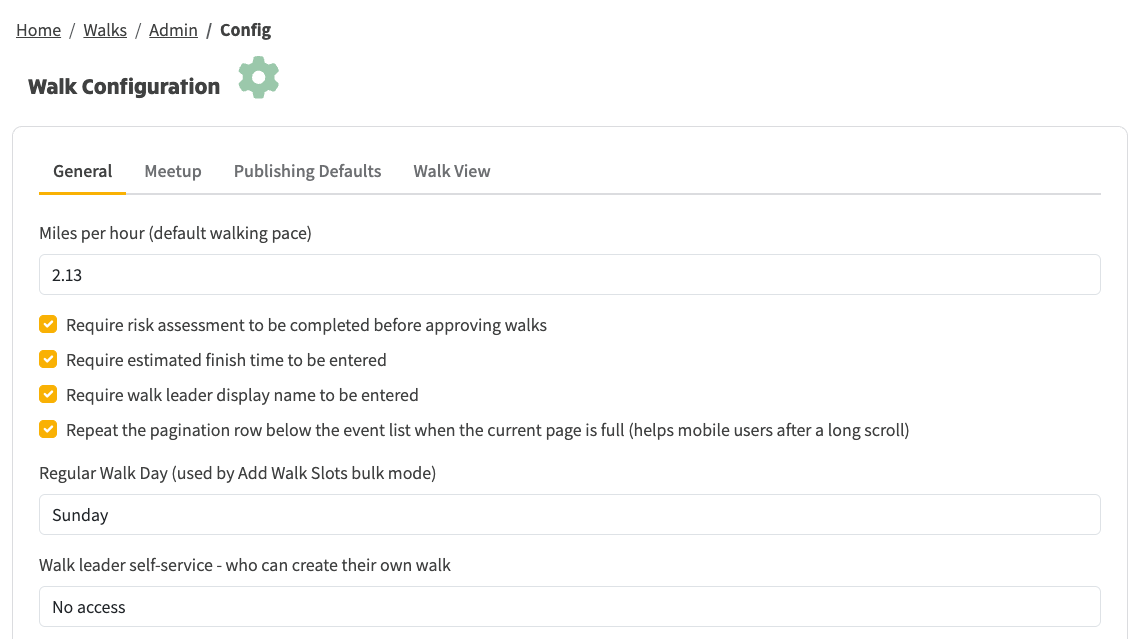
Go to Walks → Admin → Config → General. There are two settings:
Above: Walks → Admin → Config → General, with the new Regular Walk Day and walk-creation access level.
Once you set this to anything other than No access, the members you've allowed will see an extra option on the walks page. It's in the view menu - the button that switches between Cards, Table and Map views - and reads Add non-Sunday walk, following whatever you've set as your regular walk day.
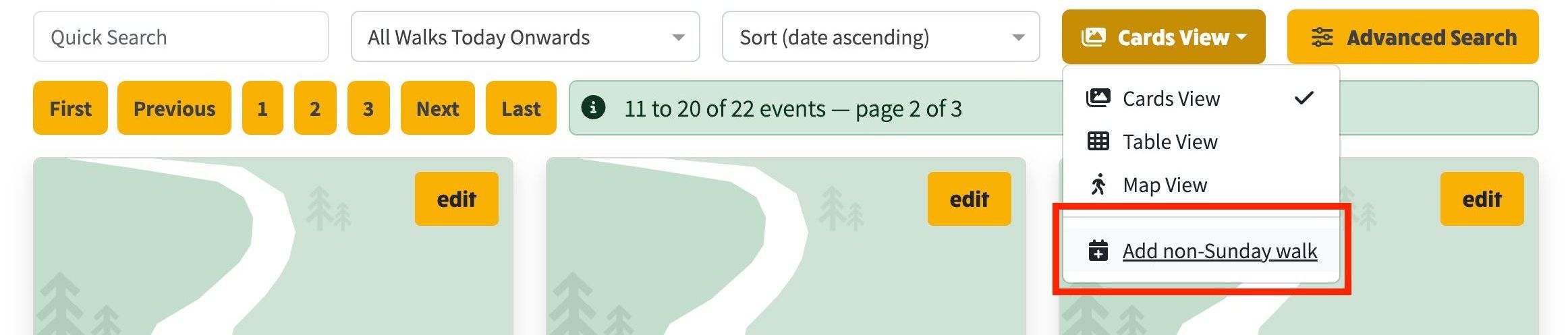
Above: The view menu on the walks page, with the new option for members to add their own walk.
Choosing it opens a new walk for the member to fill in - the date (which leaders can now set themselves), start time, title and route - with the member already set as the walk leader. From there the walk follows your group's normal approval process. The Walks Admin pages stay for admins only.
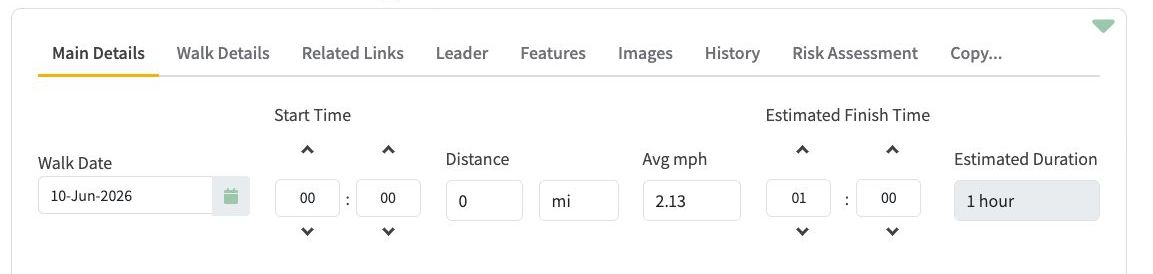
Above: The walk editor the member is taken to, ready to complete the walk.
Nothing changes for existing groups unless you want it to: walks stay on Sunday until you change the day, and members can't add walks until you allow it.
Reference: #269.