This release is all about the nightly backups: the records they keep now put far less strain on the database, the backup scheduler can no longer be started by accident from a development machine, and the Backup & Restore screen has been rebuilt so it loads quickly and is much easier to find your way around.
Every S3 backup keeps a manifest: a list of every file it copied or skipped. These lists used to be stored whole in the database, and on busy sites they grew enormous. Each manifest's entry list is now written to S3 alongside the backup itself, as manifest-entries.json, with only the summary fields and a pointer kept in the database.
New backups write the slim form directly. Existing manifests are slimmed automatically just before the nightly database dump, and the pass has been made thoroughly safe:
The slimming only runs when the backup target is the database that holds the manifest catalogue, so backups of other environments are unaffected. The CLI command backup s3 externalise-manifest-entries remains available for manual batch runs.
A development server running with production-like configuration could previously arm its own 3am all-environments backup sweep over home broadband, duplicating the real one. The scheduler now requires a machine id that only the Fly runtime provides, so local processes can never arm it.
The History tab used to pull every session's full backup log out of the database just to draw the list, which took 15 to 23 seconds per visit. The list now loads summary details only and fetches a session's full log when you expand it, so the page opens in moments.
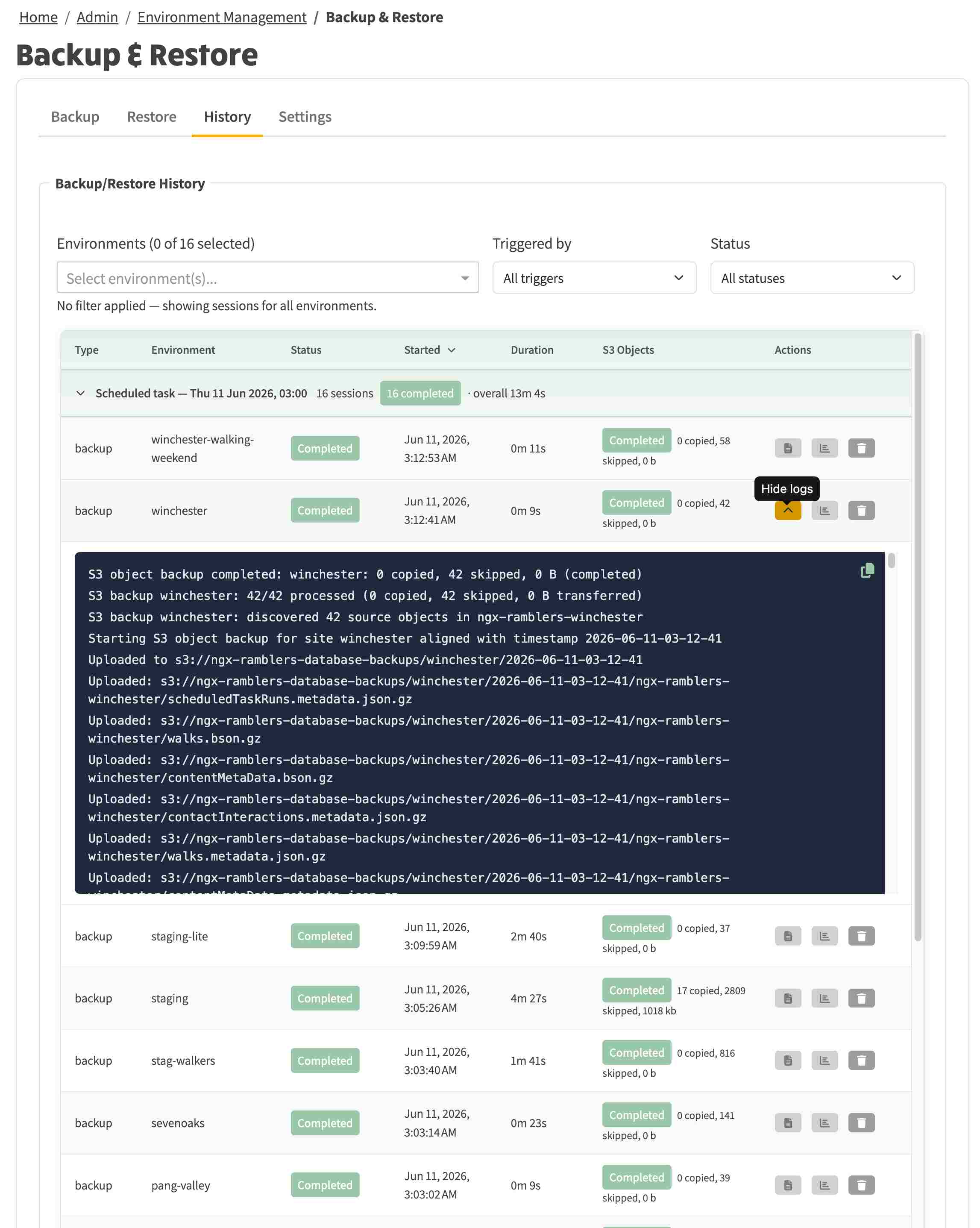
The History tab now groups each day's sessions by how they were started: the overnight scheduled task, manual runs and CLI runs each get their own heading, showing how many sessions completed and how long the whole run took. You can filter by environment, by trigger and by status, sort by clicking the column headings, and expand any session to read its log, which gains a copy-to-clipboard button. Durations over an hour read as hours, minutes and seconds.
The filters and any expanded sessions are also reflected in the page address, so a filtered view can be bookmarked or shared and it opens looking exactly the same.
In the screenshot below, the overnight run on 11 June has backed up all 16 environments in just over 13 minutes. The winchester session is expanded to show its log: 42 files were checked and nothing needed copying, because nothing had changed since the night before.
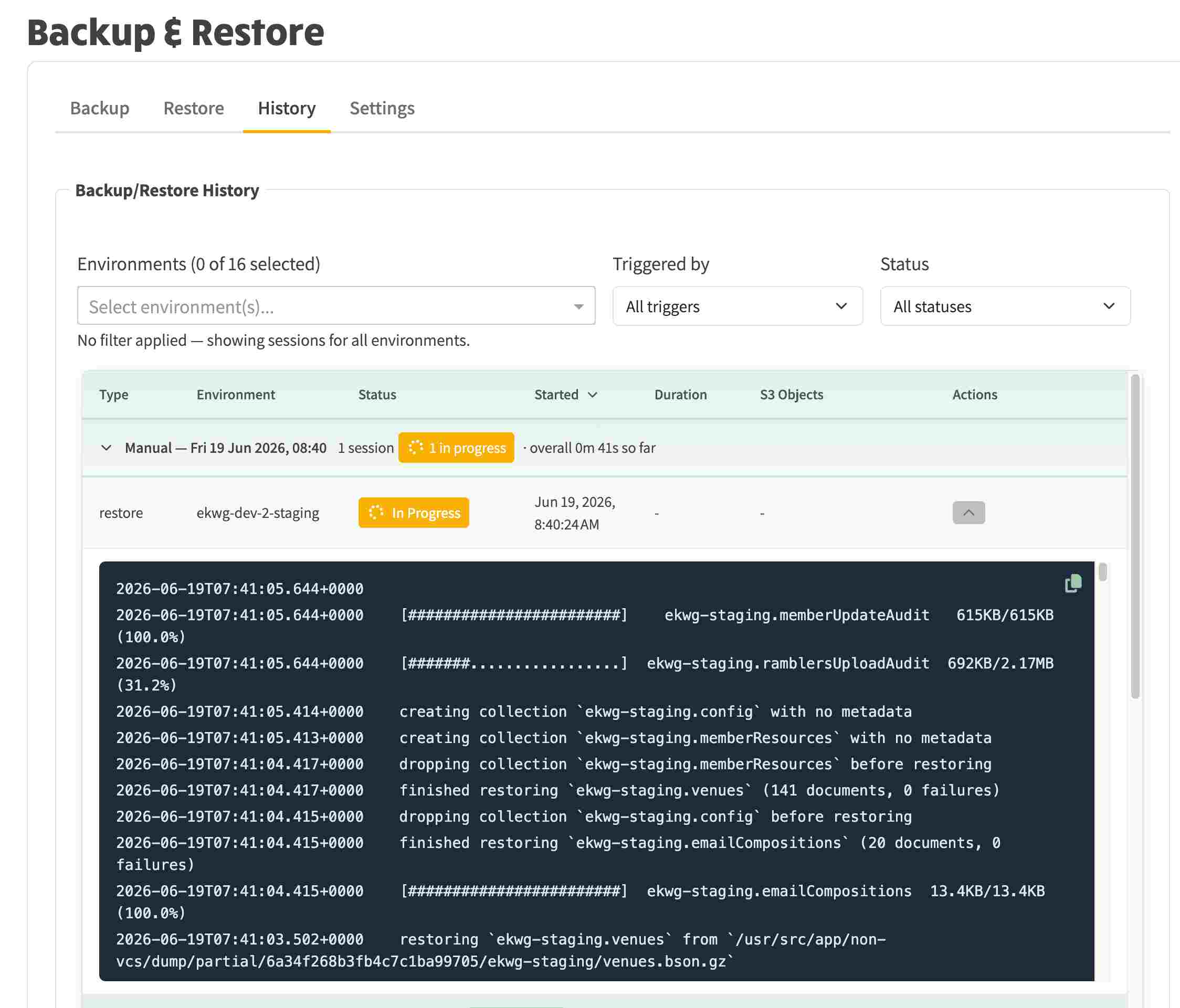
Above: real-time updates are available when a backup or restore is in progress
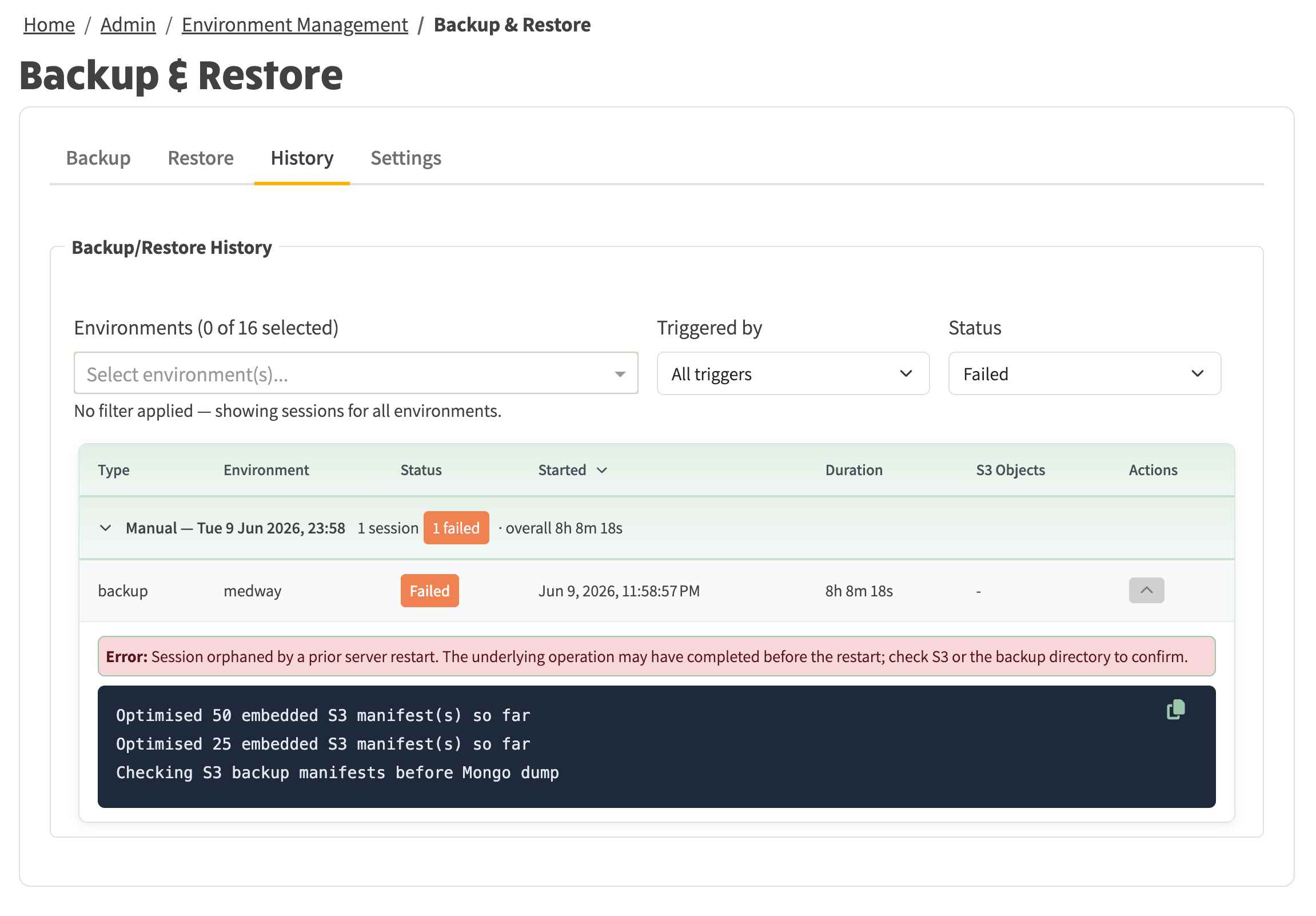
Failures are easier to investigate too. The history can be filtered to failed sessions only, and expanding a failed session shows the reason in plain terms. In the example below, a manual backup of medway was interrupted by a server restart, and the banner explains exactly that instead of leaving a bare "(failed)". Failed S3 object backups now carry their error message through to the session log summary, the S3 Objects column and the status chip's tooltip. The log panel underneath shows the manifest-slimming pass that was running at the time, reporting its progress every 25 manifests.