This release is about using the committee section comfortably on a phone. The committee files list and the email composer both now fit small screens properly, and a handful of rough edges in committee emails have been smoothed off along the way.
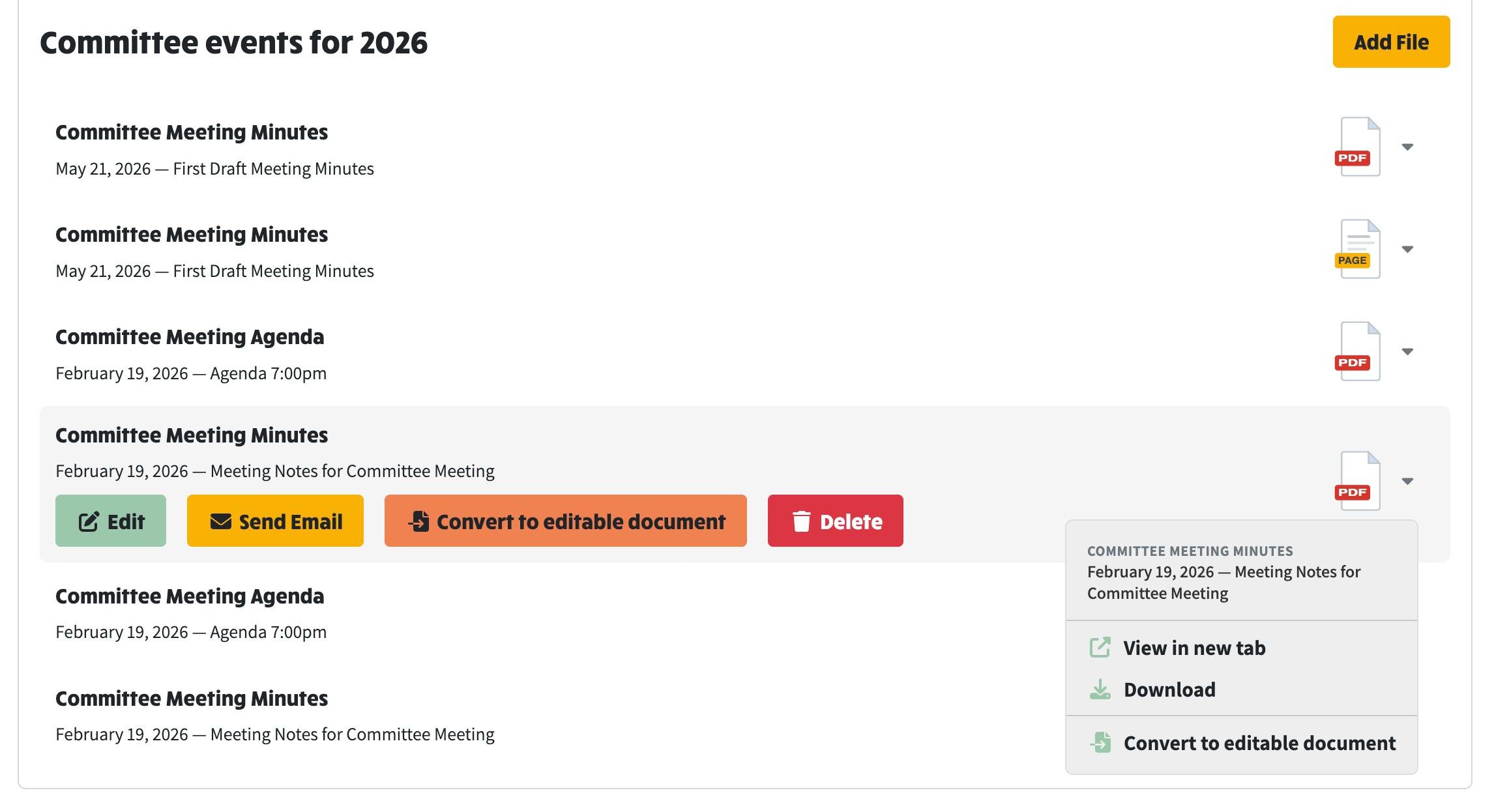
On a laptop or desktop, the committee files list works as it always has: select a file and a row of colour-coded buttons appears beneath it for Edit, Send Email, Convert to editable document and Delete, while the file icon's dropdown menu offers View in new tab and Download. The screenshot below shows the desktop view, including a composed document alongside the uploaded PDFs, marked with its yellow PAGE badge.
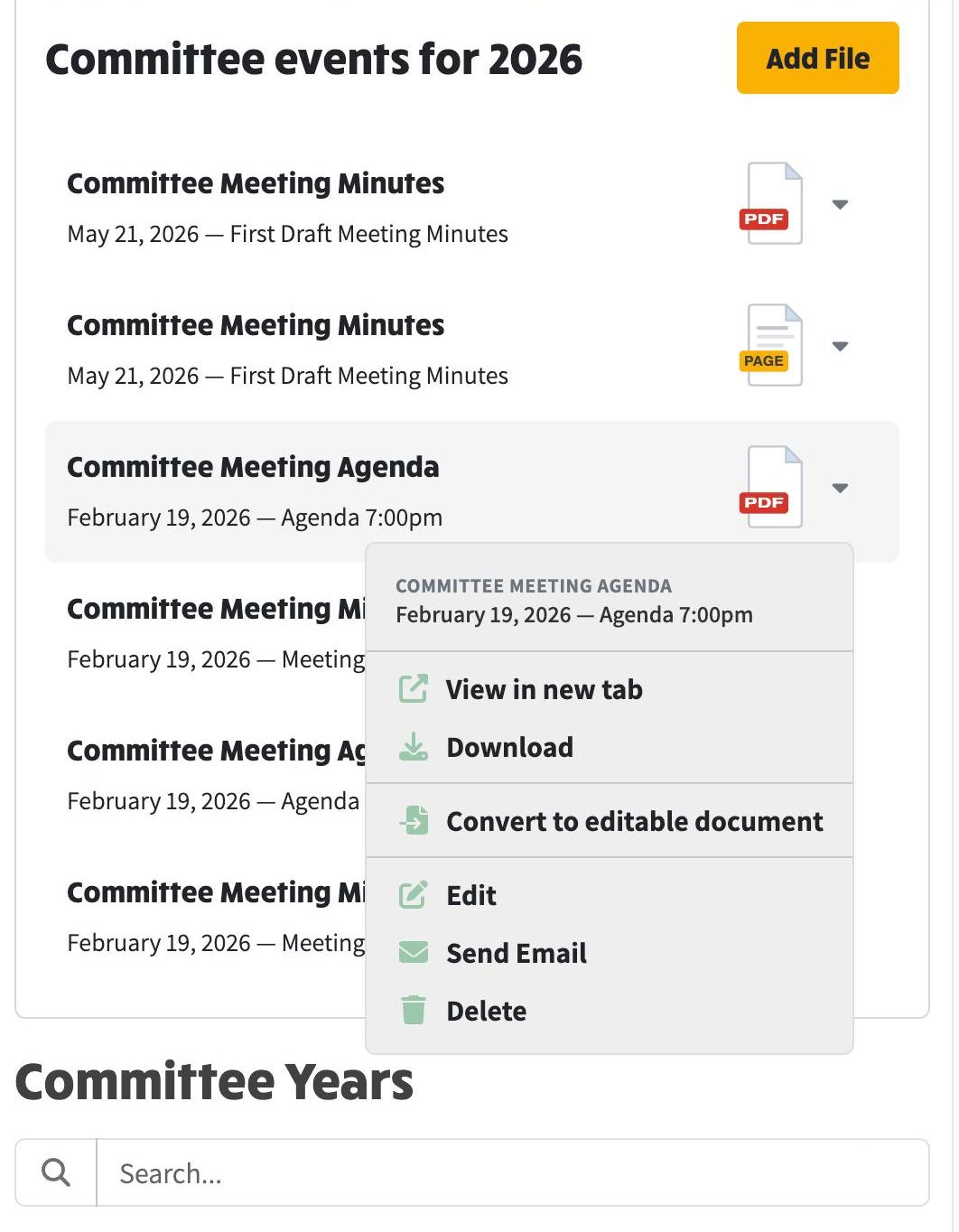
On a phone the buttons now disappear from the row and Edit, Send Email and Delete join the file icon's dropdown instead, so every action lives in one tidy menu. The menu is right-aligned so it always stays on screen, and its header repeats the file's title and date so you always know which file you are acting on. You can see in the screenshot below that the whole committee page, search box and all, fits the width of a phone with no sideways scrolling.
The composer received the same phone treatment and some fixes that apply everywhere:
ngx-cli local dev and local prod accept --no-s3-bucket-override, which uses the environment's own S3 bucket without prompting.