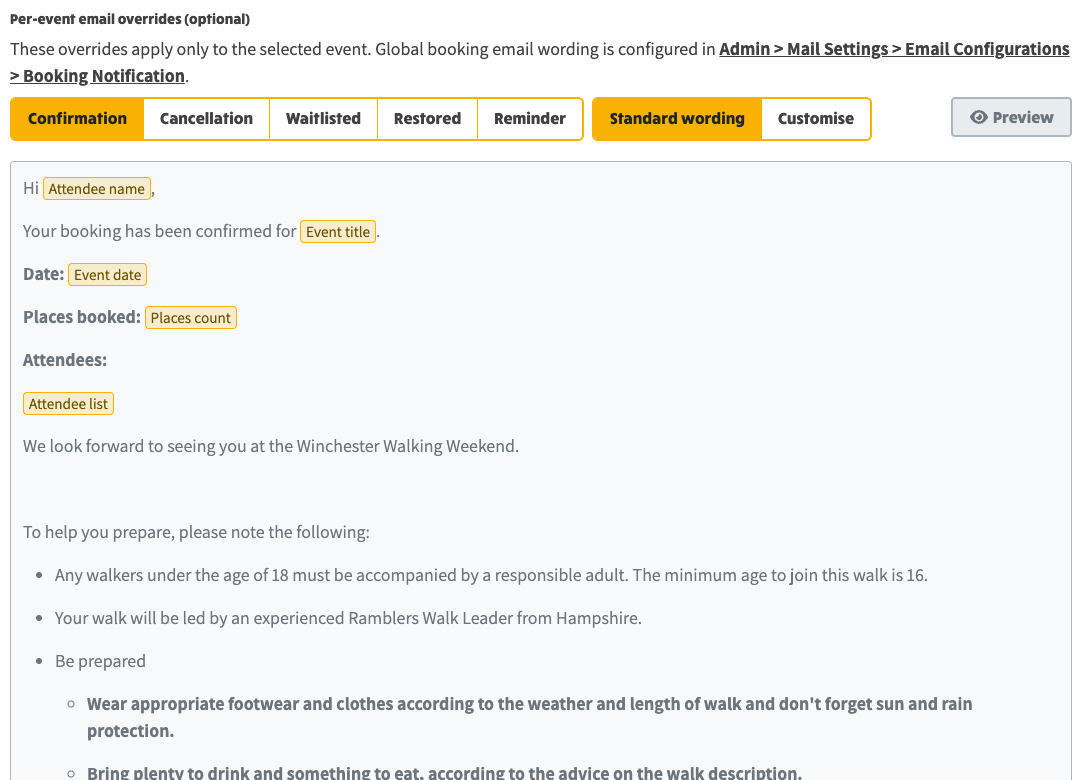
The booking emails your site sends (confirmation, cancellation, waiting list, place restored and reminder) can be tailored for a single event, and this release makes that flow clearer and quicker to use.
Per-event email overrides: with Standard wording selected, the editor shows the group's global booking wording, ready to Customise for this event
From the same per-event view you can send the confirmation emails to everyone booked on the event. The Send confirmation emails now button now shows its progress and result beside the button: it is disabled while sending, shows a spinner, and reports the outcome (for example "3 sent, 2 already sent") when it finishes, instead of a separate alert at the top of the page.

The Send confirmation emails now button, where the sending progress and result now appear inline
For the full step-by-step guide to booking email wording, see Customising Email Wording.
Site-level template as default: The "Standard wording" option in the per-event booking editor now reads from the site-level Booking Notification config (set under Mail Settings > Email Configurations), rather than using the hardcoded constant. This means changes to the global template are reflected immediately in the per-event editor.
Empty override save fix: Previously, clearing all per-event overrides
sent an empty object {} to the server, which did not trigger a database
unset. The field now sends null when no overrides remain, so the old
data is properly removed and does not reappear on page reload.
Inline send status: The "Sending: Dispatching confirmation emails..." message now appears inline next to the Send button instead of in the top-of-page alert area. The button is disabled while dispatching, shows a spinning icon, and displays the dispatch result (e.g. "Event: 3 sent, 2 already sent") next to the button when complete.