15-Jun-2026 — bookings: per-event recipient selection, sign-off rendering & text, sticky editors #273, #288
GitHub #696
What's new
- Choose exactly who a booking email goes to, without emailing the same people
twice.
- A configurable closing line, and a sign-off that looks the same in booking
emails as it does in the email composer.
- The editor toolbar (and the per-event controls) stay on screen while you
scroll a long template.
- Two slow admin pages are now fast.
At a glance
- Per-event "Send" remembers who has already had each email type and skips them
by default.
- A recipient picker lets you send to specific people; people already sent are
greyed out until you tick "Re-send to people already sent this email" (the
same behaviour as the email composer).
- New "Sign Off Text" field on each email configuration for the closing line,
e.g. "Kind regards".
- Booking and forgot-password sign-offs now match the composer: green arrow,
name, role and email link, with no duplicated name.
- The rich-text toolbar is sticky in both the global and per-event editors; the
per-event controls row sticks above it.
- The Admin Bookings page loads in a fraction of the time, and the system
status check no longer stalls.
Where to find it
- Recipient picker, resend control and sign-off in use: Admin > Bookings >
Per-Event Detail.
- "Sign Off Text" field: Admin > Mail Settings > Email Configurations, in the
Sender / Reply To / Sign Off section of any email configuration.
- Sticky toolbar: every rich-text email editor (Mail Settings and per-event).
How it behaves
Recipients and re-sending:
- Opening an event shows everyone eligible for the selected email type.
- People already sent that email are listed but cannot be selected, so a repeat
send only goes to those not yet emailed.
- Tick "Re-send to people already sent this email" to make them selectable
again.
- "Show who" lists who has already been sent, and when.
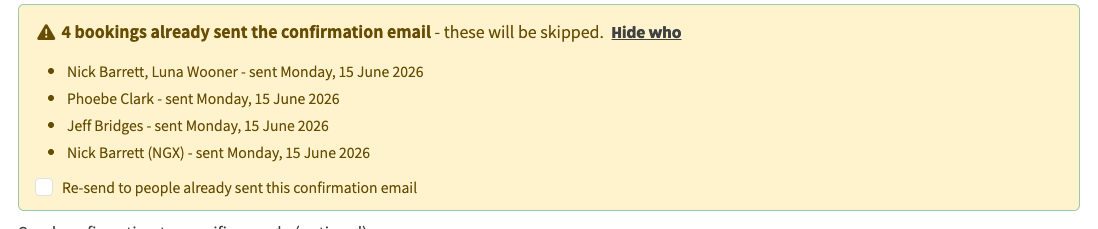
People already sent this confirmation are skipped by default; "Show who" lists exactly who has had it and when, so a repeat send only reaches those not yet emailed.
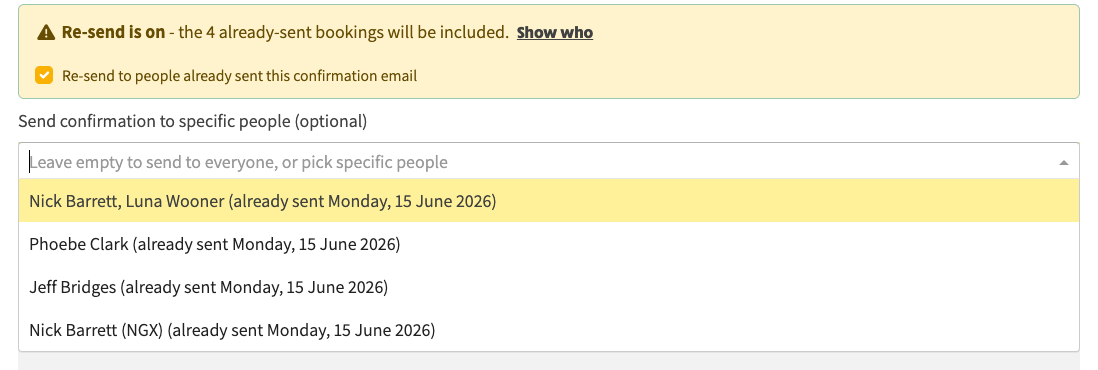
Ticking "Re-send to people already sent" re-enables them in the picker - for when the wording has changed and everyone needs the update.
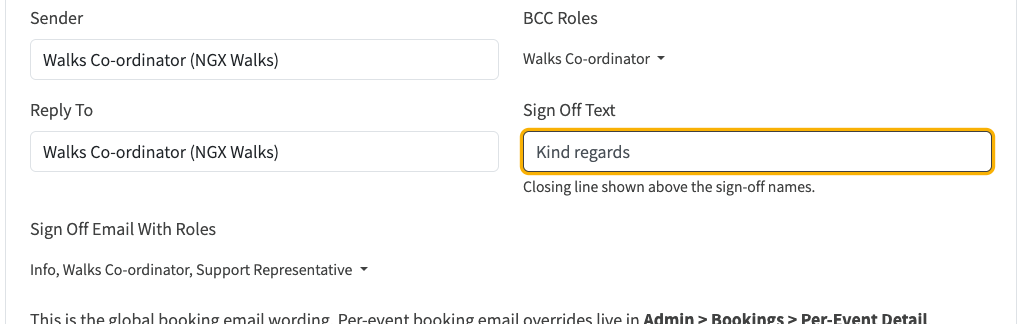
The new "Sign Off Text" field sets the closing line (e.g. "Kind regards") shown above the sign-off names on every booking email.
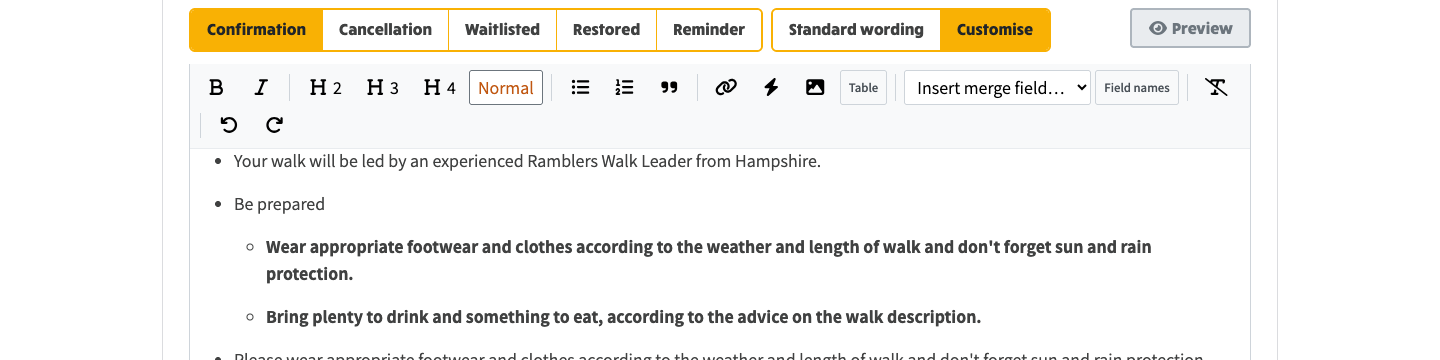
The email-type tabs and the formatting toolbar stay pinned at the top while you scroll a long template.