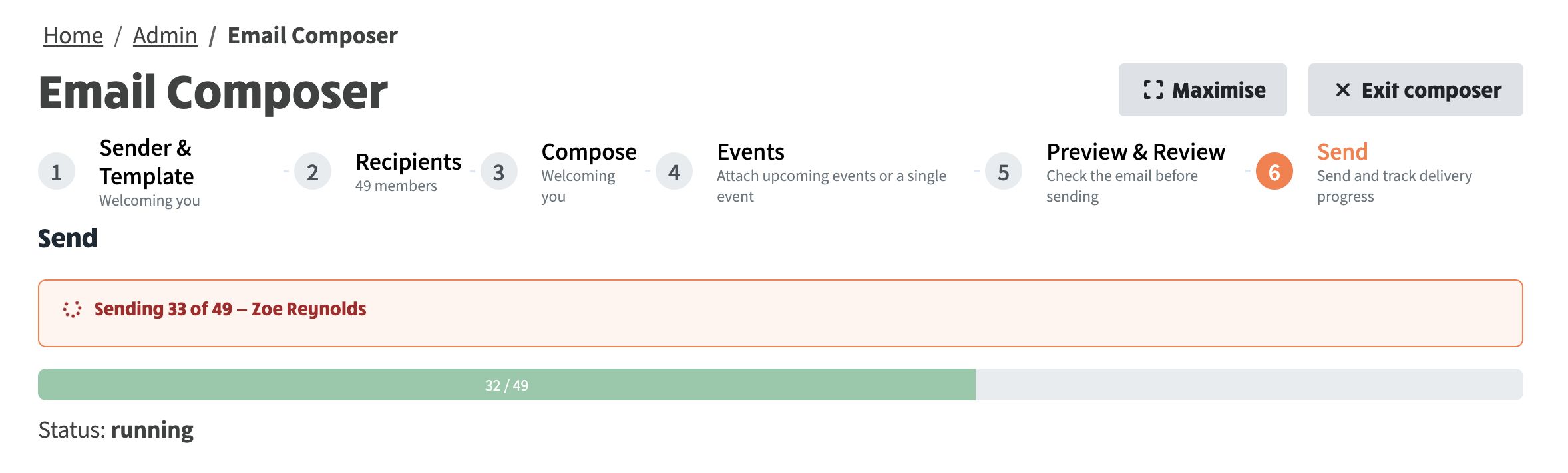
Pasting into an email template or the composer now keeps the formatting you pasted, instead of flattening it to plain text. Personalised sends also report progress as they go, naming the member currently being emailed.
The email template and composer editors now speak Markdown in both directions. Paste Markdown in and it arrives as properly formatted content; copy out of an editor and you get Markdown back. That means you can draft an email anywhere you like, paste it in, and keep everything, rather than pasting flat text and re-applying every heading and link by hand.
| To get this | Paste this |
|---|---|
| A heading | ## What you'll find on the site |
| Bold, italic | **bold**, *italic* |
| A bullet list | - first item |
| A numbered list | 1. first item |
| A link | [contact us](https://www.example.org/contact-us) |
| An image |  |
Merge fields are what personalise an email. They come in three families, and each is just text you can paste:
| What you want | Paste this |
|---|---|
| The member's first name | {{params.memberMergeFields.FNAME}} |
| Their full name | {{params.memberMergeFields.FULL_NAME}} |
| Their membership number | {{params.memberMergeFields.MEMBER_NUM}} |
| Their membership expiry date | {{params.memberMergeFields.MEMBER_EXP}} |
| Their postcode | {{params.accountMergeFields.POSTCODE}} |
| Their town | {{params.accountMergeFields.TOWN}} |
| Your group's long name | {{params.systemMergeFields.APP_LONGNAME}} |
| Your website address | {{params.systemMergeFields.APP_URL}} |
| The account activation link | {{params.systemMergeFields.PW_RESET_LINK}} |
In short: memberMergeFields is the member being emailed, accountMergeFields is their address, and systemMergeFields is your group and website.
You can combine them. A link whose wording and destination are both merge fields is written like an ordinary Markdown link:
[{{params.systemMergeFields.APP_LONGNAME}}](https://ngx-ramblers.org.uk/{{params.systemMergeFields.APP_URL}})
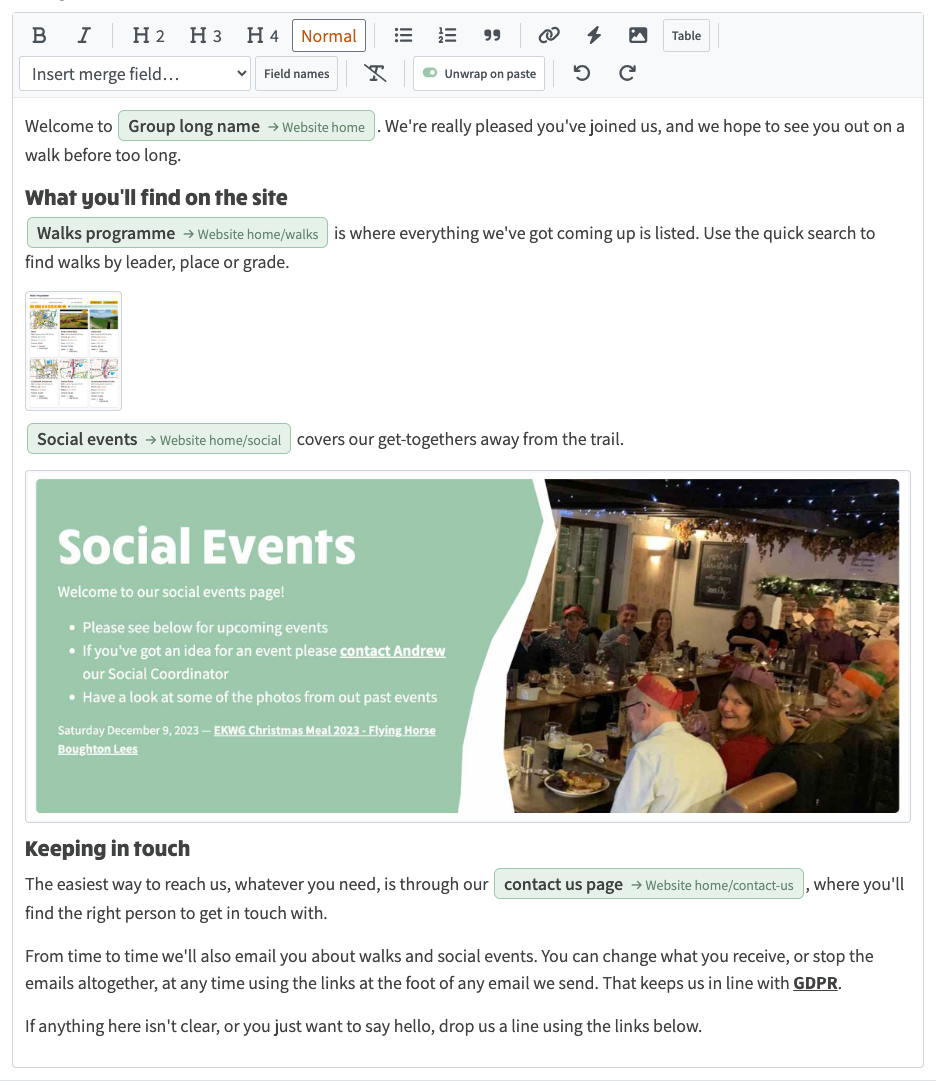
That is what produces the green chips in the editor below, each showing the field name and, after the arrow, where it points.
The pieces above are easier to make sense of assembled. Below is the complete Markdown behind the Welcoming you template — the very one shown in the editor screenshot that follows. Every line of it is just text you could paste in:
Welcome to [{{params.systemMergeFields.APP_LONGNAME}}](https://ngx-ramblers.org.uk/{{params.systemMergeFields.APP_URL}}). We're really pleased you've joined us, and we hope to see you out on a walk before too long.
### What you'll find on the site
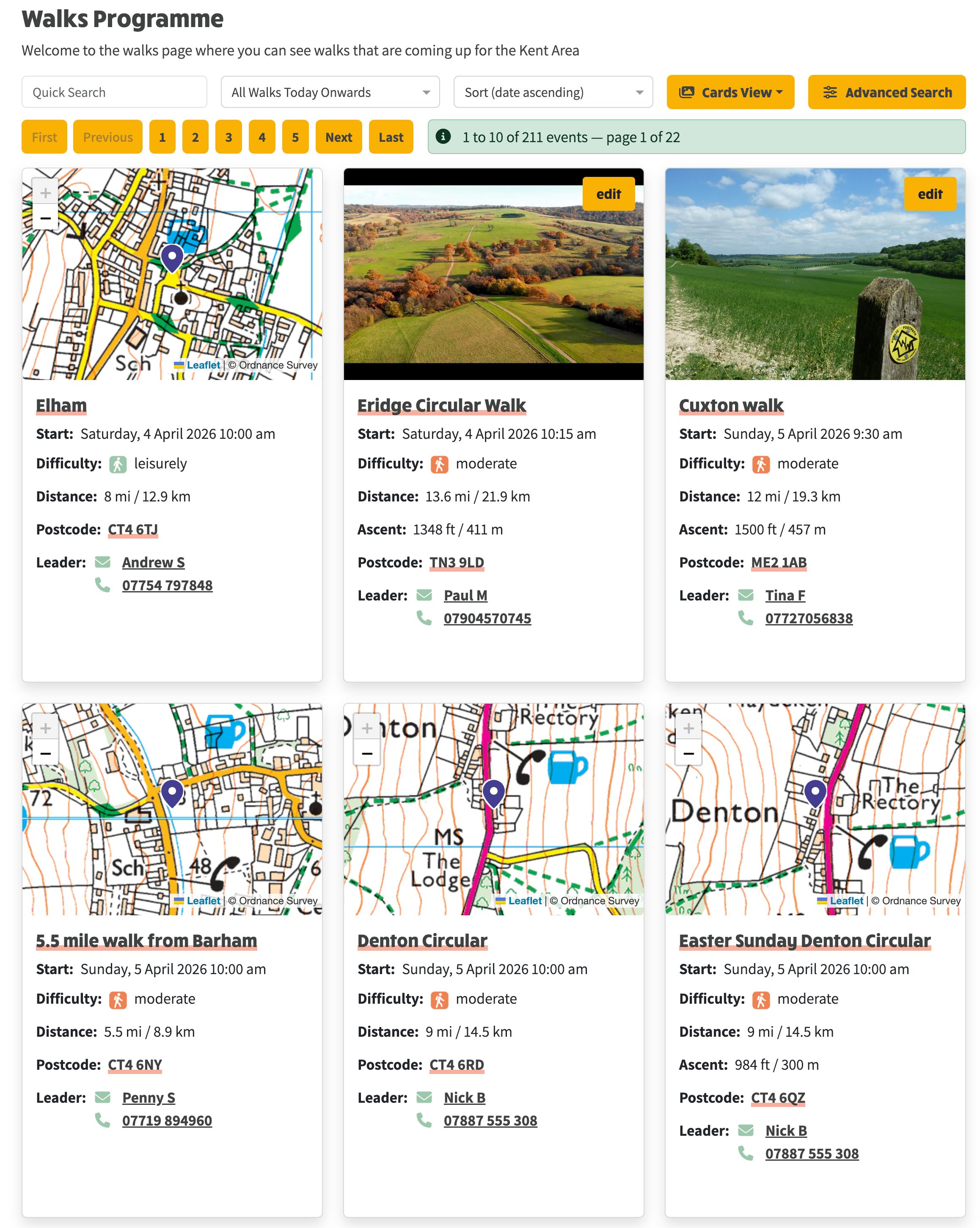
[Walks programme](https://ngx-ramblers.org.uk/{{params.systemMergeFields.APP_URL}}/walks) is where everything we've got coming up is listed. Use the quick search to find walks by leader, place or grade.
[Social events](https://ngx-ramblers.org.uk/{{params.systemMergeFields.APP_URL}}/social) covers our get-togethers away from the trail.
### Keeping in touch
The easiest way to reach us, whatever you need, is through our [contact us page](https://ngx-ramblers.org.uk/{{params.systemMergeFields.APP_URL}}/contact-us), where you'll find the right person to get in touch with.
From time to time we'll also email you about walks and social events. You can change what you receive, or stop the emails altogether, at any time using the links at the foot of any email we send. That keeps us in line with [GDPR](https://ico.org.uk/for-organisations/uk-gdpr-guidance-and-resources/).
If anything here isn't clear, or you just want to say hello, drop us a line using the links below.
Three things worth noticing in it:
Group long name → Website home chip in the editor.{{params.systemMergeFields.APP_URL}}/walks points at your own walks programme without anyone having to type the website address, so the same template works unchanged on any group's site.. The real template also uses a line of plain HTML for one image where the exact width and centring mattered, which the editor accepts too.
An email template in the editor: formatting, images and live merge fields such as Group long name, all kept when pasted

The editor's paste controls: Insert merge field, and Unwrap on paste for stripping wrapping from pasted text