16-Jul-2026 — edit walks in place on Ramblers, in a single reliable pass ref #314
What's new
Walks that already exist on Ramblers are now updated in place during the normal export, instead of being unpublished, deleted and recreated, so each walk keeps its identity and its existing images. The edit itself now works the way a person does it: the walk opens once, only the parts that actually changed are visited, and the walk is published once at the end.
At a glance
- Existing Ramblers walks are edited in place — no unpublish, delete or CSV re-upload, so identity and images are preserved
- One login, one edit session and one publish per walk. A title-only change no longer causes two full edit cycles, nor an image re-sync that was never needed
- Images are only touched when they actually differ from the group website; captions and order are corrected in place, up to Ramblers' limit of five
- The upload button tells you what will happen before you run it, e.g. Update 1 walk + 1 edit + 1 image
- The export card shows word-level title and description differences, with a warning icon in front of every difference or problem found
- Upload progress is now shared across browser tabs — open the export in a second tab and it shows the run already in progress, rather than letting you start a second one
- The walk upload audit shows a single clean run, without the repeat that used to appear at the end
- Saves are confirmed rather than assumed. If Walks Manager reports a problem, the run stops straight away and tells you what it said
- Start and finish postcode changes still use the CSV replacement route, as those location fields cannot be automated safely
- Broken Website links caused by the old slug handling are fixed
Each walk is classified before the export runs
The upload button and status summarise exactly what will happen to each walk, so nothing is published until you have seen what it will do.
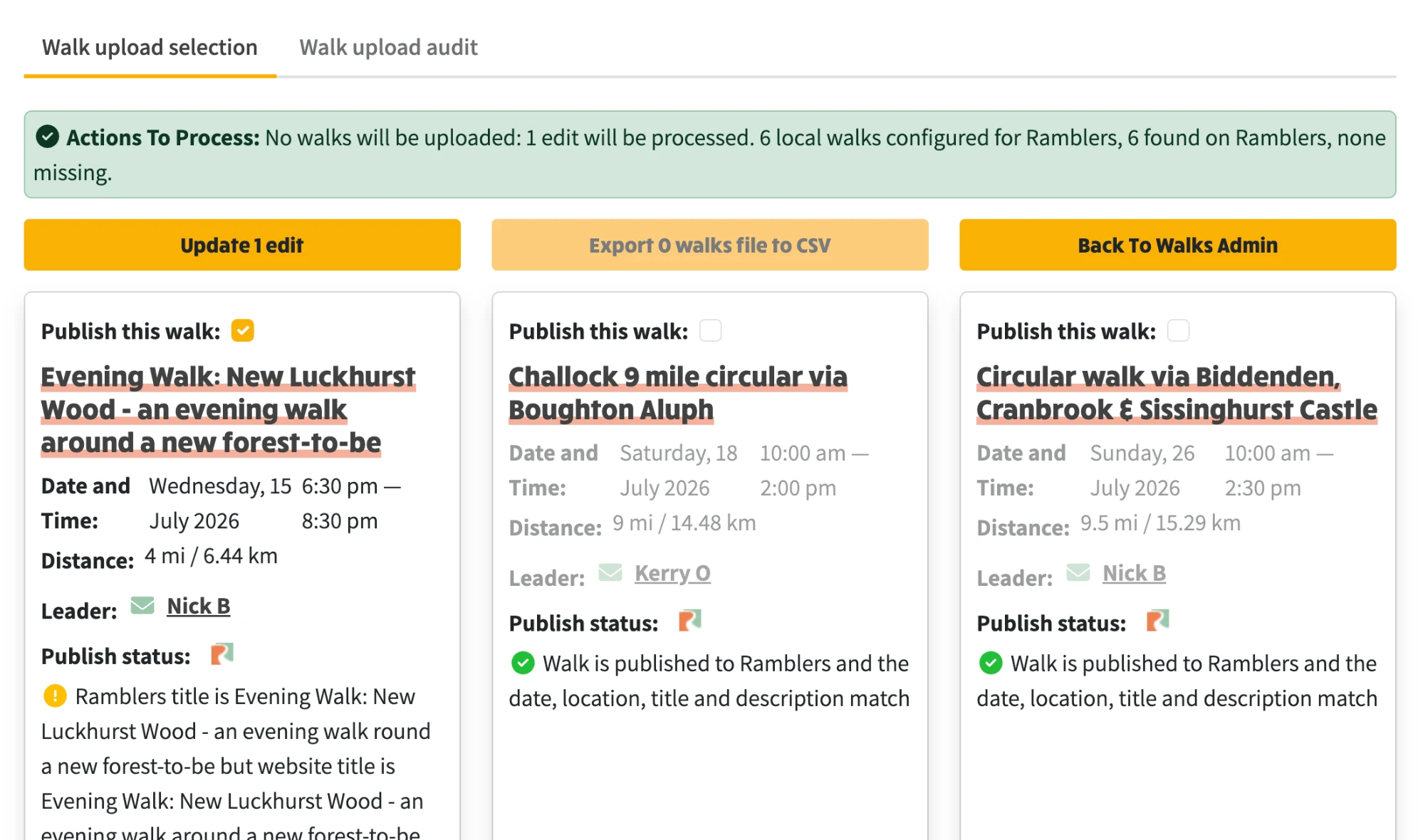
Differences are shown in full before anything is published
Title and description differences are shown word by word, with removals struck through and additions highlighted. Image differences are called out with the number of images held on each side.
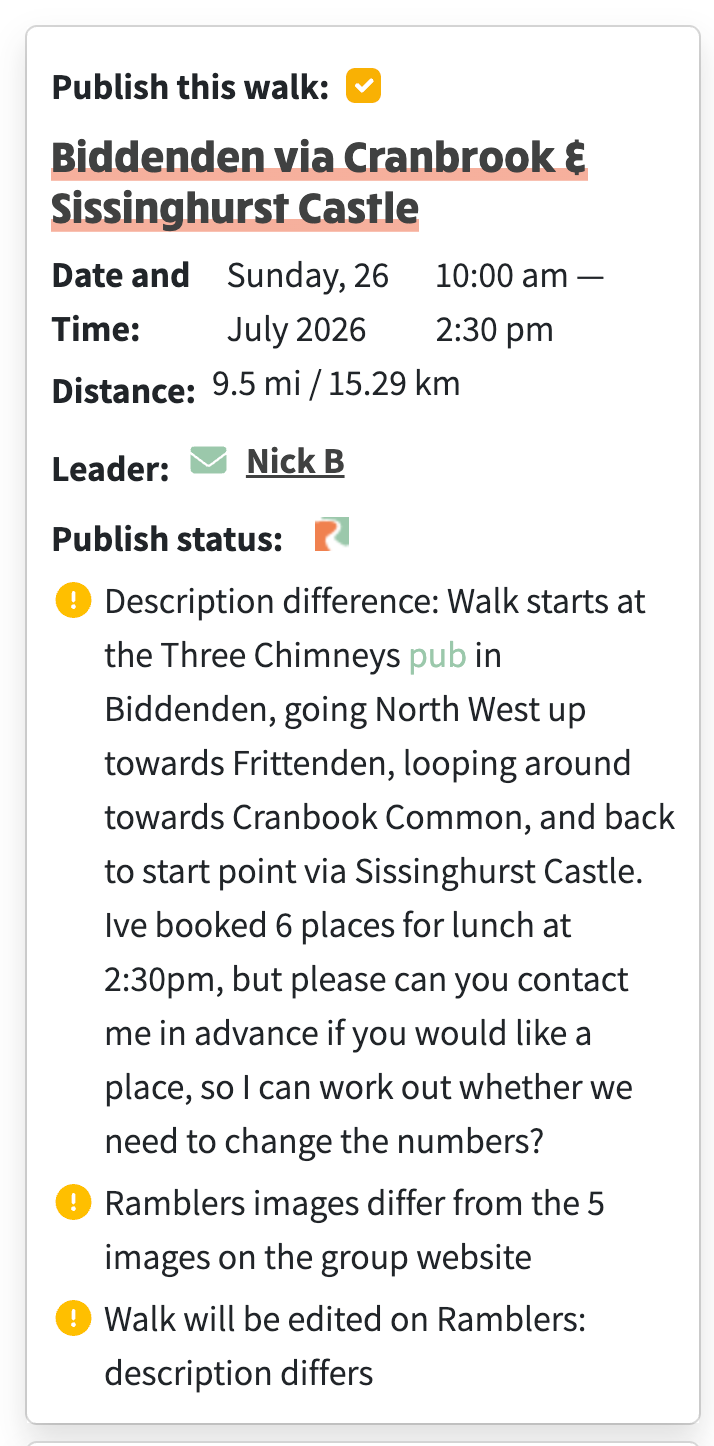
A description difference, shown word by word
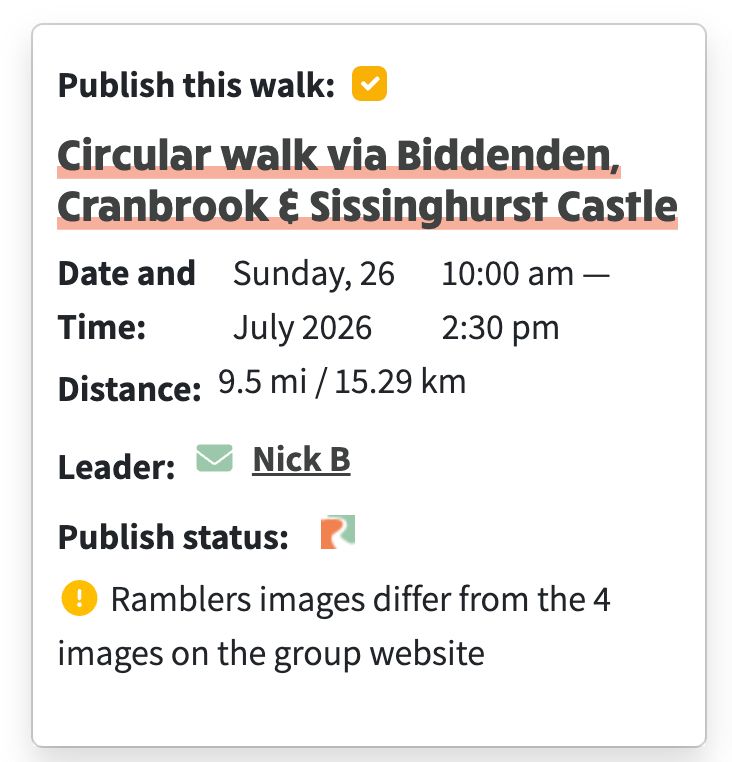
An image difference, with the count held on each side
An upload can be cancelled while it runs
While an upload is in progress the button becomes Cancel upload, and any other tab you have open shows the same, rather than letting you start a second upload by mistake.
