19-Jul-2026 — make unread counts agree with the conversations on screen #306

The unread count in the header now matches what the inbox opens on
What's new
The inbox used to show three different unread figures at once: a count on the envelope in the header, a different number beside the unread filter, and a caption on the list that disagreed with both. They were all counting the same mailbox, but answering slightly different questions.
They now all count the same thing, and it is the thing you see on screen.
What changed
- The count on the envelope now matches the messages the inbox actually opens on, so the number you see in the header is what you find when you go in.
- The unread filter now asks the server for unread messages. It used to look only at the newest fifty conversations, so if everything unread was older than that, the filter showed nothing at all.
- Every figure counts conversations, the same unit the list shows. A conversation belonging to two committee roles is no longer counted twice.
- The list caption now compares like with like, instead of dividing conversations by messages.
- Opening a conversation with several unread messages reduces the count by one, not by the number of messages.
- If nothing is unread, the filter stays on screen with a way back to all messages, and the page tells you whether the mailbox is empty or simply has nothing unread.
- Opening a message from a link works even when the unread filter would have hidden it, instead of dropping you back to the list.
- On a phone, reading a message now shows a single Inbox button rather than four rows of controls that act on the list. The row tucks away as you scroll down and returns as you scroll up.
Faster too
The inbox was doing more work than it needed on every visit, including loading map boundary data it never used. Opening the message list is now roughly twice as quick.
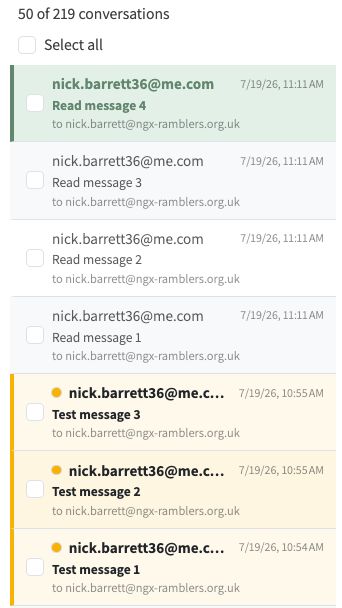
Unread conversations stand out, and the caption counts conversations rather than messages
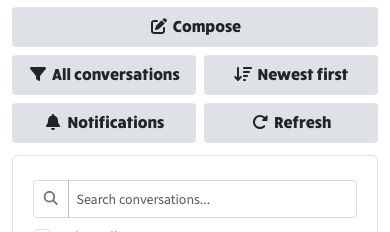
On a phone the list controls are tidier, and step out of the way while you read
Finding your unread mail
The filter button switches between everything in the mailbox and just the unread conversations. The caption above the list tells you which you are looking at, and it now counts the same unit the list shows. Hovering the button tells you which way it will switch.
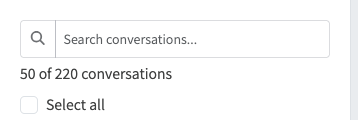
Showing everything: the caption counts every conversation in the mailbox
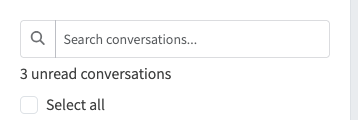
Unread only: the same caption now counts just the unread ones
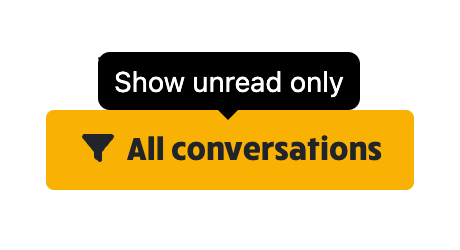
Showing everything, so the button offers unread only
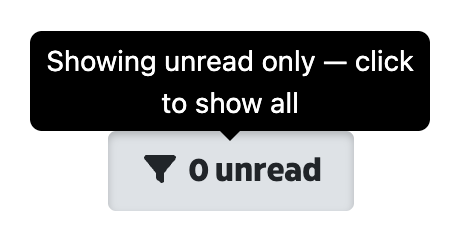
Showing unread only, so the button offers everything back