21-Jul-2026 — hide non-approved walks from public visitors ref #324
What's new
Walk admins can now choose whether walks that are not yet approved
are shown to visitors who are not logged in. Two new checkboxes in
the Walk View tab of the walks configuration page control whether
empty walk slots (no leader assigned) and walks still awaiting
details or approval appear in public walk listings.

The Walk View tab in Admin > Walks Admin > Configuration
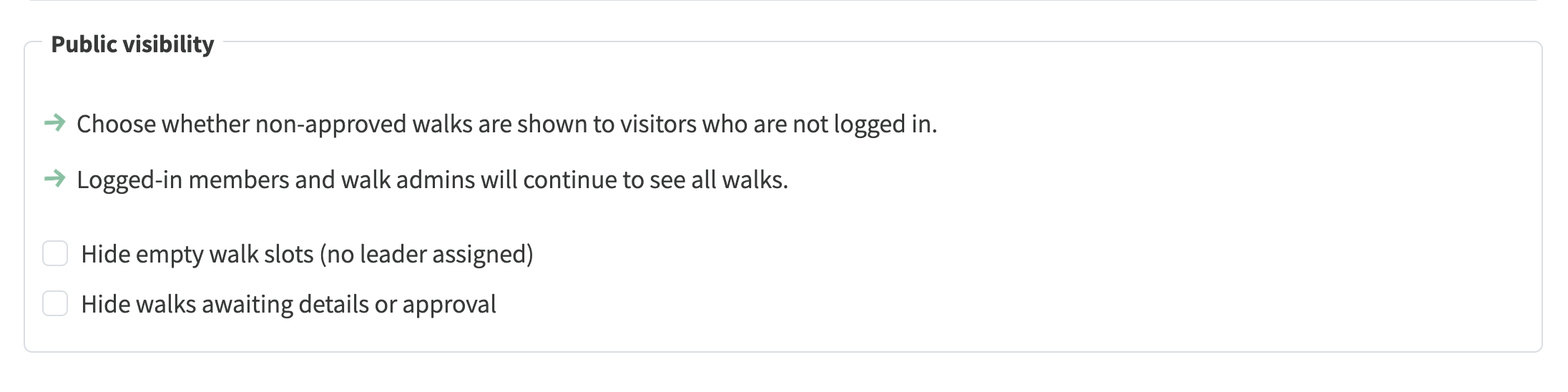
The new Public visibility settings in the Walk View tab
At a glance
- Two independent settings: "Hide empty walk slots (no leader
assigned)" and "Hide walks awaiting details or approval"
- Hidden walks are removed from the card, table and map views for
visitors who are not logged in, and page counts always match the
walks on display
- Visiting a hidden walk's web address directly shows the same page
as a web address that does not exist
- Logged-in members and walk admins continue to see all walks, so
empty slots remain available for members to volunteer to lead
- Both settings are off by default - nothing changes until a group
opts in
- The lead/edit walk button is now a split button: clicking the
main part goes straight to leading the walk, and the arrow on
the right opens a menu with the edit option
- Browsing walks whilst not logged in no longer produces
authorisation errors in the browser console
- An expired login session now signs out cleanly and carries on as
a visitor, instead of showing a logged-in header that no longer
works and blank pages that needed a browser refresh
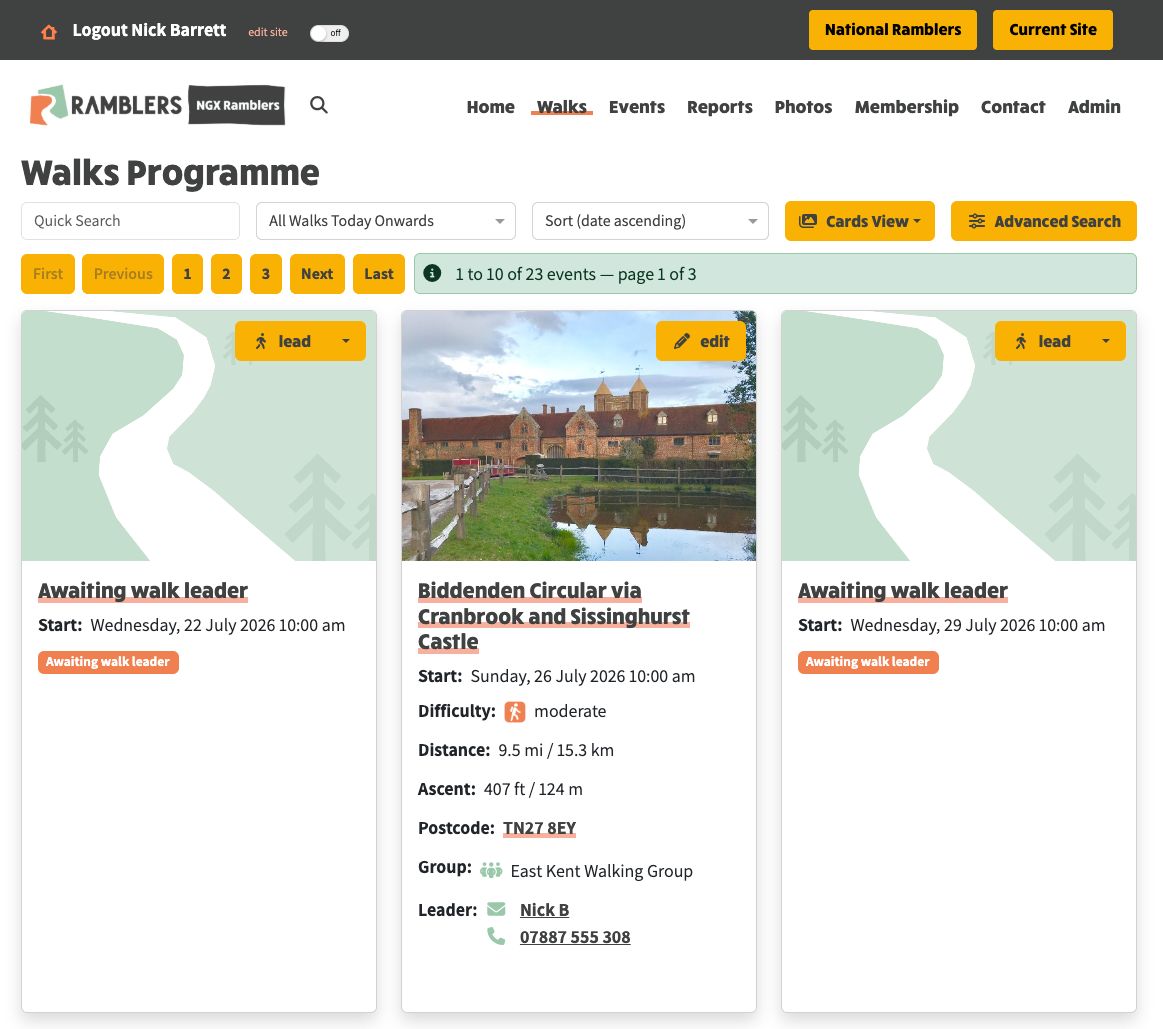
Logged-in walk admins still see empty walk slots, each with the new split lead button and status shown
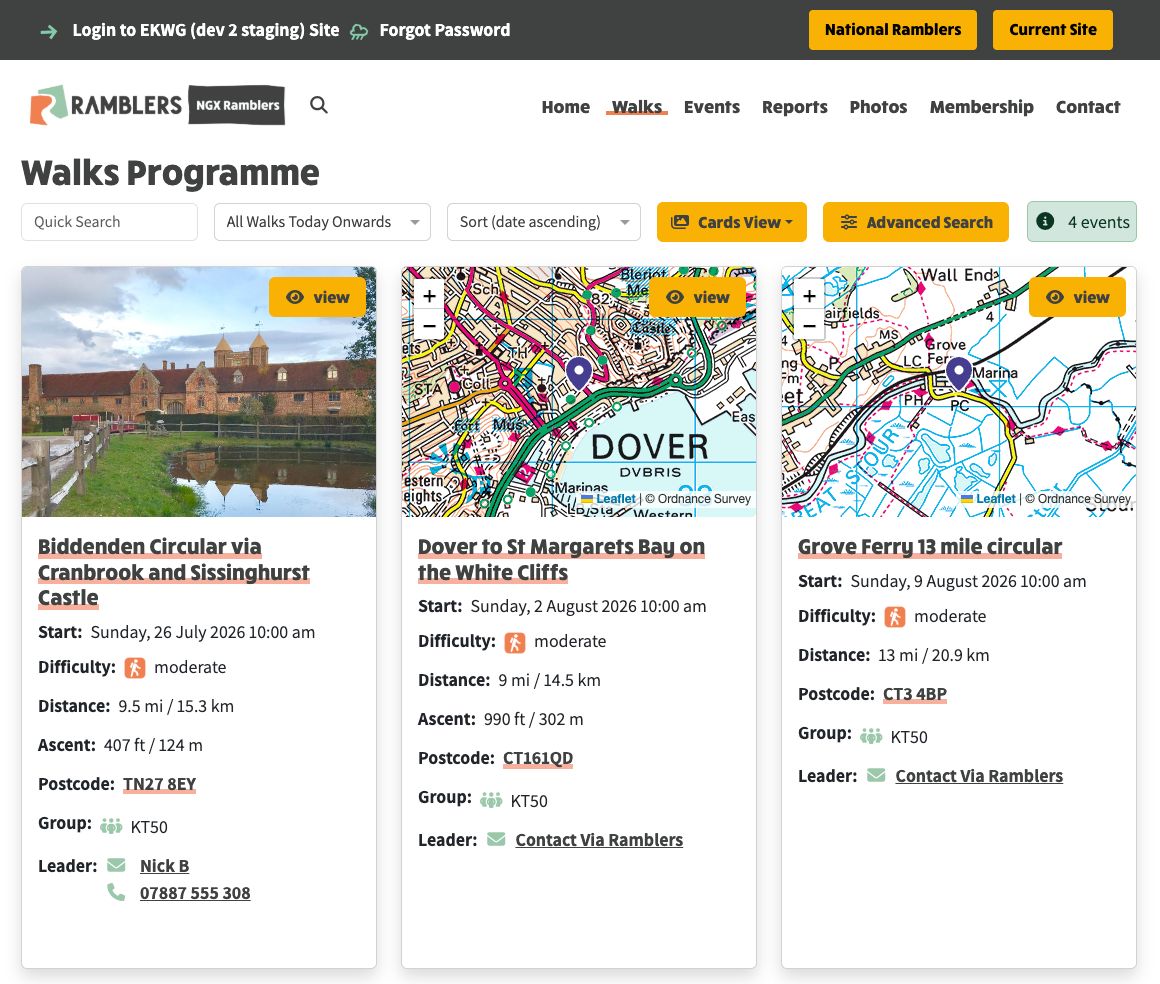
The same walks programme for a visitor who is not logged in — empty slots are hidden and the event count matches what is shown

The split lead button — clicking the main part goes straight to leading the walk
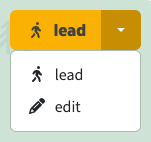
The arrow on the right opens the menu with the edit option