If you hold a committee role, you can now decide for yourself whether to be emailed when new mail arrives for that role — and change your mind at any time, without asking an administrator.
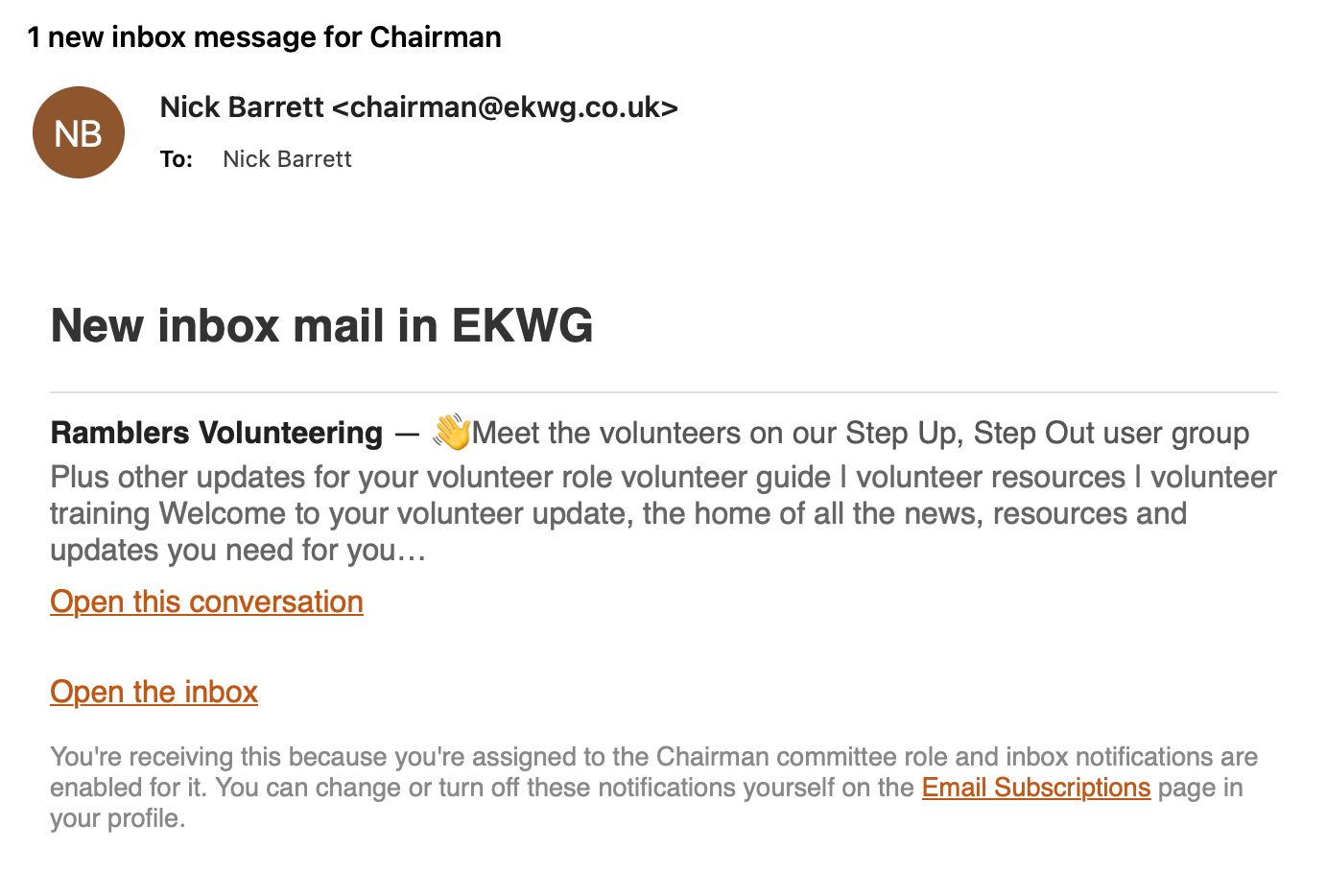
When a message reaches a committee role mailbox you are assigned to, you get an email like this one. It shows who the message is from and the opening lines, with links to open that conversation or the whole inbox.
The footer tells you why you received it and links straight to the page where you can change or stop it.
The notification email, with its footer linking to Email Subscriptions in your profile.
Email Subscriptions in your profile now has an Inbox notifications section listing the committee role addresses assigned to you. For each one, choose no notification, your own member address, or a different address.
Changes are saved with the same Save, Undo changes and Exit actions already used for list subscriptions, so the page behaves consistently throughout.
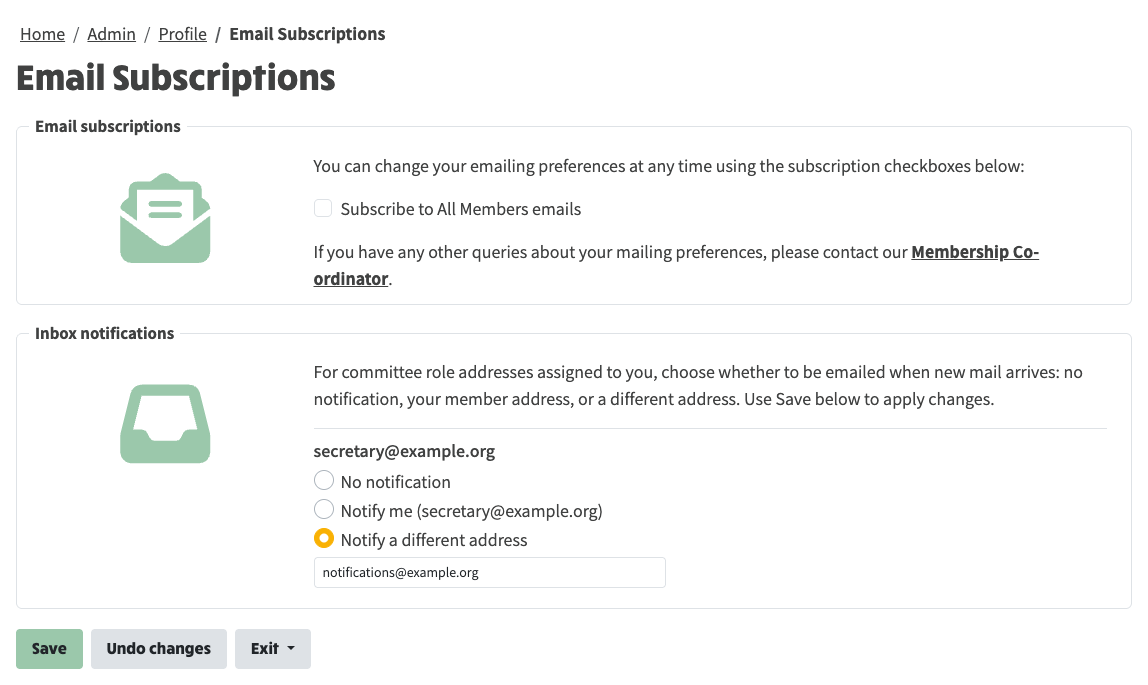
Inbox notifications in Email Subscriptions: one choice per committee role address assigned to you.