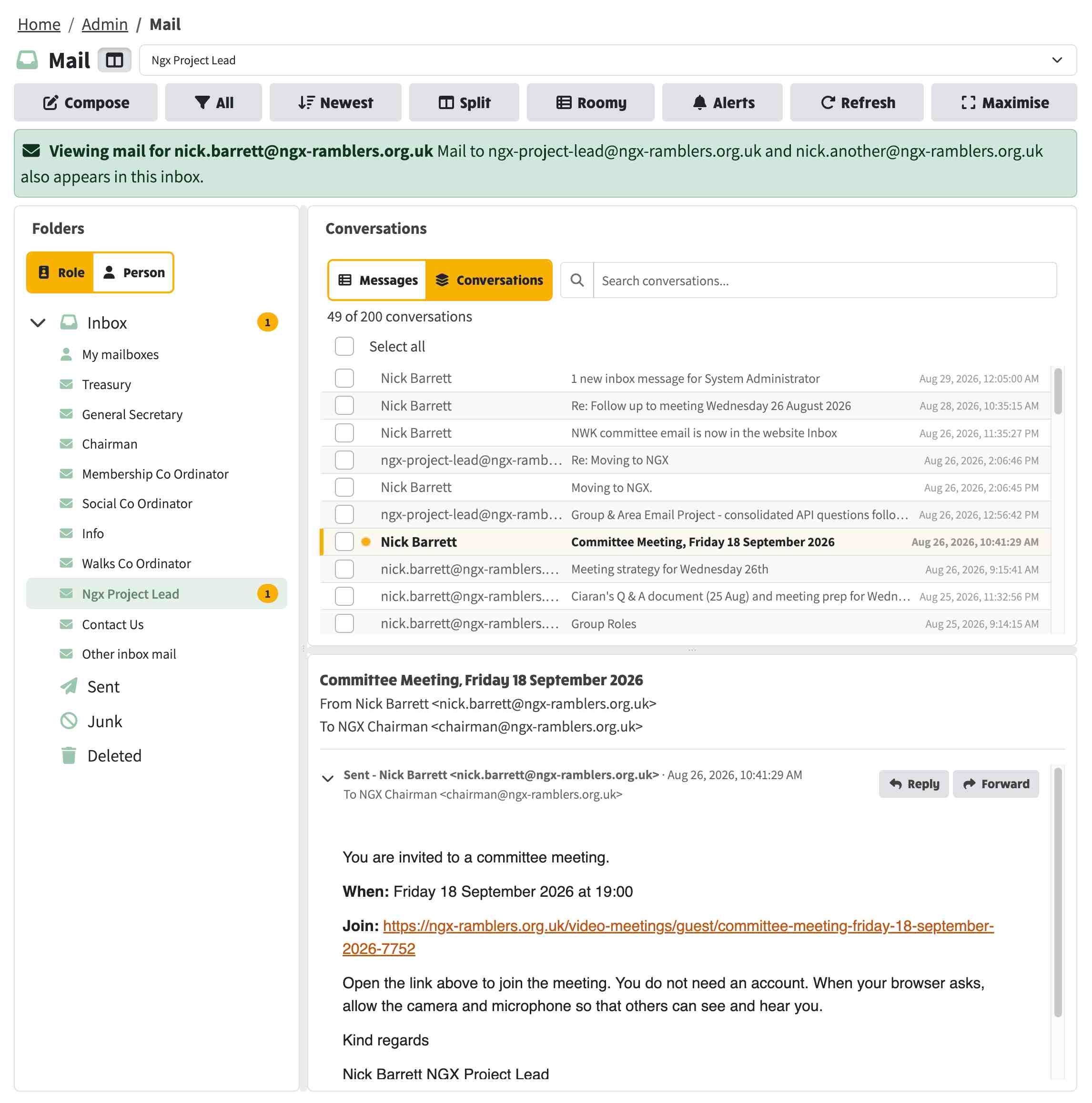
The email inbox has grown into a full Mail experience. A folder pane on the left shows Inbox, Sent, Junk and Deleted alongside every role mailbox, each with its unread count, and mailboxes can be labelled by committee role or by the person holding the role. Sent lists what you have sent, and can show either every message in order or one row per conversation. The folder pane collapses away, has its own splitter, and on a phone the folders slide in from the toolbar like other mail apps. Conversation rows carry aligned From and To columns and can be switched to a compact single-line layout, and moving between mailboxes is noticeably quicker.
This new view allows you to more easily navigate to messages for each committee member, see where unread emails have landed and also go straight to the Sent Items Junk or Deleted folders.
Deleting a conversation now moves it to the Deleted folder rather than removing it. You can restore a conversation back to the inbox from there If you were a bit hasty in deleting something. Anything left in Deleted is permanently removed after 30 days. Additionally, you can display the folders as the Role name or Person. When you click on the Sent items, you can display this as Conversations where you see all of the threads or Messages where it's one line per message. It's up to you and how you like to see things. There's also a Compact view that puts from/to/title/date on one line. That can get a bit cramped unless you choose the Maximise button that puts the inbox on the whole width of the page, which is really great if you've got a widescreen. That gives you much more space to work on messages. The maximised view also works on the email composer - the maximised setting gets carried across to the email composer if you reply or forward a message. All of these toggle buttons are available on the top row of buttons.