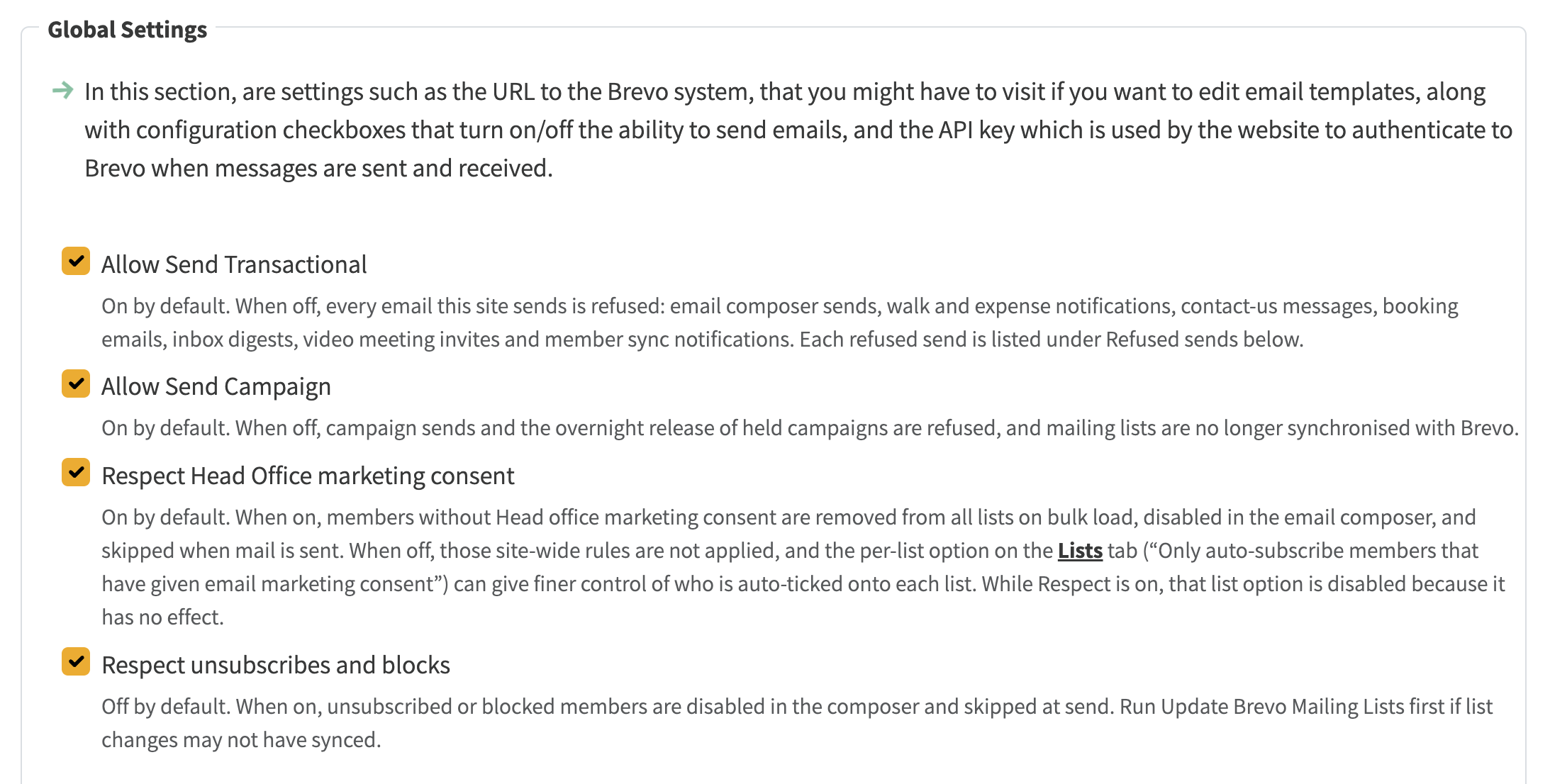
Every NGX group has two switches on Mail Settings: Allow Send Transactional and Allow Send Campaign. They were supposed to stop that group sending mail. In practice they only affected a couple of jobs, so the composer, Contact us, bookings, meeting invites and most other mail still went out.
They now do what they say on every group. If sending is off, NGX stops the send before it reaches Brevo, shows a clear reason, and writes a row in Refused sends on the same tab.
Look under Admin → System Settings → Mail → API, in Global Settings.
This is not the same as someone unsubscribing, a bounce, or Head office marketing consent. Those still work as they did. Refused sends are only attempts NGX itself declined because sending was switched off for that group, or because the platform administrator had suspended sending for that group.
Mail Settings → API: Allow Send Transactional, Allow Send Campaign, and related options. Each one now says what it actually stops.
When you untick Allow Send Transactional, a further option appears: Still send password reset and admin alert emails. It is on by default, so members can still reset a forgotten password while ordinary mail is paused. Tick it off only if you mean to stop those as well.
Allow Send Campaign is the other switch. When it is off, campaign sends and the overnight release of held campaigns are stopped, and mailing lists are no longer synchronised with Brevo.
If you try to send from the email composer while sending is off, you see the reason before you confirm. You do not get a silent failure after the send.
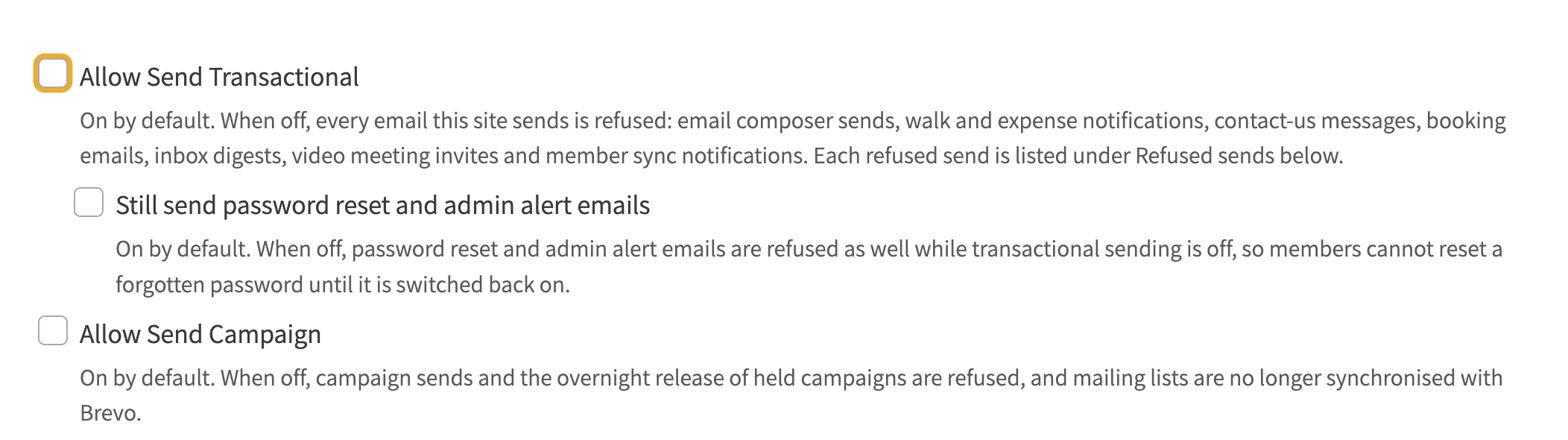
Still send password reset and admin alert emails. This only appears while transactional sending is off, and it is on by default.
Under those switches is a table headed Refused sends. Each time NGX blocks a send, it records when it happened, what kind of mail it was, the subject, how many people it was going to, and why it was blocked.
If the table is empty, nothing has been blocked this way. That is normal on a group that has been sending as usual.
It is not a list of unsubscribes, blocked addresses, or mail that Brevo bounced. Those live on other Mail Settings tabs.
On the platform admin site, Environment Management can suspend email sending for any group, with an optional reason. While that is in force, every send from that group is refused, the reason is shown, and the group's own administrators cannot turn sending back on from Mail Settings. Only the platform administrator can lift the suspend.