The headline change is that walkers can now put a walk straight into their own calendar from the walk's page. Five smaller improvements travelled with it.
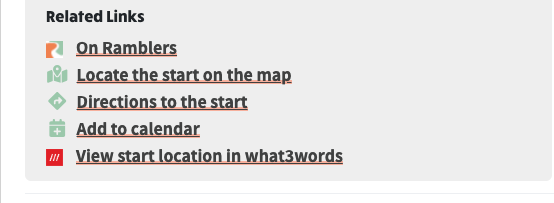
Open any walk and look for the Related Links box below the description and map. It gathers everything useful about that walk in one place: the walk on the Ramblers site, the start location on a map, directions, what3words, and now Add to calendar.
Related Links on a walk page, with Add to calendar
Click Add to calendar and you are offered the calendars your device can actually use.
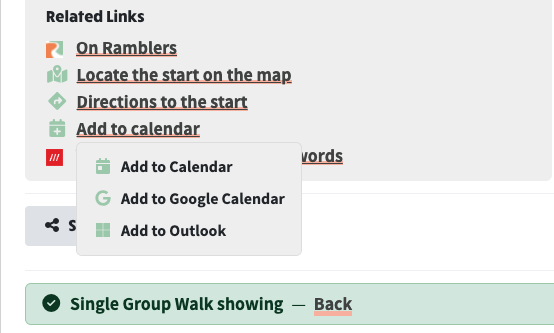
The calendars offered when you click Add to calendar
Pick one and the walk appears in your calendar with its description, the walk leader's name and whatever contact details they have chosen to show, and a link back to the walk's page so you can check the details later. Add to Calendar downloads the event for the calendar app on your computer or phone; Google Calendar and Outlook open the entry ready to save in your account.
Directions to the start works the same way: one link that opens the maps app on a phone, or Google Maps on a computer, instead of the list of nearly identical options that used to be there.
Where a site takes its walks or social events from Walks Manager, there is nothing to add on the website itself, yet the events list still offered an Add New Event button leading to a form for an event that could never be published. That button now appears only where the events are managed on the website.
After a walk was published to Ramblers, opening it to edit showed it as already changed, with "Notify the leader about this change" ticked before anyone had touched it. Publishing records a snapshot of the walk, and the Ramblers sync then writes the walk's Ramblers link into it, so the two disagreed about that one link forever after. Only real edits count now.
Typing :thanks in a caption used to find nothing, because no emoji is actually called "thanks": the nearest are pray, clap and raised hands. The emoji picker in captions and descriptions now understands everyday words like this and offers sensible emojis for them. Plain emojis come before their skin-tone variants, and the suggestion list fills the space available on screen rather than stopping short.
Your site can add its own words too, in System Settings → Styles → Emoji Shortcuts, one per line, in the form word: emoji_one, emoji_two.
Social publishing calls were writing their full web address to the debug log, access tokens included. Tokens are now masked wherever they appear, so the logs stay useful for diagnosing problems without carrying working credentials.