08-Oct-2026 — add user folders and drag-to-file ref #414
What's new
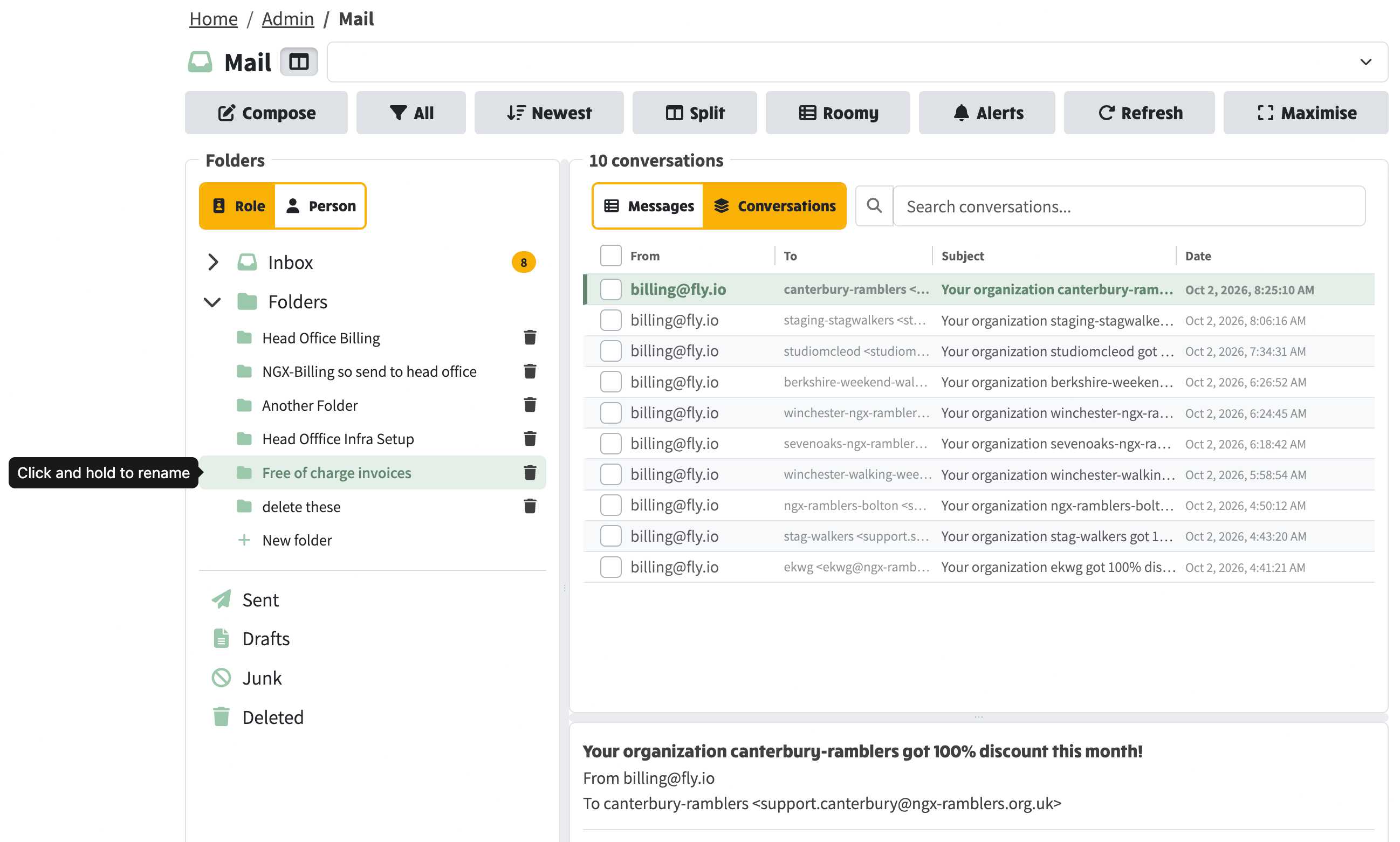
Committee Mail now has a Folders section in the left-hand tree.
- You can create as many folders as you need, click and hold a name to rename it, and file conversations by dragging a row onto a folder or Inbox, or from the selected-conversations menu.
- Drag a single row to file it, or tick several and drag one of them to file the set.
- Drag down the checkboxes, or Shift-drag the rows, to select a range.
- Folder addresses in the URL use the folder name, not a raw id.
- When the list is maximised, a Folder or role column shows the folder name if the conversation is filed, otherwise the role.
- Deleting a folder offers Keep mail (folder goes, mail stays in Inbox),
- Delete mail (folder and mail go), or cancel. New folder uses a plus icon and does not offer browser suggestions.
- Search conversations has a clear cross. This works the same whether the site reads mail through a connected Gmail mailbox or Direct-to-inbox.