{"id":"6afa41ea9b9e92d7b111aef9","title":"2026 11 15 Issue 437","path":"how-to/committee/release-notes/2026-11-15-issue-437","contentMarkdown":"# 15-Nov-2026 — show who bounced on transactional Mail Reports [#437](https://github.com/Ramblers-GB/ngx-ramblers/issues/437)\n\n## [build 1086](https://github.com/Ramblers-GB/ngx-ramblers/actions/runs/43774260279) — [commit 9d5875a](https://github.com/Ramblers-GB/ngx-ramblers/commit/9d5875a05da29dc420a05111c1c49810723d1468)\n\n_____\n\n## What's new\n\n- On Mail Reports → Transactional, click a count (Sent, Delivered, Opens, Clicks, Hard Bounces, Soft Bounces, and the rest) to see the people it applies to, the same way campaign reports already work.\n- In the Sent list, each recipient has a Status column: a small icon with a tooltip for Delivered, Hard bounce, Soft bounce or Blocked. Click the icon to open that list.\n- Mail Settings → Blocks now shows the mail-server diagnostic next to the name when we already have it, so you do not have to open Member Admin to see why.\n\nStatus column added on white hand column that now shows whether it's Delivered or Blocked\n\n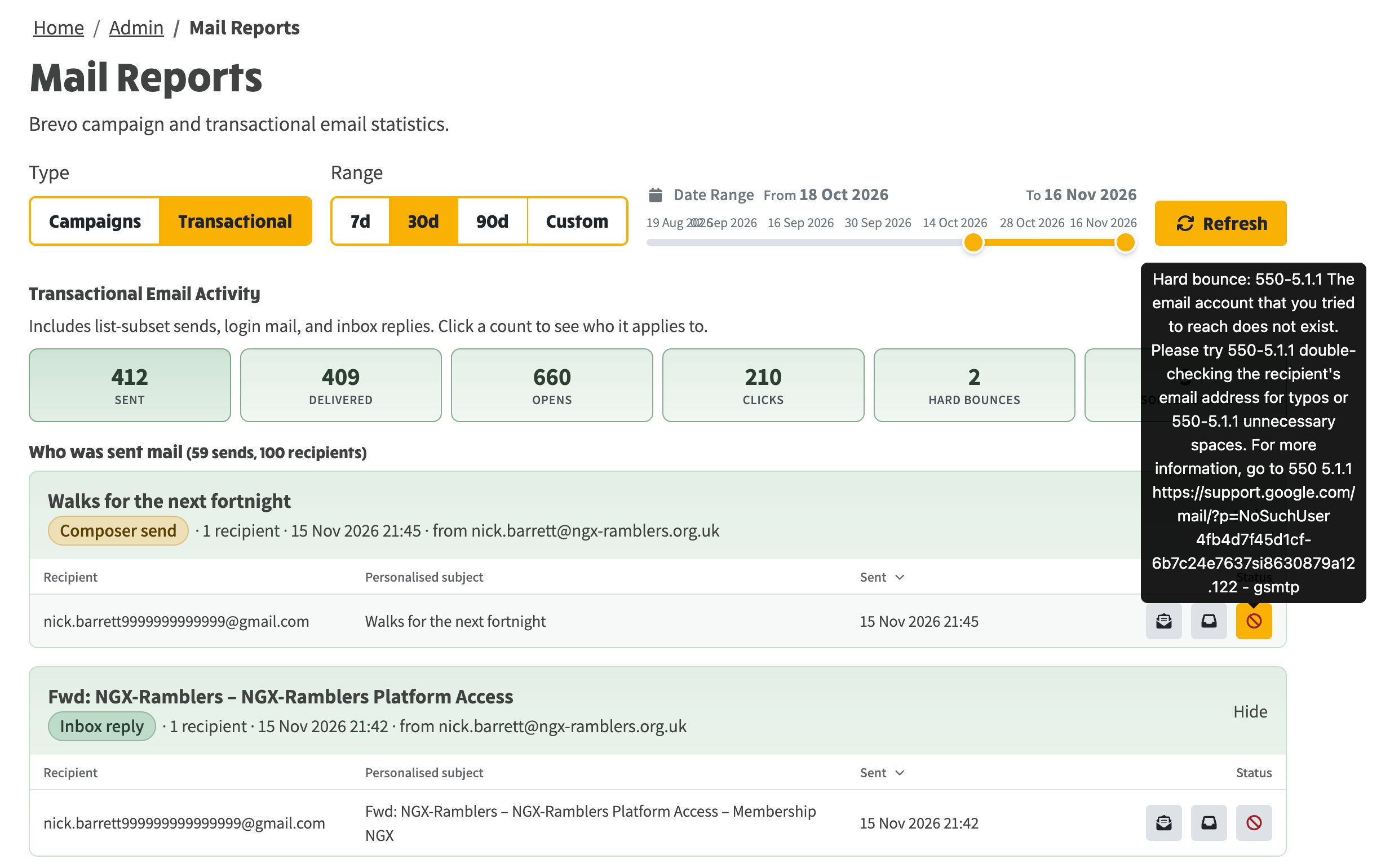\n\nHard and soft bounces can now be viewed on transactional email drill-down\n\n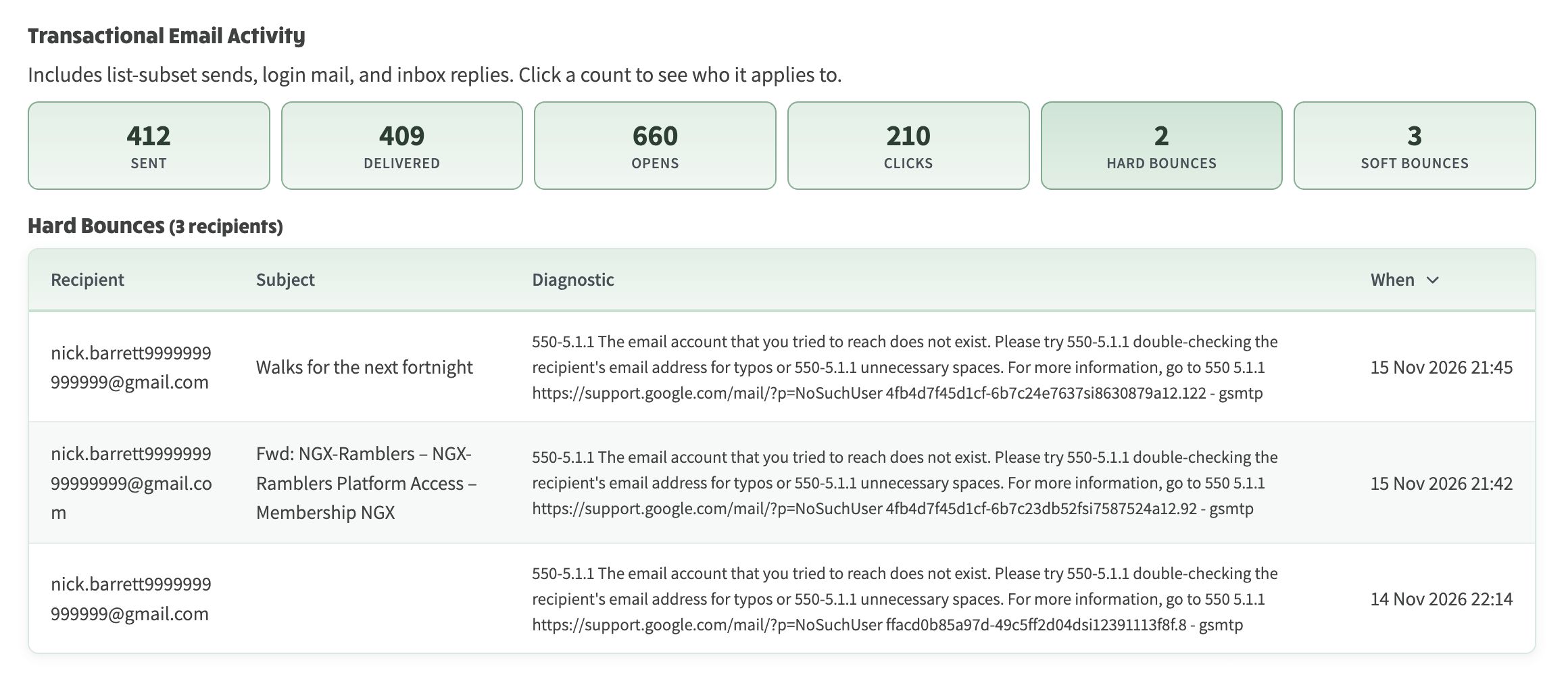","contentHtml":"
15-Nov-2026 — show who bounced on transactional Mail Reports #437
On Mail Reports → Transactional, click a count (Sent, Delivered, Opens, Clicks, Hard Bounces, Soft Bounces, and the rest) to see the people it applies to, the same way campaign reports already work.
\n
In the Sent list, each recipient has a Status column: a small icon with a tooltip for Delivered, Hard bounce, Soft bounce or Blocked. Click the icon to open that list.
\n
Mail Settings → Blocks now shows the mail-server diagnostic next to the name when we already have it, so you do not have to open Member Admin to see why.
\n
\n
Status column added on white hand column that now shows whether it's Delivered or Blocked
\n
\n
Hard and soft bounces can now be viewed on transactional email drill-down

