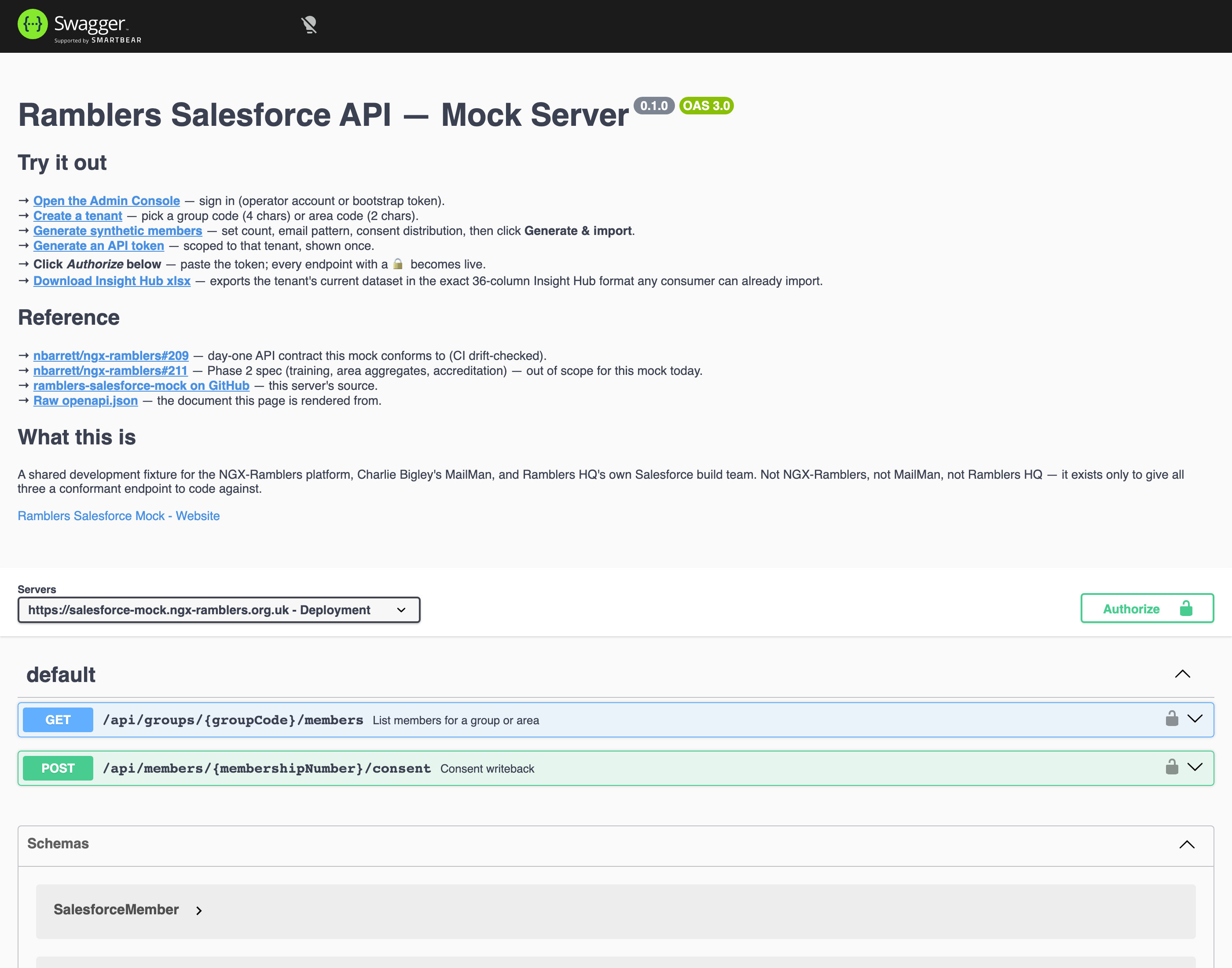
Two endpoints are live, both implementing the day-one contract from #209. Both require an Authorization: Bearer <your-token> header, and the tenant in the path must match the tenant the token is scoped to.
The quickest way to pull data is the interactive API docs, no code required. Go to /docs, click Authorize in the top right, paste your token (without the Bearer prefix), then expand either endpoint and click Try it out. Swagger UI builds the request with the right headers and shows the response inline, so you can list a tenant's members or post a consent change straight from the browser.
Swagger UI at /docs: the day-one contract as an interactive console. Authorize once with your token, then expand list members or consent writeback and click Try it out to call it live.
The same contract is published as a machine-readable OpenAPI document at /api/openapi.json, which you can feed to a client generator.
If you would rather script it or wire it into an integration, the curl recipes below hit those same two endpoints.
Returns every non-removed member in the tenant.
TOKEN='rsm_KT50_your-48-hex-token-here'
curl -sS \
  -H "Authorization: Bearer $TOKEN" \
  https://salesforce-mock.ngx-ramblers.org.uk/api/groups/KT50/members \
  | jq .
The response shape is MemberListResponse (full schema in the OpenAPI document):
{
  "totalCount": 412,
  "members": [
    {
      "membershipNumber": 3300001,
      "firstName": "Aoife",
      "lastName": "Doyle-Adams",
      "email": "aoife.doyle1@ngx-ramblers.org.uk",
      "consents": { "emailMarketingConsent": true, ... },
      "groupMemberships": [ { "groupCode": "KT50", "roles": ["walkLeader"] } ],
      "membershipExpiryDate": "2026-12-31"
    }
  ]
}
The same path /api/groups/{code}/members is used for both group and area tenants today — the route accepts whichever 2-to-6-character code your token is scoped to. The groupCode segment name is a known wrinkle: a parallel /api/areas/{code}/members (or a renamed /api/tenants/{code}/members) is the obvious next step, but tracking ticket ramblers-salesforce-mock#1 currently keeps both kinds on the single path so existing consumers don't have to switch URLs mid-integration.
?since=Pass an ISO-8601 timestamp to get only what's changed since then:
curl -sS \
  -H "Authorization: Bearer $TOKEN" \
  "https://salesforce-mock.ngx-ramblers.org.uk/api/groups/KT50/members?since=2026-04-01T00:00:00Z" \
  | jq .changes
The response gains a changes[] array with three kinds of entry: added, updated, and removed. Soft-removed members (those that disappeared in a later upload) appear here with removed, which is how downstream syncs notice deletions without the mock having to keep dead rows in the main members[] array.
If ?since= returns nothing new, check that your timestamp is earlier than the most recent ingest. Freshly ingested rows have updatedAt set to the ingest time; anything before that drops out of changes[].
?includeExpired=trueBy default the list excludes members whose membership expiry date is in the past. Add ?includeExpired=true to get them too — useful for renewal-reminder workflows.
A single endpoint updates one or more consent flags for a specific member.
curl -sS -X POST \
  -H "Authorization: Bearer $TOKEN" \
  -H "Content-Type: application/json" \
  -d '{
    "emailMarketingConsent": false,
    "source": "ngx-ramblers",
    "timestamp": "2026-04-21T09:00:00Z",
    "reason": "unsubscribe-link"
  }' \
  https://salesforce-mock.ngx-ramblers.org.uk/api/members/3300001/consent \
  | jq .
Returns a ConsentUpdateResponse with the updated flags and success: true. The change is also logged to a consentEvents collection, which is what an HQ-side audit would consult.
| Field | Notes |
|---|---|
source |
Per the #209 contract, valid values are ngx-ramblers or mailman. New consumers can be added to the enum if needed — open an issue. |
timestamp |
ISO-8601. Used to break ties when two systems write competing values. |
reason |
Optional free-form string for audit context. |
| Consent flags | Any of emailMarketingConsent, groupMarketingConsent, areaMarketingConsent, otherMarketingConsent — provide only the ones you want to change. At least one must be present. The two xlsx-only flags (postDirectMarketing, telephoneDirectMarketing) are not writeable through this endpoint by design — the source of truth for those remains the Insight Hub upload. |
| Status / code | Meaning |
|---|---|
| 401 UNAUTHORIZED | Token missing, malformed, revoked, or unknown. Check the Authorization header; generate a new token if you've lost the original. |
| 401 with "Token is not authorised for tenant X" | You're calling /api/groups/X/members with a token generated for a different tenant. Tokens are scoped to one code only — use the right token, or generate one for the right tenant. |
| 404 GROUP_NOT_FOUND / AREA_NOT_FOUND | No tenant with that code exists. Create it first in the admin UI. |
| 404 MEMBER_NOT_FOUND (consent writeback) | No member with that membershipNumber exists in any tenant your token can reach. |
| 400 BAD_REQUEST | Body validation failed. The error message includes the field name and reason. |