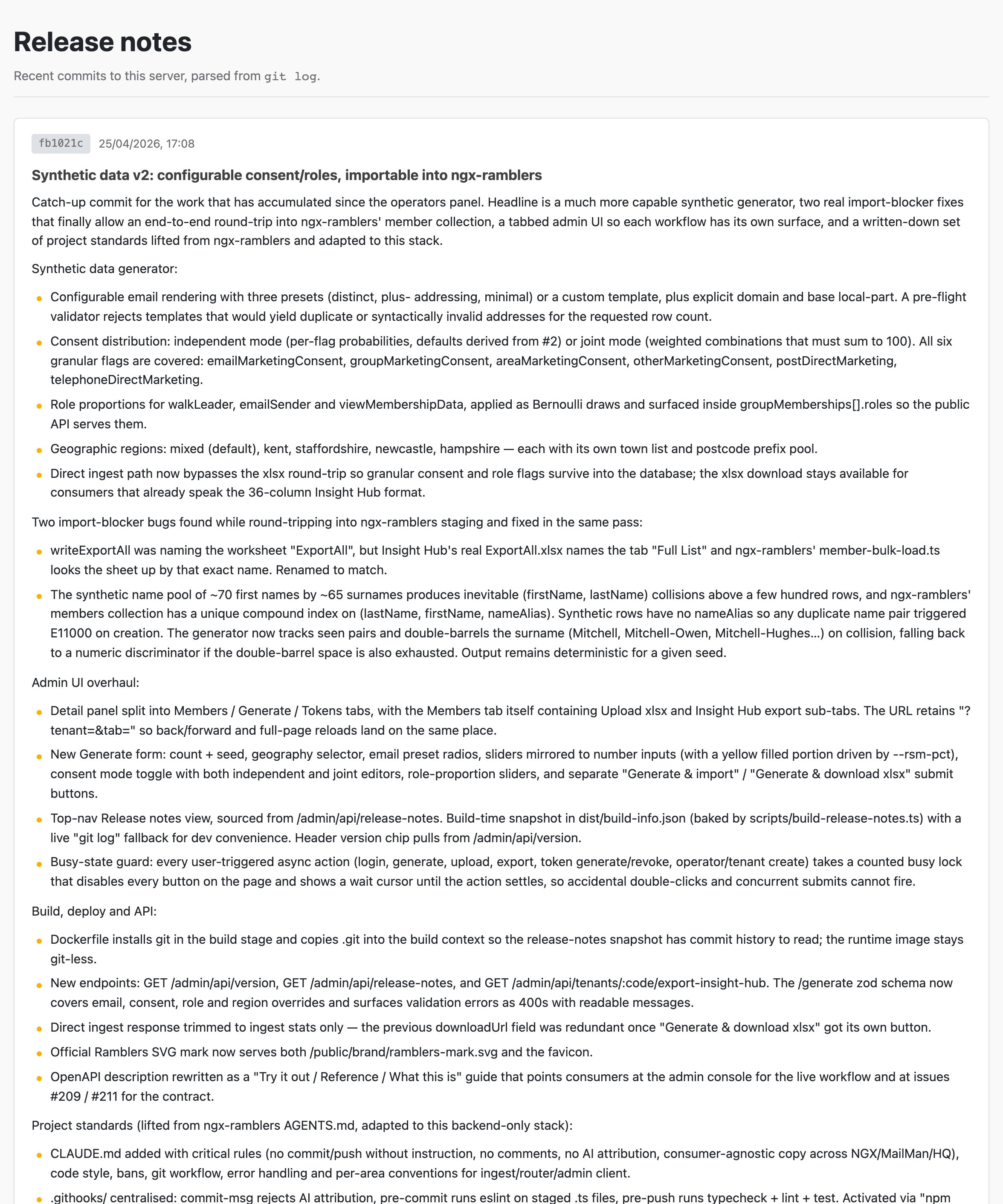
The mock advertises its own version and recent commit history so consumers can tell at a glance which build is deployed and what's changed since they last integrated. Useful when a downstream test starts behaving differently and you need to know whether the mock changed underneath you.
The release notes view shows the last fifty commits to the deployed server, with author, date, subject, and body.
Sign in, then click Release notes in the header (or visit /admin/release-notes directly). It shows the last fifty commits to the server, each with author, date, subject, and body — the same content you'd see from git log on the deployment box.
Useful for:
The footer of every signed-in admin page shows version <semver> · <gitSha>. Same data is exposed publicly (no authentication required) at:
curl -sS https://salesforce-mock.ngx-ramblers.org.uk/admin/api/version | jq .
{
  "version": "0.4.0",
  "gitSha": "fb1021c",
  "generatedAt": "2026-04-21T12:34:56.789Z"
}
Public access is deliberate — it lets a downstream CI job assert "the mock is at least version X" before running an integration suite, without needing to mint a token first.
Same data the in-browser view consumes, available as JSON for the curious or for downstream tooling:
TOKEN_COOKIE=...   # see /admin/api/login
curl -sS -b "$TOKEN_COOKIE" https://salesforce-mock.ngx-ramblers.org.uk/admin/api/release-notes | jq .
This endpoint requires an authenticated operator session (same as the admin UI); it is not exposed to the public.
The build pipeline writes a dist/build-info.json snapshot during npm run build — version from package.json, git SHA, generation timestamp, and the last fifty commits. The server reads that file at startup and caches it for the lifetime of the process.
In dev (npm run dev), the snapshot file usually doesn't exist yet, so the server falls back to running git log live against the working directory. That keeps the dev experience honest — what you see locally is exactly the same shape consumers will see in production.
When you bump version, change the version field in package.json, rebuild, and redeploy — the new value flows through automatically.