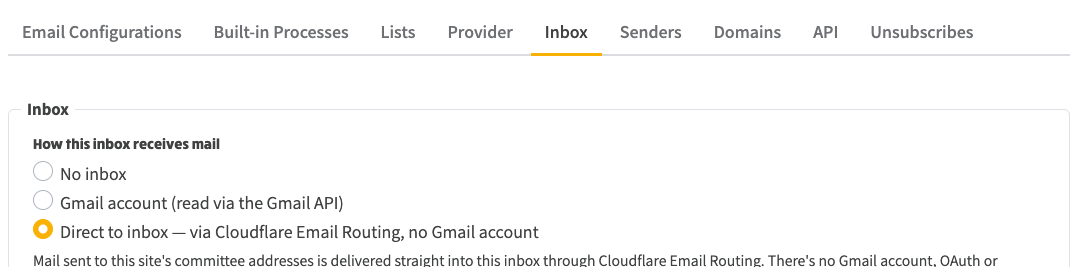
This is the companion to Setting up a Gmail inbox for committee replies. It covers the newer direct-to-inbox option, where committee mail arrives in your NGX inbox straight from Cloudflare with no Gmail account, no Google Cloud project, and no OAuth to maintain. If you are choosing how a group should receive committee replies, read both and pick one; you do not need both.
Every NGX site can receive committee replies in one of three ways:
Direct-to-inbox is the simplest to run because there is no Google side at all. It is push-only, so replies appear in the inbox the moment they are received.
| Gmail inbox | Direct-to-inbox | |
|---|---|---|
| Google account | A dedicated Gmail account per mailbox | None |
| Google Cloud / OAuth / Pub/Sub | Required | None |
| How mail travels | Cloudflare forwards the role address into Gmail; NGX reads it via the Gmail API | A Cloudflare Worker posts the message straight to NGX |
| Delivery | Poll every 30s, or push via Pub/Sub | Real-time on receipt |
| 7-day token expiry to watch | Yes (Testing-mode refresh token) | Not applicable — there is no token |
| Where you set it up | Mostly in Google | Entirely in NGX — Cloudflare API calls made within Admin → Mail Settings & Admin → Committee Settings |
| Junk mail | Filtered by Google — junk lands in the Gmail account's Spam folder, which NGX doesn't read | No spam folder in the path — Cloudflare's SPF/DKIM/DMARC checks apply, but anything that passes arrives straight in your inbox |
| If the site is unavailable | Mail waits in the Gmail account; NGX catches up when it's back, so nothing is missed | The router forwards each message to the safety-net address instead — nothing bounces, but mail arriving during the outage lands there, not in this inbox |
You need:
kent.ngx-ramblers.org.uk under ngx-ramblers.org.uk). The setup differs slightly. NGX works this out for you and shows the matching instructions; if it cannot, it shows a "Cloudflare zone not resolved" warning.There is also one platform-level prerequisite that a platform administrator sets once for the whole system, not per group: the shared secret NGX_INBOUND_SECRET must be set in the platform admin shared secrets and the site redeployed. Until it is, the "route into inbox" action returns a clear error telling you to set it. If you are a group administrator and hit that error, ask whoever runs the platform to set it.
That switches the site's inbox provider. The next step wires Cloudflare up to actually deliver the mail, and it depends on whether your site owns its zone or is a subdomain.
Admin → Mail Settings → Inbox: choose “Direct to inbox” as the provider.
If your site owns its Cloudflare zone:
email-inbox-router worker and repoints every @yourdomain routing rule at it. You will see a confirmation such as "Mail for N addresses now arrives in this inbox."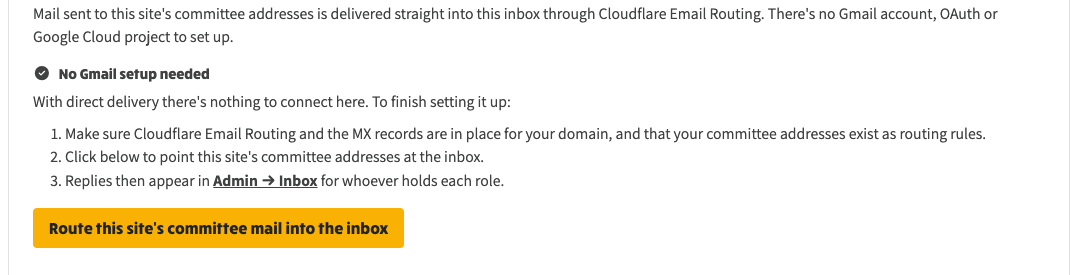
The Direct-to-inbox panel: no Gmail setup, then “Route this site’s committee mail into the inbox”.
If your site is a subdomain of a shared zone, there are no Cloudflare rules to add on the subdomain itself — delivery is provided by the parent zone's router. Two things need setting:
@domain mail should go — deliver to this inbox, forward to an address, or drop. This is the only catch-all choice a subdomain can make.Once both are set, the router fans each message out by recipient domain to the right site's webhook, and each site files it according to its own provider and catch-all setting. A subdomain cannot edit the shared zone's catch-all — that is set once, on the apex site.
These apply to both cases:
@domain mail that matches no role rule — deliver to this site's inbox, forward to an address, or drop.Notifications work the same regardless of provider: the same "notify the assigned member" per-role controls apply, and a digest of new inbox messages goes out every five minutes.
Committee replies appear in Admin → Inbox for whoever holds each role, exactly as they do with the Gmail route. Delivery is real-time — a message is filed the moment Cloudflare receives it.
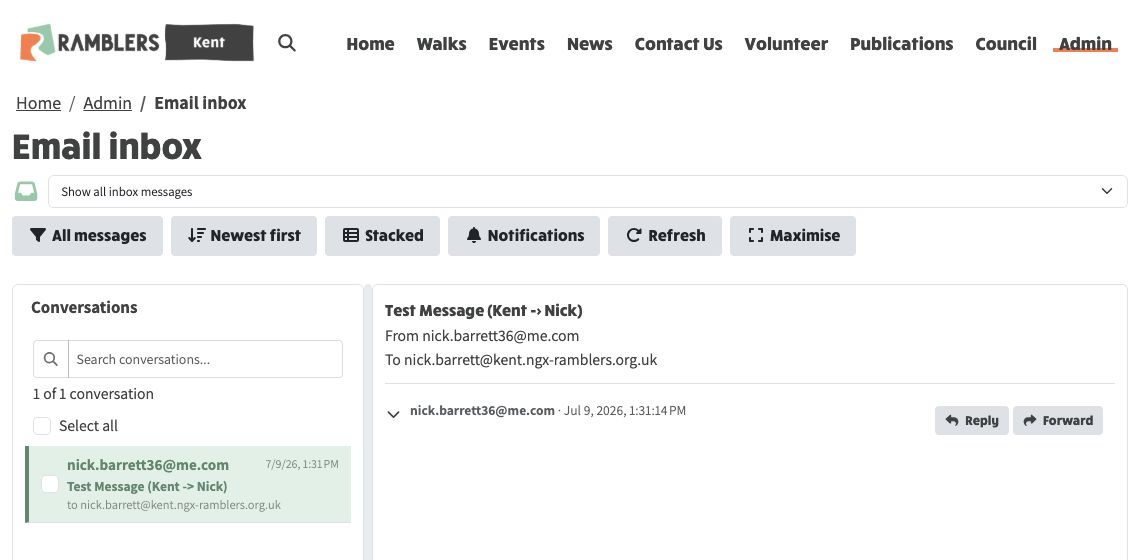
The Email inbox on Kent (kent.ngx-ramblers.org.uk, a shared-zone subdomain): a reply delivered straight into the site's inbox by direct-to-inbox.
NGX_INBOUND_SECRET has not been set, or the site has not been redeployed since it was. Ask your platform administrator to set it in the shared secrets and redeploy.