
Walk slots are empty placeholder walks that admins create in advance, ready for walk leaders to claim and fill in. They are the foundation of the local walks workflow - if your group manages its walks programme inside NGX-Ramblers rather than syncing from Ramblers Walks Manager, walk slots are how you build up your forward programme.
This feature is only available when your group's Walk Population is set to Local. You can check this in Admin > System Settings > Group / Area Configuration > Group Walk Population.
There are two population modes:
If your group is in Walks Manager mode and you switch to Local mode, you can start creating walk slots. If you do this, be aware that you are now managing the entire walks programme inside NGX-Ramblers - Walks Manager data will not be pulled automatically into your NGX so Walks manager from this point on will be updated by the NGX walks export.
Before creating slots, go to Walks > Admin > Config > General and check these settings:
Walks > Admin > Config > General, showing the Regular Walk Day and walk-creation access level settings.
You will see two options for creating slots. Walks Admins can use both options regardless of the self-service setting, as long as the group is using Local walk population.
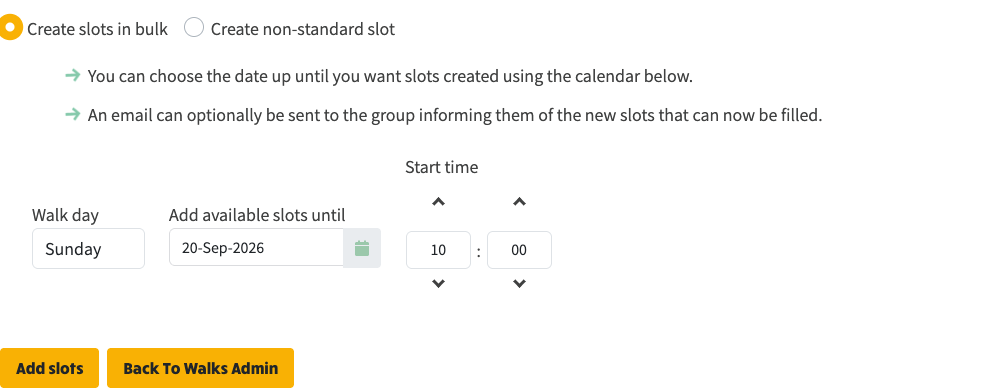
The Add Walk Slots screen in bulk mode, with Walk day, end date, and start time controls.
This is the most common coordinator workflow. Use it when you want to create a run of empty slots on your group's usual walk day, or temporarily switch the dropdown to another day for a separate batch.
The system automatically:
An email notification can optionally be sent to the group informing them that new slots are ready to be filled.
Use this option for one-off walks that do not fit the regular pattern, such as evening walks, midweek walks, away days, or extra weekend walks.
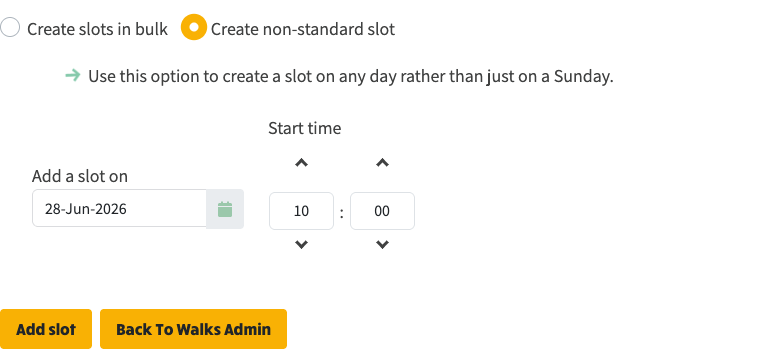
Create non-standard slot lets a Walks Admin create a single slot on any date, with its own start time.
The system checks whether a slot already exists for that date before creating a new one.
Issue #269 added a self-service route for groups that want walk leaders to create their own non-regular walk slots.
When Walk leader self-service - who can create their own walk is set to an access level the logged-in member meets, that member sees an extra option in the walks programme view menu.
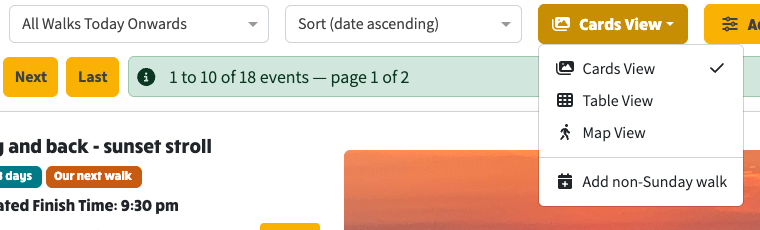
The walks programme view menu with Add non-Sunday walk visible for a logged-in member who has self-service access.
The menu label follows your regular walk day. If Sunday is your configured regular day, it says Add non-Sunday walk; if Wednesday is your regular day, it says Add non-Wednesday walk.
Choosing the option opens the walk editor with:
This route is useful when your committee wants to keep regular programme slots coordinated, but allow members to add extra walks without asking a Walks Admin first.
A walk programme moves through several states, and you can see all of these on the walks list as you browse forward in time:
Walks closest to today are usually fully populated and approved. They show the full walk details - title, leader, description, distance, location, route map, and contact information:
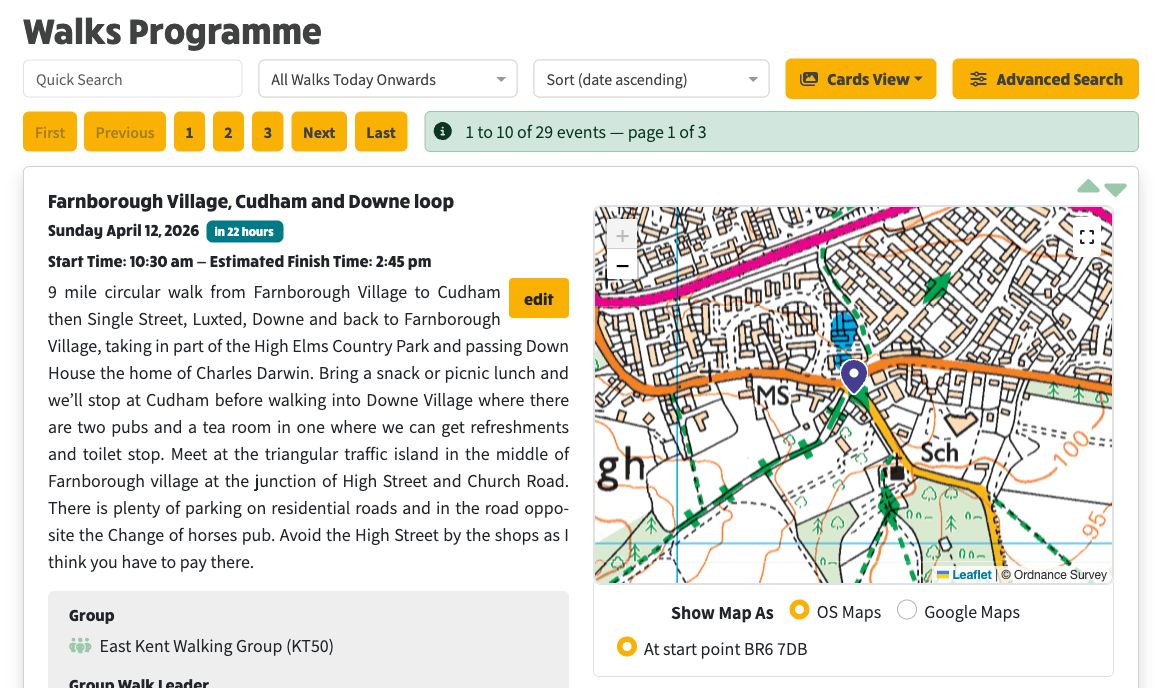
The walks programme showing fully populated, approved walks near the current date.
A few weeks out you may find walks where a leader has claimed the slot but has not yet filled in all the walk details. These show the leader's name but no description, distance, or route information yet:
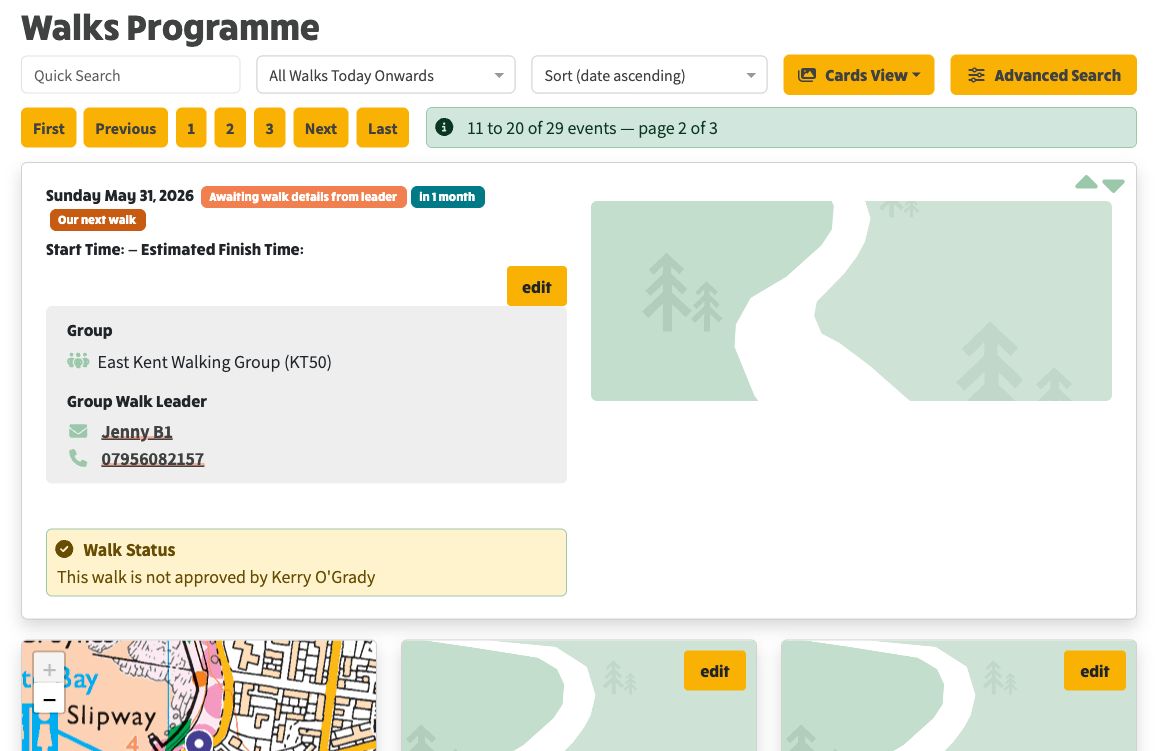
A walk that has a leader assigned but the full walk details have not yet been provided.
Further into the future, you will find empty slots created by the Add Walk Slots feature. These are marked Awaiting walk leader and are waiting for someone to claim them:
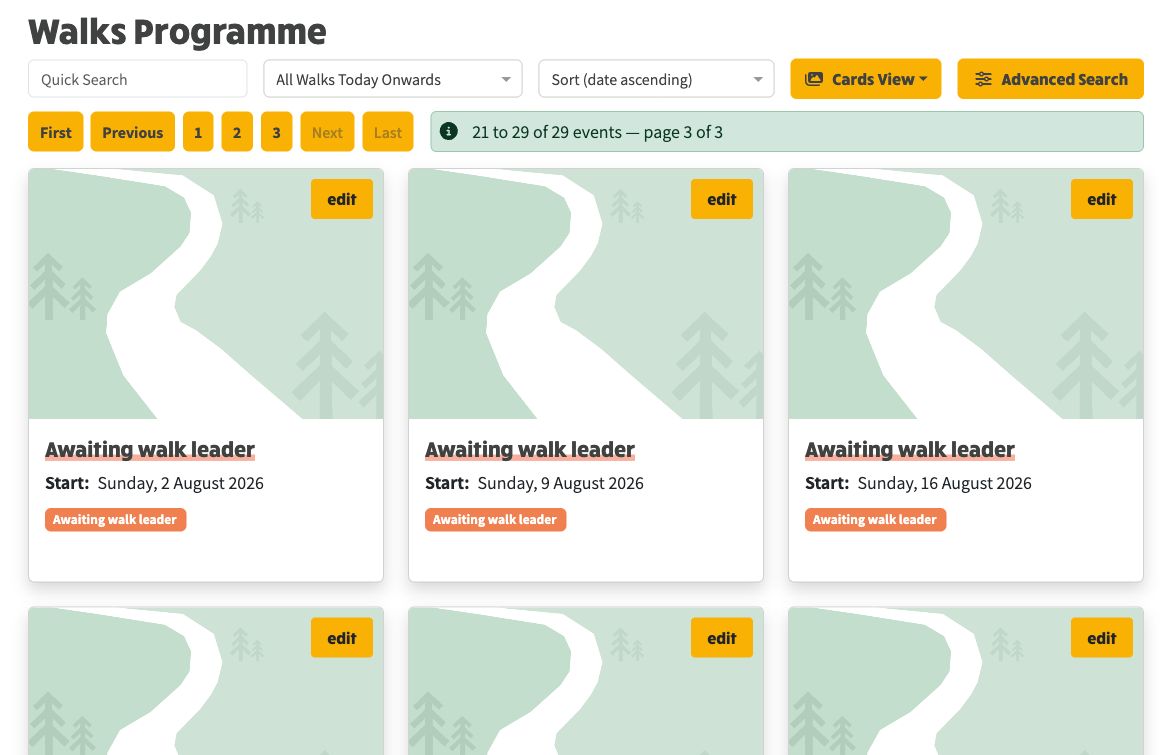
Empty walk slots awaiting a leader. These were created by the Add Walk Slots feature and are waiting for someone to volunteer.
Once slots exist, walk leaders can claim them:
Each walk moves through these states:
A coordinator can also free a slot at any time, either keeping the walk details so a new leader takes it over, or wiping it back to a blank slot.